
jorijn / laravel-security-checker

Added Laravel functionality to the Enlightn Security Checker. Adds a command to check for, and optionally emails you, vulnerabilities when they affect you.
Package info
github.com/Jorijn/laravel-security-checker
pkg:composer/jorijn/laravel-security-checker
Requires
- php: ^8.2
- ext-json: *
- enlightn/security-checker: ^2.0
- guzzlehttp/guzzle: ^7.0
- illuminate/bus: ^12.0|^13.0
- illuminate/console: ^12.0|^13.0
- illuminate/mail: ^12.0|^13.0
- illuminate/notifications: ^12.0|^13.0
- illuminate/queue: ^12.0|^13.0
- illuminate/support: ^12.0|^13.0
Requires (Dev)
- laravel/slack-notification-channel: ^3.0
- mockery/mockery: ^1.0
- orchestra/testbench: ^10.0|^11.0
- phpunit/phpunit: ^11.0|^12.0|^13.0
- squizlabs/php_codesniffer: ^4.0
Suggests
- laravel/slack-notification-channel: If you need slack notifications, you must install this package.
Provides
None
Conflicts
None
Replaces
None
README

This package provides an effortless way for you to check your local composer.lock against the Security Advisories Database.
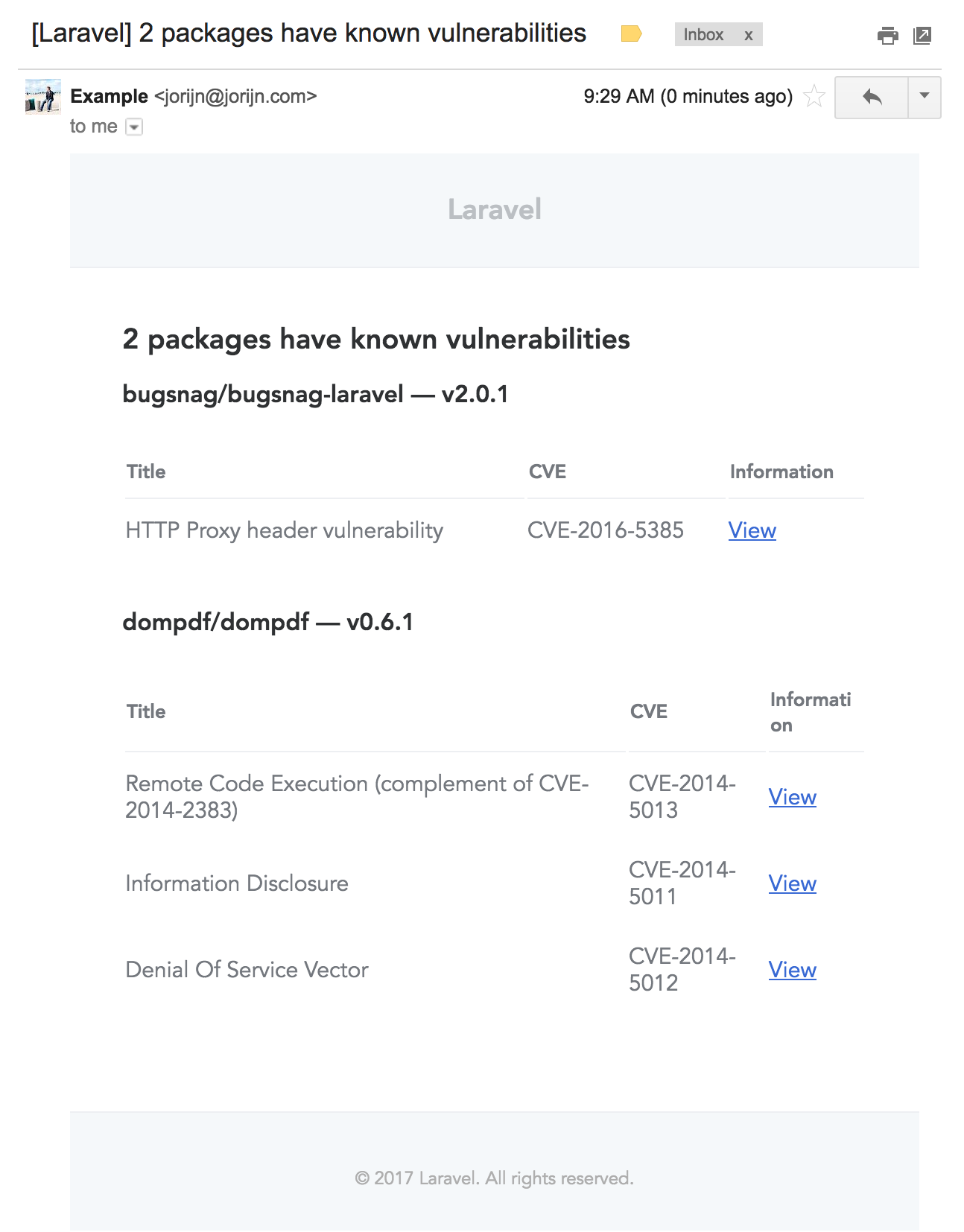
It can either display the results in your console or email them to you on a scheduled basis. It uses Laravel's markdown system, so it should fit nicely in your styling.
Screenshot
Installation
Require this package with composer using the following command:
composer require jorijn/laravel-security-checker
Configuration
If you want the package to send reports by email, you'll need to specify a recipient.
Option 1
Add it to your .env file.
LCS_MAIL_TO="someone@example.net"
Option 2
Publish the configuration file and change it there.
php artisan vendor:publish --provider="Jorijn\LaravelSecurityChecker\ServiceProvider" --tag="config"
If you want to control on how the email is formatted you can have Laravel export the view for you using:
php artisan vendor:publish --provider="Jorijn\LaravelSecurityChecker\ServiceProvider" --tag="views"
By default, the package won't email you when there are no vulnerabilities found. You can change this setting by adding the following entry to your .env file.
LCS_NOTIFY_WITHOUT_VULNERABILITIES=true
Slack
If you want the package to send the report to a Slack channel, you will need to specify a Slack Webhook
in your .env file.
E.g.:
LCS_SLACK_WEBHOOK=https://hooks.slack.com/services/T00000000/B00000000/XXXXXXXXXXXXXXXXXXXXXXXX
Excluding dev dependencies
If your dev dependencies never reach production, you can leave them out of the check by adding the following entry to your .env file.
LCS_EXCLUDE_DEV=true
Allowing known vulnerabilities
Sometimes a reported vulnerability doesn't affect you, or you've accepted the risk. You can stop it from being reported by
adding its CVE identifier or its exact advisory title to the allow list. In your .env file, use a single-quoted JSON array:
LCS_ALLOW_LIST='["CVE-2024-1234","Example vulnerability title"]'
If you have published the configuration file, you can use a regular PHP array for allow_list instead.
Keep in mind:
- Entries must match exactly, including case.
- An allowed title is ignored for every package with an advisory by that name.
- An invalid allow list is ignored and logged as a warning, so the check always runs and nothing is hidden by mistake.
Scheduling
The package exposes a new command for you:
php artisan security-check:email
You can hook it up into a regular crontab or add it into the Laravel Scheduler (app/Console/Kernel.php) like this:
protected function schedule(Schedule $schedule)
{
    $schedule->command(\Jorijn\LaravelSecurityChecker\Console\SecurityMailCommand::class)
        ->weekly();
}
Running as a command
This package provides a wrapper around the Enlightn Security Checker command. You can call it using php artisan security-check:now.

Translations
If you need to translate this package into your own language you can do so by publishing the translation files:
php artisan vendor:publish --provider="Jorijn\LaravelSecurityChecker\ServiceProvider" --tag="translations"
Please consider helping out by creating a pull request with your language to help out others.