
wsmallnews / filament-nestedset

Filament nestedset tree builder powered by kalnoy/nestedset with Filament v4 and v5 support
Fund package maintenance!
Requires
- php: ^8.2
- codewithdennis/filament-select-tree: ^4.0
- filament/filament: ^4.0 || ^5.0
- kalnoy/nestedset: ^6.0 || ^7.0
- spatie/laravel-package-tools: ^1.15.0
Requires (Dev)
- larastan/larastan: ^2.0.1 || ^3.0
- laravel/pint: ^1.0
- nunomaduro/collision: ^7.9 || ^8.0
- orchestra/testbench: ^9.0 || ^10.0 || ^11.0
- pestphp/pest: ^2.0 || ^3.0 || ^4.0
- pestphp/pest-plugin-arch: ^2.0 || ^3.0 || ^4.0
- pestphp/pest-plugin-laravel: ^2.0 || ^3.0 || ^4.0
- phpstan/extension-installer: ^1.1
- phpstan/phpstan-deprecation-rules: ^1.0 || ^2.0
- phpstan/phpstan-phpunit: ^1.0 || ^2.0
- spatie/laravel-ray: ^1.26
Suggests
None
Provides
None
Conflicts
None
Replaces
None
This package is auto-updated.
Last update: 2026-10-23 14:14:41 UTC
README
Supports Filament v4 and v5. If you are currently using Filament v3, please refer to this link here
Filament nestedset tree build on kalnoy/nestedset, support multi language. support Multi-tenancy
Overview
- Elegant UI, consistent with the default style of the filament page
- The Filament nestedset plugin is built on kalnoy/nestedset
- ParentSelect field depends on codewithdennis/filament-select-tree
- Some features are borrowed from 15web/filament-tree
- Support multi-tenancy, you can easily create nestedset pages among multiple tenants
- Nestedset level is unlimited by default, but you can limit the nestedset levels if you wish
- Support tabs consistent with the Listing records of the filament panel. You can switch between different nestedset data through tabs on the current page
Compatibility
The package supports Filament v4 and v5, with one exception:
| Class | Filament v4 | Filament v5 |
|---|---|---|
Filament\Pages\NestedsetPage |
✅ | ✅ |
Filament\Pages\Widgets\Nestedset |
✅ | ✅ |
Livewire\Components\Nestedset |
✅ | ✅ |
Filament\Components\SidebarNestedset |
⚠️ renders, but slot content is dropped | ✅ |
SidebarNestedset passes content through Livewire slots ($slot, named slot mobileTrigger), and slots are a Livewire 4 feature. Filament v4 pins Livewire v3, so on v4 the component still renders — the view is null-safe — but anything you put inside the component tag is discarded. Override getContentComponent() / getRecordView() instead if you need custom content there.
Architecture
The package uses a Page + Widget + Sidebar Component + Frontend Component architecture pattern. All bases must be extended — the package registers nothing by itself:
- NestedsetPage (
Wsmallnews\FilamentNestedset\Filament\Pages\NestedsetPage) — Abstract Filament Page class. It owns static configuration, schema hooks, nestedset actions, scoped queries, and the default Filament page view. - Filament Panel Widget (
Wsmallnews\FilamentNestedset\Filament\Pages\Widgets\Nestedset) — Abstract Filament widget extendingFilament\Widgets\Widget. It uses the sameInteractsWithNestedsetbehavior and can be embedded in custom Filament pages. - Sidebar Nestedset Component (
Wsmallnews\FilamentNestedset\Filament\Components\SidebarNestedset) — Abstract Livewire component for panel sidebars: a manageable tree (inline CRUD) whose row clicks dispatch frontend events for the host page to filter content. - Frontend Livewire Component (
Wsmallnews\FilamentNestedset\Livewire\Components\Nestedset) — Read-only tree display component extendingLivewire\Componentfor frontend pages.
The page, widget and sidebar component share the same InteractsWithNestedset configuration surface (static $model / $level, nestedScoped(), schema(), tenant scoping) and the same HasNestedsetActions CRUD actions.
Nestedset classes
| Class | Namespace | Base Class | Purpose |
|---|---|---|---|
| Filament Page | Wsmallnews\FilamentNestedset\Filament\Pages\NestedsetPage |
Filament\Pages\Page |
Full CRUD management in Filament panel |
| Filament Panel Widget | Wsmallnews\FilamentNestedset\Filament\Pages\Widgets\Nestedset |
Filament\Widgets\Widget |
Embeddable Filament tree widget |
| Sidebar Livewire Component | Wsmallnews\FilamentNestedset\Filament\Components\SidebarNestedset |
Livewire\Component |
Manageable sidebar tree for panel pages |
| Frontend Livewire Component | Wsmallnews\FilamentNestedset\Livewire\Components\Nestedset |
Livewire\Component |
Read-only tree display for frontend pages |
Screenshots
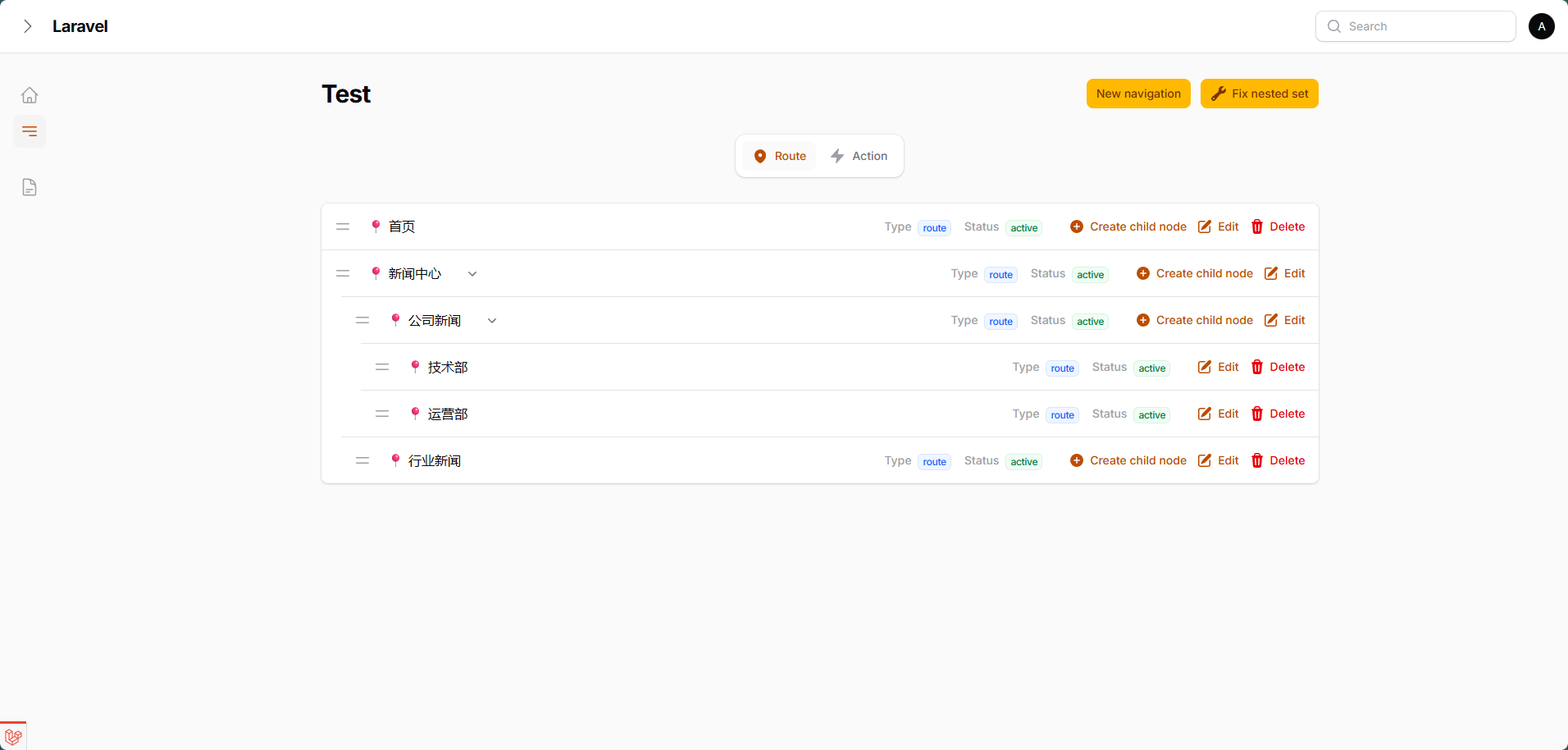
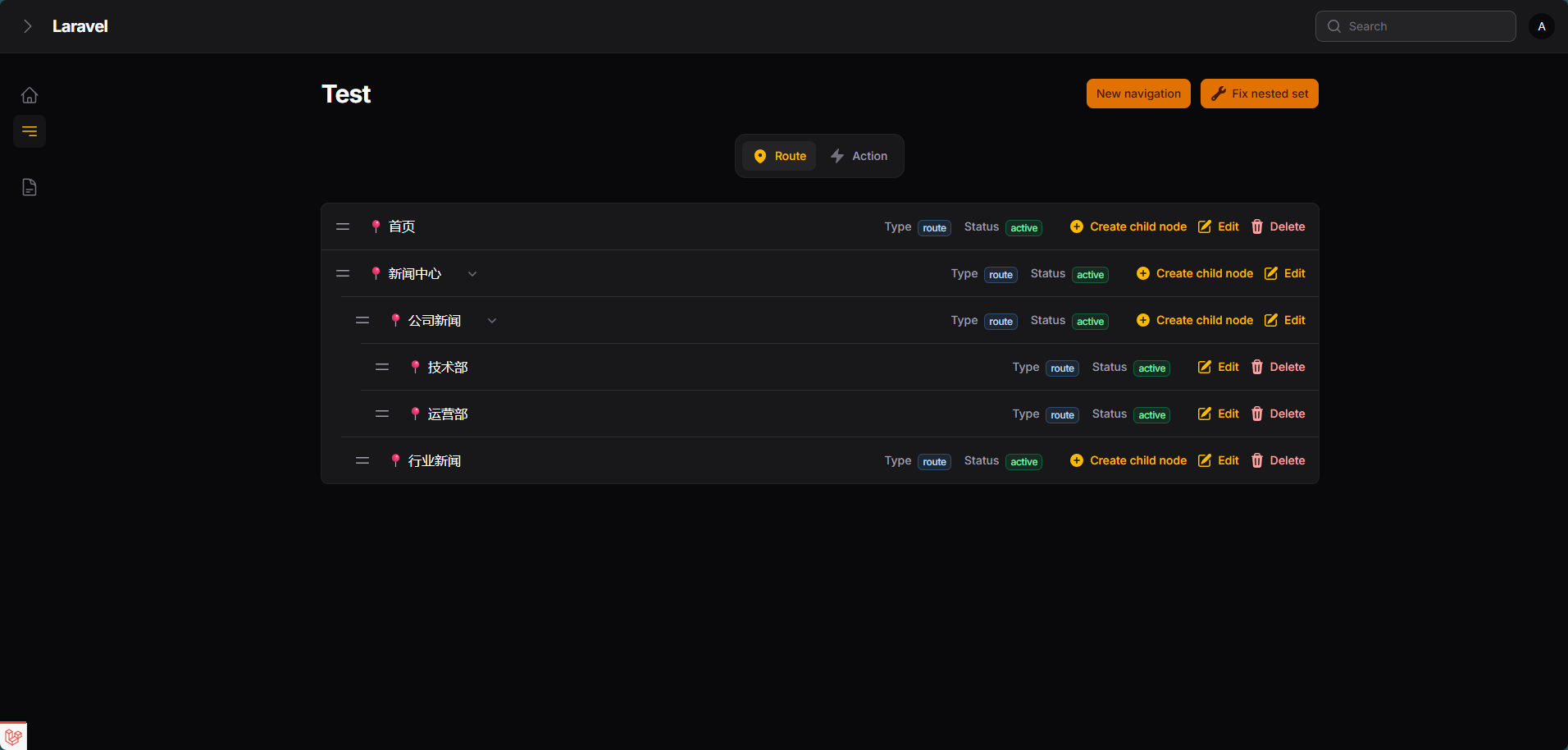
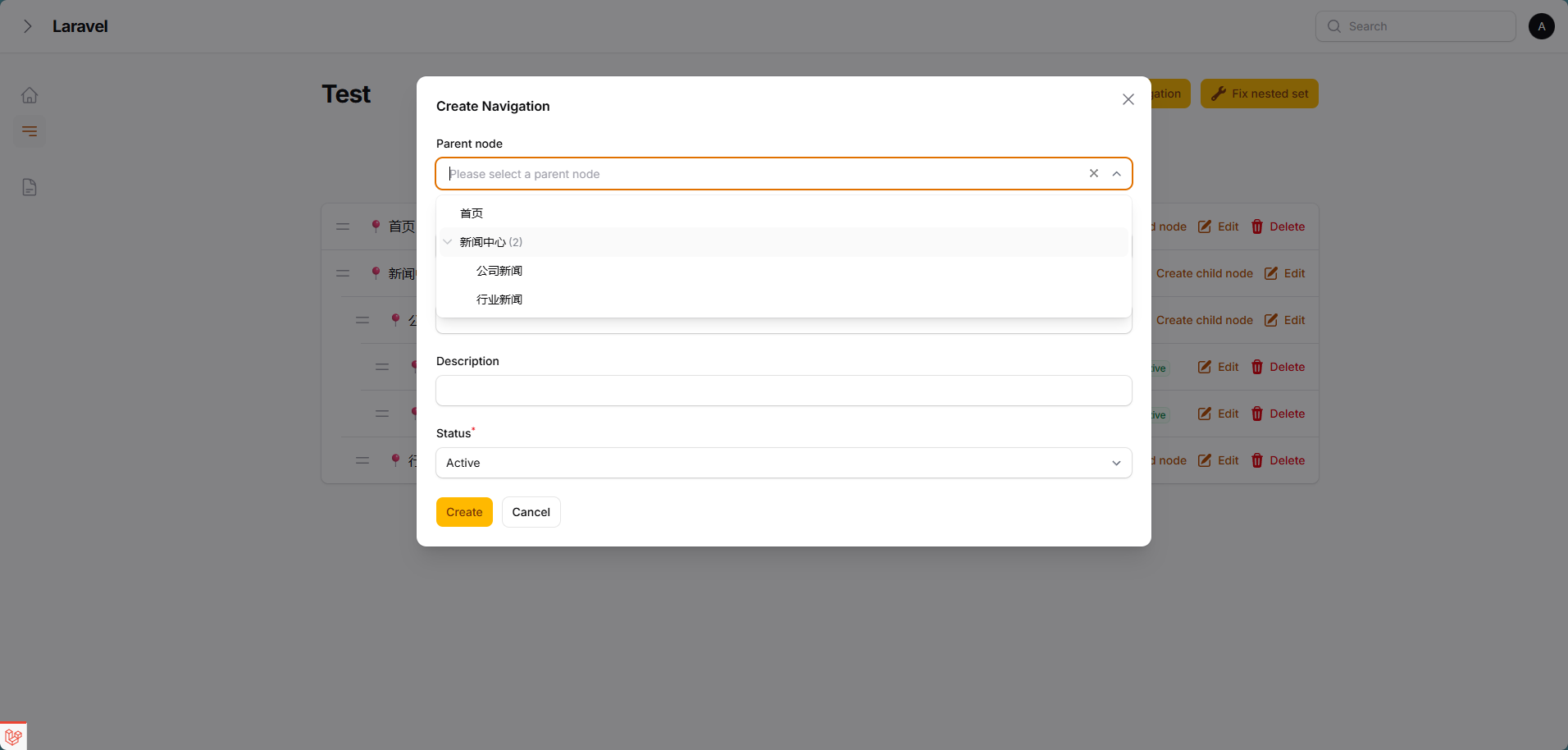
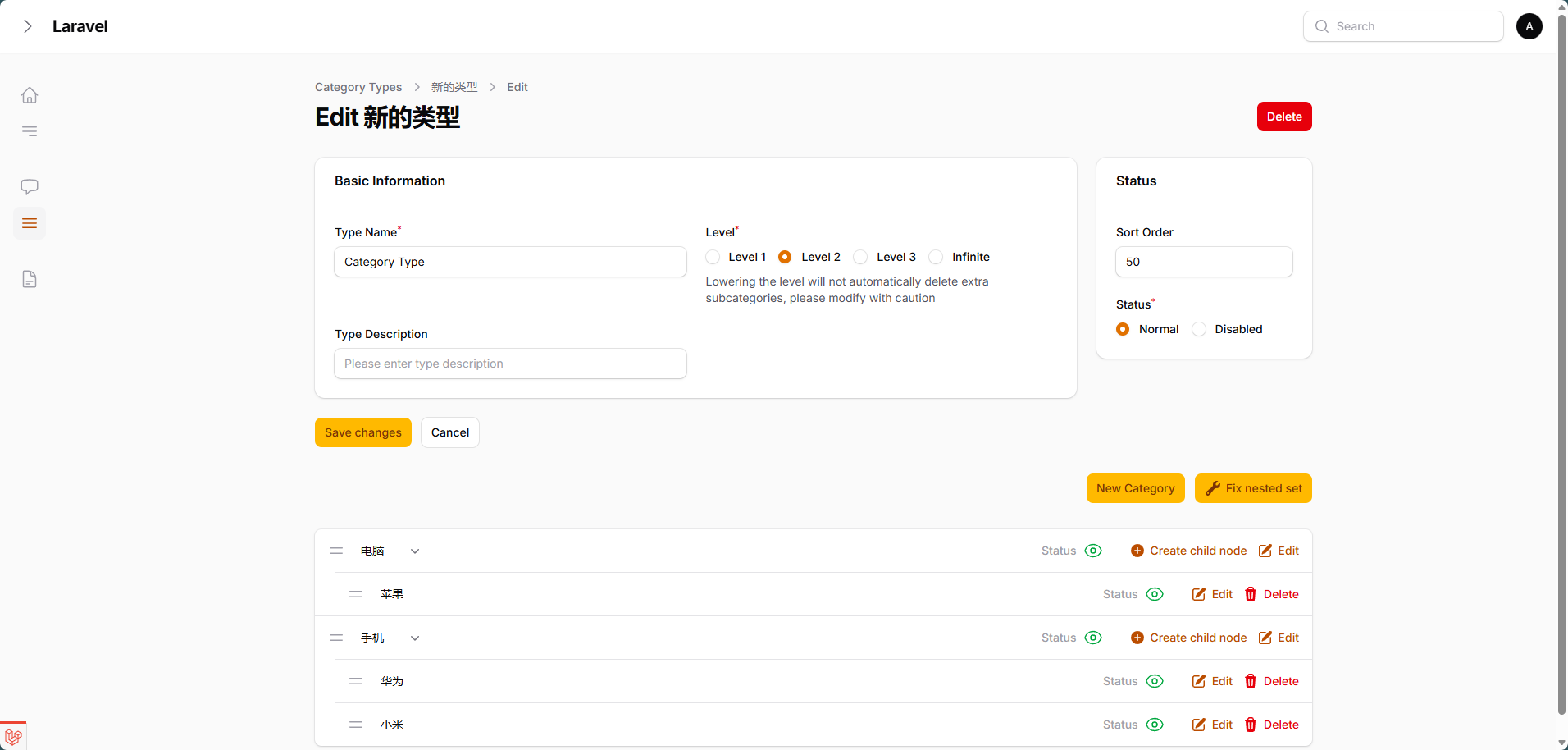
AI Guidelines
This package ships Laravel Boost AI Guidelines in resources/boost/guidelines/core.blade.php.
Install or enable Laravel Boost in your application, then refresh Boost resources so this package's guidelines are discovered and added to the project overview:
php artisan boost:update --discover
Boost updates the root boost.json and CLAUDE.md automatically. Check those files after running the command to confirm wsmallnews/filament-nestedset is included.
Installation
You can install the package via composer:
composer require wsmallnews/filament-nestedset:^3.0
The current release is compatible with both Filament v4 and v5.
You can publish the config file with:
php artisan vendor:publish --tag="sn-filament-nestedset-config"
Optionally, you can publish the views using
php artisan vendor:publish --tag="sn-filament-nestedset-views"
Multi language support, you can publish the language files using
php artisan vendor:publish --tag="sn-filament-nestedset-translations"
This is the contents of the published config file:
return [
    /**
     * By default, the CSS file will be automatically loaded globally. If you use a filament custom theme, you can disable the automatic loading of the CSS file
     */
    'autoload_assets' => true,
];
All other behavior is configured per class via static properties (each comes with a getXxx() getter and a xxx() setter, following Filament conventions). Subclasses may declare the property, override the getter, or call the setter at runtime:
| Static property | Default (page / sidebar) | Description |
|---|---|---|
$rowActionsInGroup |
false / true |
Collapse row actions into an "..." ActionGroup |
$showRowActionLabels |
true / false |
Show text labels on flat row actions |
$showCreateChildNodeActionInRow |
true / true |
Show the create-child action in each row |
$allowDeleteParent |
false / false |
Allow deleting a node together with its children |
$allowDeleteRoot |
false / false |
Allow that cascade to start at a root node (removes a whole branch) |
$hasFormParentSelect |
true / true |
Show the parent select in the create modal |
Delete guards. Both flags only ever block nodes that have children — a childless node is always deletable, including a childless root. $allowDeleteParent is the general "may a subtree go with its parent" switch; $allowDeleteRoot additionally gates the case where that root cascade would wipe out an entire branch.
Initialization. InteractsWithNestedset::mountInteractsWithNestedset() runs automatically through Livewire's mount{TraitBasename}() hook on pages, widgets and the sidebar component alike — you do not need to (and should not) call it from a mount() of your own, that would run the model guard and the default tab twice.
Wiring properties are locked. $view, $recordView, $contentComponent and $model are #[Locked] Livewire properties: they are chosen where the component is placed (mount time) and cannot be rewritten from the browser afterwards.
Prepare your model
<?php

namespace App\Models;

use Illuminate\Database\Eloquent\Model;
use Kalnoy\Nestedset\NodeTrait;
...

class YouModel extends Model
{
    use NodeTrait;

    ...
}
You should add fields to your model. replacing your_model_table with the name of your model table
Add fields in the new model
<?php

use Illuminate\Database\Migrations\Migration;
use Illuminate\Database\Schema\Blueprint;
use Illuminate\Support\Facades\Schema;

return new class extends Migration
{
    public function up(): void
    {
        Schema::create('your_model_table', function (Blueprint $table) {
            ...
            $table->nestedSet();
            ...
        });
    }
};
Add fields to an existing model
<?php

use Illuminate\Database\Migrations\Migration;
use Illuminate\Database\Schema\Blueprint;
use Illuminate\Support\Facades\Schema;

return new class extends Migration
{
    public function up(): void
    {
        Schema::table('your_model_table', function (Blueprint $table) {
            $table->nestedSet();
        });
    }
};
And run the migration
php artisan migrate
Usage
Create the nestedset page
php artisan make:filament-nestedset-page
Please define attribute name of the nodes in your tree, eg. title or name.
<?php

namespace App\Filament\Pages;

use Wsmallnews\FilamentNestedset\Filament\Pages\NestedsetPage;

class Test extends NestedsetPage
{
    ...

    protected static string $recordTitleAttribute = 'name';
    ...

}
By default, the plugin will use the recordTitleAttribute attribute to display the node name in the tree. If you want to use another attribute, you can define the getRecordLabel method, Support HtmlString.
<?php

namespace App\Filament\Pages;

use Illuminate\Database\Eloquent\Model;
use Illuminate\Support\HtmlString;
use Wsmallnews\FilamentNestedset\Filament\Pages\NestedsetPage;

class Test extends NestedsetPage
{
    ...

    public function getRecordLabel(Model $item): HtmlString | string
    {
        return $item->{static::getRecordTitleAttribute()} ?? ' ';
    }
    ...
}
Define form schema
If the schema for create and edit are the same, you can define the schema method.
<?php

namespace App\Filament\Pages;

use Wsmallnews\FilamentNestedset\Filament\Pages\NestedsetPage;

class Test extends NestedsetPage
{
    ...

    protected function schema(array $arguments): array
    {
        return [
            //
        ];
    }
    ...
}
If the schema for create and edit are different, you can define createSchema and editSchema methods separately.
<?php

namespace App\Filament\Pages;

use Wsmallnews\FilamentNestedset\Filament\Pages\NestedsetPage;

class Test extends NestedsetPage
{
    ...

    protected function createSchema(array $arguments): array
    {
        return [
            //
        ];
    }
    protected function editSchema(array $arguments): array
    {
        return [
            //
        ];
    }

    ...
}
Define the prompt text when the tree is empty
<?php

namespace App\Filament\Pages;

use Wsmallnews\FilamentNestedset\Filament\Pages\NestedsetPage;

class Test extends NestedsetPage
{
    ...

    protected static ?string $emptyLabel = 'no test data';

    protected static ?string $emptyTipLabel = 'no test data available';

    ...

}
Limit nestedset level
Nestedset level is unlimited by default, you can limit the nestedset levels by:
<?php

namespace App\Filament\Pages;

use Wsmallnews\FilamentNestedset\Filament\Pages\NestedsetPage;

class Test extends NestedsetPage
{
    ...

    protected static ?int $level = 3;

    // Alternatively, you may use the getLevel() to define a dynamic level

    public static function getLevel(): ?int
    {
        return static::$level;
    }

    ...

}
Other customizable properties
<?php

namespace App\Filament\Pages;

use Wsmallnews\FilamentNestedset\Filament\Pages\NestedsetPage;

class Test extends NestedsetPage
{
    ...

    protected static ?string $model = NavigationModel::class;

    protected static ?string $modelLabel = 'Test Management';

    protected static ?string $emptyLabel = 'no test data';

    protected static ?string $emptyTipLabel = 'no test data available';

    protected static ?string $title = 'Page Title';

    protected static ?string $navigationLabel = 'Test Navigation';

    protected static ?string $navigationGroup = 'Test Group';

    protected static ?string $slug = 'tests';

    protected static string $recordTitleAttribute = 'name';

    protected static ?string $pluralModelLabel = 'Test Management';

    protected static ?int $navigationSort = 1;

    ...
}
Display additional attributes
You can define additional attributes to display in each row through the infolistSchema method
<?php

namespace App\Filament\Pages;

use Wsmallnews\FilamentNestedset\Filament\Pages\NestedsetPage;

class Test extends NestedsetPage
{
    ...
    protected function infolistSchema(): array
    {
        return [];
    }
    ...
}
The infolist is shown or hidden by CSS container queries based on the actual width of the tree container (not the viewport), so it reacts correctly even when the panel sidebar or page layout shrinks the tree area. By default, the infolist is displayed when the tree container is at least the 3xl breakpoint (48rem) wide. You can change the display breakpoint by setting $infolistHiddenEndpoint.
Allowed values (Tailwind v4 container scale): 3xs 16rem, 2xs 18rem, xs 20rem, sm 24rem, md 28rem, lg 32rem, xl 36rem, 2xl 42rem, 3xl 48rem, 4xl 56rem, 5xl 64rem, 6xl 72rem, 7xl 80rem. See the Tailwind container size reference.
<?php

namespace App\Filament\Pages;

use Wsmallnews\FilamentNestedset\Filament\Pages\NestedsetPage;

class Test extends NestedsetPage
{
    ...
    protected static string $infolistHiddenEndpoint = 'xl';
    ...
}
By default, the infolist will be right-aligned. You can change the alignment by setting $infolistAlignment.
<?php

namespace App\Filament\Pages;

use Filament\Support\Enums\Alignment;
use Wsmallnews\FilamentNestedset\Filament\Pages\NestedsetPage;

class Test extends NestedsetPage
{
    ...
    protected static Alignment $infolistAlignment = Alignment::Left;
    ...
}
Row action labels
Each tree row ships inline actions (create child node, edit, delete). Their text labels are responsive: when the tree container is narrower than sm (24rem), only icons are shown (labels are visually hidden while screen readers can still read them).
If you prefer icon-only actions at any width, declare the static property on your class (or call the setter):
protected static ?bool $showRowActionLabels = false;

// or at runtime: MyTreePage::showRowActionLabels(false);
Note for custom row actions:
getRowActions()applies->link()andhiddenLabel()only in the flat branch. When adding custom actions to the group, do not set->link()on them — an explicit view overrides the group's grouped default and renders bare links inside the dropdown.
When disabled, the actions are rendered at the Filament Action level with hiddenLabel() — no label markup at all, and the accessible name is preserved via aria-label. Labels always show for actions inside an ActionGroup.
Expand/collapse persistence
Each node's expand/collapse state is persisted in the browser (per record id), so the tree restores exactly how the user left it after a page refresh — collapsed nodes stay collapsed without any flicker, and expanded nodes replay a smooth expand animation on load.
Advanced features
Multi-tenancy support
Multi-tenancy features is supported by default. If your filament panel supports multi-tenancy, you need to add the getScopeAttributes method to your model and add the team_id field.
Multi-tenancy features is implemented based on kalnoy/nestedset scoped feature. You can view detailed documentation here
<?php

namespace App\Models;

use Illuminate\Database\Eloquent\Model;
...

class YouModel extends Model
{
    ...

    public function getScopeAttributes(): array
    {
        return ['team_id', ...];
    }

    ...
}
If your filament panel supports multi-tenancy, but the current page doesn't need to distinguish tenancy, just set $isScopedToTenant = false in the page.
<?php

namespace App\Filament\Pages;

use Wsmallnews\FilamentNestedset\Filament\Pages\NestedsetPage;

class Test extends NestedsetPage
{
    ...
    protected static bool $isScopedToTenant = false;
    ...
}
Tabs support
Tabs are implemented based on kalnoy/nestedset scoped feature. You can view detailed documentation here
Set the associated tab field name using tabFieldName. And setting tabs array, you don't need to add the current tab condition on the tab, as the tab condition will be automatically appended to kalnoy/nestedset scoping parameters.
<?php

namespace App\Filament\Pages;

use Filament\Schemas\Components\Tabs\Tab;
use Wsmallnews\FilamentNestedset\Filament\Pages\NestedsetPage;

class Test extends NestedsetPage
{
    ...

    protected static ?string $tabFieldName = 'type';

    public function getTabs(): array
    {
        return [
            'web' => Tab::make()->label('Website Navigation'),
            'shop' => Tab::make()->label('Shop Navigation')
        ];
    }

    ...
}
You need to add the getScopeAttributes method to your model and add the field set by tabFieldName (type in this case).
<?php

namespace App\Models;

use Illuminate\Database\Eloquent\Model;
...

class YouModel extends Model
{
    ...

    public function getScopeAttributes(): array
    {
        return ['type', ...];
    }

    ...
}
Additional scope parameters
If you need to set additional scope parameters for kalnoy/nestedset scoping
Define the nestedScoped method
<?php

namespace App\Filament\Pages;

use Wsmallnews\FilamentNestedset\Filament\Pages\NestedsetPage;

class Test extends NestedsetPage
{
    ...

    protected function nestedScoped()
    {
        return ['category_id' => 5];
    }
    ...
}
You need to add the getScopeAttributes method to your model and add the field set.
<?php

namespace App\Models;

use Illuminate\Database\Eloquent\Model;
...

class YouModel extends Model
{
    ...

    public function getScopeAttributes(): array
    {
        return ['category_id', ...];
    }

    ...
}
Add custom eloquent query conditions
<?php

namespace App\Filament\Pages;

use Wsmallnews\FilamentNestedset\Filament\Pages\NestedsetPage;

class Test extends NestedsetPage
{
    ...

    protected function getEloquentQuery($query)
    {
        return $query->where('status', 'normal');
    }
    ...
}
Filament Panel Page and Widget
NestedsetPage (Wsmallnews\FilamentNestedset\Filament\Pages\NestedsetPage) is the primary Filament panel entry point. It extends Filament\Pages\Page, uses InteractsWithNestedset, and renders sn-filament-nestedset::filament.pages.nestedset-page.
Wsmallnews\FilamentNestedset\Filament\Pages\Widgets\Nestedset is an abstract widget variant for custom Filament layouts. It extends Filament\Widgets\Widget, spans the full column, uses InteractsWithNestedset, and renders sn-filament-nestedset::filament.pages.widgets.nestedset.
Shared page/widget methods
// Get the nested level limit
public static function getLevel(): ?int

// Get empty state labels
public static function getEmptyLabel(): ?string
public static function getEmptyTipLabel(): ?string

// Customize labels, scopes and queries
protected function getRecordLabel(Model $record): HtmlString|string
protected function nestedScoped(): array
protected function getEloquentQuery($query)

// Customize row links
protected function getRecordUrl(Model $record): string|HtmlString|null

// Get tree data and delete guards
protected function getNestedset()
protected function canBeDeleted(Model $record): bool
Events
| Event | Method | Description |
|---|---|---|
sn-filament-nestedset-updated |
refresh() |
Re-render the page or widget |
Actions (from HasNestedsetActions trait)
| Action | Type | Description |
|---|---|---|
createAction() |
CreateAction |
Create node (header action) |
createChildAction() |
CreateAction |
Create child node (inline) |
editAction() |
Action |
Edit node |
deleteAction() |
Action |
Delete node with config guards |
moveNodeAction() |
Action |
Drag-and-drop reorder confirmation |
fixNestedsetAction() |
Action |
Fix scoped tree structure |
Sidebar Nestedset component
Wsmallnews\FilamentNestedset\Filament\Components\SidebarNestedset is an abstract Livewire component for panel sidebars — e.g. a directory tree next to a media library, or a category tree next to a posts table. It must be extended and registered by the consuming package (never by this package).
The view renders only tree rows (a collapsible nested list plus a full-width outlined create button at the bottom) — no wrapper, heading or sentinel rows. Hosts assemble the container themselves. Row clicks dispatch pure frontend events (same contract as the frontend component):
| Event | Trigger | Payload |
|---|---|---|
sn-filament-nestedset-leaf-click |
Click on a leaf node | { recordId, hasChild } |
sn-filament-nestedset-node-click |
Click on a parent node | { recordId, hasChild } |
The host listens via #[On], filters its content, and feeds the selection back through the #[Reactive] $activeId prop — getHasActive() then highlights the active row, keeping the host the single source of truth for selection state.
<?php

namespace App\Filament\Components;

use Filament\Forms;
use Illuminate\Database\Eloquent\Model;
use Illuminate\Support\HtmlString;
use Wsmallnews\FilamentNestedset\Filament\Components\SidebarNestedset;
use Wsmallnews\Media\Models\Media;
use Wsmallnews\Media\Models\MediaDirectory;

class MediaDirectories extends SidebarNestedset
{
    protected static ?string $model = MediaDirectory::class;

    protected static ?int $level = 3;

    // Label with a child-inclusive count, assembled via HtmlString
    protected function getRecordLabel(Model $record): HtmlString | string
    {
        $count = Media::query()
            ->whereIn('directory_id', $record->descendants()->pluck('id')->merge([$record->id]))
            ->count();

        return new HtmlString(
            '<span class="min-w-0 truncate">' . e($record->name) . '</span>' .
            ' <span class="text-xs tabular-nums text-gray-400">' . $count . '</span>'
        );
    }

    // Subclasses must implement schema() (same contract as the page base)
    protected function schema(array $arguments): array
    {
        return [
            Forms\Components\TextInput::make('name')
                ->label(__('sn-media::media.directories.name'))
                ->maxLength(20)
                ->required(),
        ];
    }
}
Register the subclass in your package's service provider, render it from any blade view, and handle the events on the host page:
{{-- host view: the host owns the wrapper, heading and sentinel rows --}}
<aside class="w-64 ...">
    <button wire:click="$set('selectedDir', null)">All files ({{ $totalCount }})</button>
    <livewire:media-directories :active-id="$selectedDir" />
</aside>
// host page
#[On('sn-filament-nestedset-leaf-click')]
#[On('sn-filament-nestedset-node-click')]
public function onTreeClick(int $recordId): void
{
    $this->selectedDir = ($this->selectedDir === $recordId) ? null : $recordId;
}
Sidebar-specific defaults
| Property / method | Page default | Sidebar default | Notes |
|---|---|---|---|
$rowActionsInGroup |
false |
true |
Sidebar rows collapse actions into an ActionGroup |
$showRowActionLabels |
true |
false |
Flat sidebar actions are icon-only |
The sidebar base overrides the getters (it cannot redeclare the trait properties); subclasses may still declare the properties or call the setters.
Custom row actions
Override getRowActions(Model $record): array to add custom actions, drop built-ins, or take over the grouping entirely — return flat Actions or an ActionGroup, the view renders whatever you return:
public function getRowActions(Model $record): array
{
    return array_merge(parent::getRowActions($record), [
        Action::make('moveFiles')->label('Move files')->action(fn (array $arguments) => ...),
    ]);
}
Row actions bind record context via arguments — call the action builder with ['id' => $record->getKey()] (or ['parentId' => ...]) before rendering.
Node links
The row view prints getRecordUrl() through {{ }}, which is Laravel's e(). That helper escapes plain strings and returns Htmlable values verbatim, so only the two shapes below are safe:
| Return value | Rendered as |
|---|---|
null (default) |
href=javascript:; — the row only dispatches the click event |
a full attribute HtmlString (via Filament\Support\generate_href_html) |
kept verbatim, so target / rel survive and the link navigates |
A bare URL string is not supported: it lands in the tag as an escaped bare word and silently produces no link. Return new HtmlString('href="..."') (or generate_href_html()) instead.
The same {{ }} rule applies to getRecordLabel(): node titles are escaped by default, and returning an HtmlString is the supported way to opt into markup.
Nestedset Livewire component
The Nestedset Livewire Component (Wsmallnews\FilamentNestedset\Livewire\Components\Nestedset) is a read-only tree display component for frontend pages. It extends Livewire\Component and provides customizable node labels, URLs, and active state.
Instance Properties (pass via Blade attributes)
| Property | Type | Default | Description |
|---|---|---|---|
$model |
?string |
null |
Nestedset model class name |
$recordTitleAttribute |
string |
'name' |
Node title attribute name |
$showLevel |
?string |
null |
Max depth to display (0-based) |
$emptyLabel |
?string |
'' |
Empty state label text |
$view |
?string |
'sn-filament-nestedset::livewire.components.nestedset' |
Component view path |
$recordView |
?string |
'sn-filament-nestedset::components.nestedset-record' |
Record view path |
showLevel is compared against the depth withDepth() reports, which is 0-based: 0 shows roots only, 1 includes their children, and so on. $view, $recordView and $model are #[Locked] — they are wiring, chosen where the component is placed, and cannot be rewritten from the client side after mount.
Methods
// Get the record title attribute
public function getRecordTitleAttribute(): string

// Custom node label. Rendered with {{ }}: plain strings are escaped,
// an HtmlString is your opt-in to markup.
public function getRecordLabel(Model $record): HtmlString|string

// Custom node URL: null keeps the row dispatch-only. Return an attribute
// HtmlString to navigate — a bare string does NOT work.
public function getRecordUrl(Model $record): string|HtmlString|null

// Custom active state
public function getHasActive(Model $record): bool

// Get nestedset data (override to customize query)
public function getNestedset(): Collection

// Custom query conditions
protected function getQuery(): Builder

// Additional scope parameters
protected function nestedScoped(): array

// Custom eloquent query conditions
protected function getEloquentQuery(Builder $query): Builder
Events
| Event | Trigger |
|---|---|
sn-filament-nestedset-leaf-click |
Click on leaf node |
sn-filament-nestedset-node-click |
Click on non-leaf node |
Usage
<?php

namespace App\Livewire\Components;

use App\Models\Category;
use Illuminate\Database\Eloquent\Model;
use Illuminate\Support\HtmlString;
use Livewire\Attributes\On;
use Wsmallnews\FilamentNestedset\Livewire\Components\Nestedset;

use function Filament\Support\generate_href_html;

class Categories extends Nestedset
{
    public ?string $model = Category::class;

    public string $recordTitleAttribute = 'name_label';

    public function getRecordLabel(Model $record): HtmlString|string
    {
        return $record->name_label;
    }

    public function getHasActive(Model $record): bool
    {
        return $record->has_active;
    }

    #[On('sn-filament-nestedset-leaf-click')]
    public function clickCategory($recordId)
    {
        $this->categoryId = $recordId;
    }

    // ... or use getRecordUrl for navigation
    public function getRecordUrl(Model $record): string|HtmlString|null
    {
        return generate_href_html(route('categories.show', $record->id), false);
    }

    public function getNestedset(): Collection
    {
        return Category::normal()->defaultOrder()
            ->get()->toTree();
    }
}
Blade Usage
<livewire:sn-filament-nestedset-nestedset
    show-level="3"
    empty-label="No categories found"
/>
Custom theme
By default, the CSS file will be automatically loaded globally. If you use a filament custom theme, you can disable the automatic loading of the CSS file
Disable the automatic loading of the CSS file
<?php
return [
    ...

    'autoload_assets' => false,
];
You should add the following code to your custom theme file. If you custom theme file is /resources/css/filament/admin/theme.css
@import "../../../../vendor/wsmallnews/filament-nestedset/resources/css/index.css";
Namespace Quick Reference
| Category | Namespace |
|---|---|
| Page Base Class | Wsmallnews\FilamentNestedset\Filament\Pages\NestedsetPage |
| Filament Panel Widget | Wsmallnews\FilamentNestedset\Filament\Pages\Widgets\Nestedset |
| Sidebar Livewire Component | Wsmallnews\FilamentNestedset\Filament\Components\SidebarNestedset |
| Frontend Livewire Component | Wsmallnews\FilamentNestedset\Livewire\Components\Nestedset |
| Form Field | Wsmallnews\FilamentNestedset\Forms\Fields\KalnoyNestedsetSelectTree |
| Artisan Command | Wsmallnews\FilamentNestedset\Commands\MakeNestedsetPageCommand |
| Exception | Wsmallnews\FilamentNestedset\Exceptions\NestedsetException |
| ServiceProvider | Wsmallnews\FilamentNestedset\FilamentNestedsetServiceProvider |
Changelog
Please see CHANGELOG for more information on what has changed recently.
Contributing
Please see CONTRIBUTING for details.
Security Vulnerabilities
Please review our security policy on how to report security vulnerabilities.
Credits
License
The MIT License (MIT). Please see License File for more information.