
waynestate / weld

The Wayne State app stack, welded into one application.
Requires
- php: ^8.3
- inertiajs/inertia-laravel: ^2.0
- laravel/framework: ^13.29
- laravel/tinker: ^3.0
- tightenco/ziggy: ^2.4
- waynestate/helmet: ^0.2
- waynestate/sesame: ^0.4
- yajra/laravel-oci8: ^13.14
Requires (Dev)
- fakerphp/faker: ^1.23
- larastan/larastan: ^3.13
- laravel/pail: ^1.2.2
- laravel/pint: ^1.32
- laravel/sail: ^1.41
- mockery/mockery: ^1.6
- nunomaduro/collision: ^8.6
- phpstan/extension-installer: ^1.4
- phpunit/phpunit: ^12.0
- waynestate/advisor: ^0.1
- waynestate/creed: ^0.1
- waynestate/proctor: ^0.3
Suggests
None
Provides
None
Conflicts
None
Replaces
None
README
On Citadel it is served by the raw-PHP deploy layer in deploy/: a Squire kit whose front controller serves site/ behind HELMET's security headers. For local development, keep serving site/ directly.
WELD


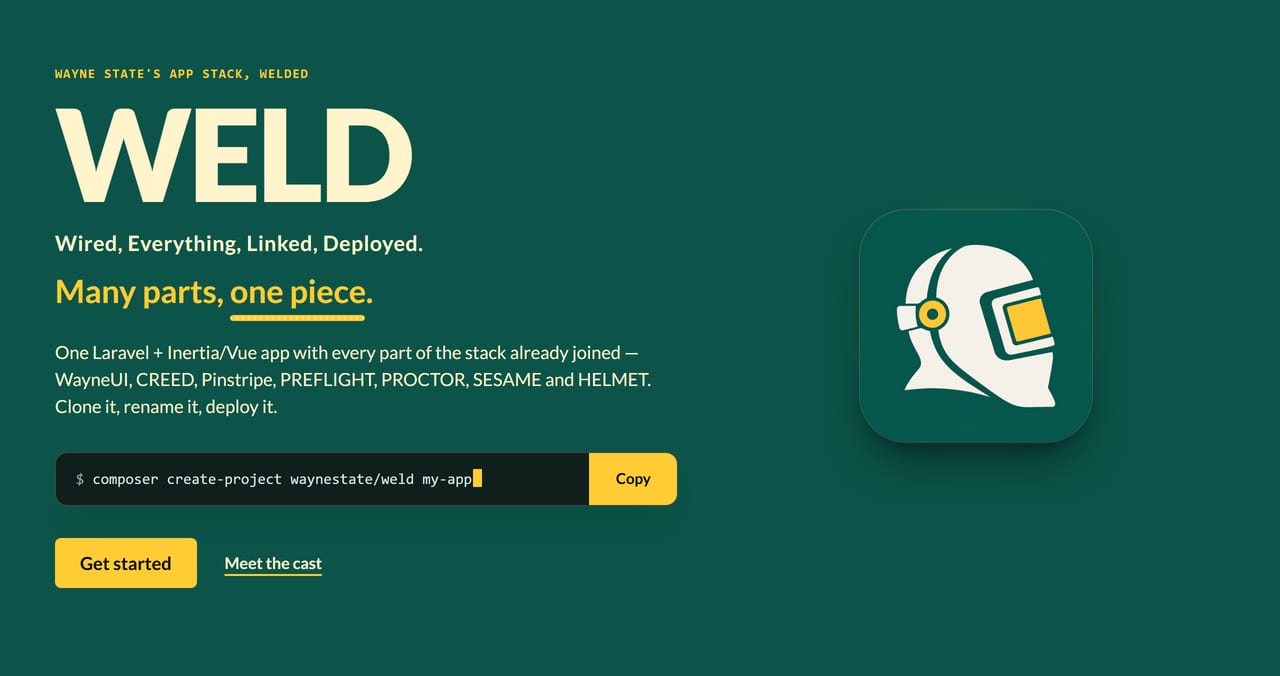
Wired, Everything, Linked, Deployed. Many parts, one piece.
WELD is the whole Wayne State app stack joined into one application. Install it, deploy it, and every part is already hooked up: sign-in, security headers, checks, coding standards, CI and the WayneUI interface. Think of it as the Megazord, except it comes with a deploy script and nobody has to shout to make it combine.
Documentation
The docs live at site/docs/index.html and ship to https://weld.apps.wayne.edu/docs/. They are
built from docs/ by the shared docs builder (composer docs) and checked in composer ci, so the page you read is
the page that ships: same source, same bead.
Where the code lives
The canonical repository is on nougat: enterprise-apps/weld. git.wayne.edu and GitHub (waynestate/weld) are read-only mirrors of it. Open issues and merge requests on nougat, not on the mirrors. This moves to git.wayne.edu once it has CI runners. The weld is made on nougat; the mirrors only get the polished bead.
Not to be confused with: weld:doctor checks local setup only; standards checks are PROCTOR's.
Get it
WELD is an app you start from, not a library you require. The Megazord ships in a repo, not a box.
Composer makes you a fresh copy, writes .env, generates the app key and runs the first migration:
composer create-project waynestate/weld my-app
cd my-app
npm ci
Or clone it, if you want the history too, and it is yours to rename:
git clone https://github.com/waynestate/weld.git my-app
cd my-app
composer install
php vendor/bin/advisor install --client=claude --write
npm ci
# Windows (PowerShell):
Copy-Item .env.example .env
# Linux/macOS:
cp .env.example .env
php artisan key:generate
The advisor install line writes .mcp.json, the MCP config that points Claude Code at ADVISOR's server; the file is git-ignored, because a committed .mcp.json would run a program on whoever opens the project. Set ADVISOR_ENABLED=1 in .env to switch the advisor on. Running WELD through Docker instead? PHP is not on your host PATH, so bin/weld.ps1 up and bin/weld.sh up run the same install inside the app container for you (skip it with --no-advisor, or -NoAdvisor on Windows); see ADVISOR's README for the details.
Clone it and rename
Want an app that is yours instead of a copy of WELD? Clone it, rename the four things that still say WELD, give it its own key, and re-run the checks.
Clone into a folder named for the new app:
git clone https://github.com/waynestate/weld.git my-app
cd my-app
Rename these four things:
| What | Where | Change |
|---|---|---|
| Composer name | composer.json, the "name" field |
waynestate/weld becomes your package, e.g. wayne-state/my-app |
| App name | .env.example (and .env once you have one) |
APP_NAME=WELD becomes your app name; VITE_APP_NAME follows it through ${APP_NAME} |
| Site title | site/index.html, the <title> tag |
WELD: Many parts, one piece. becomes yours; the front page copy is about WELD itself, so rewrite it for your app |
| Git remote | repository config | point origin at your own repository |
The App\ namespace stays as it is; nothing in the app, the tests or the welded packages needs it renamed.
Then give the copy its own key and remote. Skip the copy if up already made .env. Windows PowerShell:
Copy-Item .env.example .env
php artisan key:generate
git remote set-url origin https://git.example.com/you/my-app.git
macOS and Linux (sh):
cp .env.example .env
php artisan key:generate
git remote set-url origin https://git.example.com/you/my-app.git
Then re-run the checks the way CI does: .\bin\weld.ps1 test (or bin/weld.sh test), which runs composer ci in the container, plus composer proctor for the standards check. A photocopy is not a weld yet: when the checks pass under your name, the seam holds.
Want a smaller starting point than a full Laravel app? Sourdough is the starter tool for every shape of Wayne State app. It bakes four shapes today: raw PHP, Laravel with Blade, Laravel with Blade plus Vue islands, and Laravel with Inertia and Vue; only raw PHP with a Vue SPA is not available yet. WELD is the Inertia and Vue shape, already assembled with every part wired and ready to clone.
What is welded in
| Part | What it does in WELD |
|---|---|
| WayneUI | The interface: Wayne State's design system, wired into the Vue front end and Blade layouts |
| CREED | The written standards and policy.json: supported PHP, Laravel and Node versions |
| Pinstripe | The coding standard: Pint, PHPStan level 8, ESLint and Prettier |
| Preflight | The CI pipeline, from GitLab CI/CD components |
| PROCTOR | The checks, run in CI and as the deploy gate |
| SESAME | Sign-in: CAS, Entra ID (OpenID Connect) and the auth gateway driver, and app-native sessions |
| HELMET | The baseline runtime: security headers and CSP, sessions, trusted proxies, /up |
| Ziggy | Route names as URLs: the route list ships inside the Vite bundle, so route() works in Vue without an inline script |
 One request, six stops, one seam. The bead runs the length of it; with reduced motion on, it stays put.
See the front page: three cuts from site/ at phone width

Status
HELMET, SESAME and PROCTOR are welded in from Packagist; the rest of the cast is on Packagist too and gets welded on in turn. What is on the bench today:
composer.jsoniswaynestate/weld, requires PHP^8.3, and the lock file resolves for 8.3.0.env.examplesetsAPP_NAME=WELD,LOG_CHANNEL=stderrandSESSION_DRIVER=databaseSchema::defaultStringLength(191)keeps index keys under Citadel's MySQL 5.6 767-byte cap.gitattributessets* text=auto eol=lfcomposer ciis the CI contract: it runs validate, the tests with Pest, Pint, PHPStan level 8, the agent-ready check and audit, the same command on GitLab and GitHubpint.jsonandphpstan.neonstill copy Pinstripe's 0.1 Laravel presets; Pinstripe 0.1.1 is on Packagist (tagged), and they switch toincludes: vendor/waynestate/pinstripe/...when WELD requires it- HELMET runs its security headers and CSP middleware in the global chain, so every response carries the baseline;
the Vite build takes the per-request nonce; trusted proxies are a literal list in
bootstrap/app.php;/upstays Laravel's built-in health route - SESAME owns sign-in at
/loginand/logout; the fake driver stands in for the identity provider locally, and CAS is an env change away - PROCTOR measures WELD against CREED's
policy.jsonas a CI job (composer proctor): warnings pass, failures block - The starter kit's password auth (register, login, password reset, two-factor) is removed on purpose; the door is SESAME's
- The license is MIT
Testing. Write new tests in Pest. Use an it('...', function () { ... }); closure under tests/Feature or tests/Unit; the existing
PHPUnit class tests keep working and are converted only when you touch them. composer test runs both, and tests/Pest.php binds the
Feature tests to the Laravel app and a fresh database. The suite runs on a fixed dummy APP_KEY set in phpunit.xml so it boots with no
.env; the app refuses that key in production, so a copied test config cannot ship.
Best practices for building, running and deploying WELD live in BEST_PRACTICES.md.
Run it locally
One command strikes the spark; the containers do the welding. Docker is the only prerequisite: PHP and Node run in the containers, so the host needs neither.
- Windows (PowerShell 5.1 or 7):
.\bin\weld.ps1 up - macOS / Linux:
bin/weld.sh up
up copies .env.example to .env if it is missing, installs the PHP and Node
dependencies in the containers, starts the app and Vite, generates the app key if
it is not set, and runs the migrations. Then open http://localhost:8000.
The same subcommands work on every OS:
| Command | What it does |
|---|---|
up |
Bring the whole stack up, as above |
down |
Stop and remove the containers |
test |
Run composer ci in the app container |
doctor |
Run php artisan weld:doctor in the app container |
logs |
Follow the container logs |
Deploying somewhere other than a laptop? Running WELD off Citadel covers OpenShift, Coolify and plain Docker, with Citadel for comparison.
Oracle
WELD speaks Oracle through yajra/laravel-oci8, and the wiring is already in: an oracle connection in
config/database.php, a check command, and plain-language sentences for the common errors. Until you set the
Oracle settings it stays dormant: nothing connects and nothing errors.
Fill in one set of names in .env (the commented block in .env.example): ORACLE_USERNAME, ORACLE_PASSWORD,
and either ORACLE_TNS (an Easy Connect string, host:port/service, or a full descriptor) or ORACLE_HOST,
ORACLE_PORT and ORACLE_SERVICE_NAME. On a server, set them in the app's environment settings, never in a file
in git.
Check the settings and the connection in plain language, one line per finding:
php artisan oracle:check
The local app container runs the stock Composer image, which has no Oracle driver. When you need a real
connection from your machine, the Oracle-ready image is opt-in through compose.oracle.yaml:
# Windows (PowerShell):
$env:WELD_ORACLE_IMAGE = "squire/oracle-parity:8.3"
docker compose -f compose.yaml -f compose.oracle.yaml up
# macOS / Linux:
WELD_ORACLE_IMAGE=squire/oracle-parity:8.3 docker compose -f compose.yaml -f compose.oracle.yaml up
The overlay swaps only the app's image and passes the ORACLE_* settings through from .env; the ports stay
bound to 127.0.0.1. It fails closed when WELD_ORACLE_IMAGE is unset.
squire/oracle-parity:8.3 is the name Squire documents for its parity image; build it once with Squire's
scripts/oracle-image-build.sh --flavour parity --php 8.3 (the name is a placeholder until a registry is chosen).
Check your setup
Maintainers: how to build, test and release this project, and where its data comes from, is in MAINTAINING.md.
weld:doctor strikes an arc across the local setup and reports every joint: the app key,
writable storage, the database and pending migrations. One line per check, PASS or WARN or FAIL;
exit code 1 when anything FAILs, so it works as a gate. The standards checks (PHP version, debug
in production, secure session cookies) belong to PROCTOR: run composer proctor, and the doctor
report says so. A good bead is a quiet one: all PASS and nothing to say.
- Windows (PowerShell):
.\bin\weld.ps1 doctor - macOS / Linux:
bin/weld.sh doctor - Straight to the container:
docker compose run --rm app php artisan weld:doctor
Add --json to any of them for a machine-readable report.
WELD and Sourdough
Sourdough is the starter tool for every shape of Wayne State app. It bakes four shapes today: raw PHP, Laravel with Blade, Laravel with Blade plus Vue islands, and Laravel with Inertia and Vue; only raw PHP with a Vue SPA is not available yet. WELD is one of those shapes, Laravel with Inertia and Vue, with every part already joined and proved to work together. Pick Sourdough when you want a starter you shape yourself. Pick WELD when you want the finished piece.
Is WELD still Sourdough's Inertia shape?
Sourdough writes a manifest of every file it generates (.sourdough/manifest.json: each path with its SHA-256).
bin/regen-check.php compares that manifest with WELD file by file, skipping the product files WELD adds on top
(listed in .sourdough/product-files.json) and any path with a vendor or node_modules segment. Each remaining
path is reported as IDENTICAL, DIFFERS, MISSING_IN_WELD or RELOCATED.
Sourdough keeps Squire's deploy kit at the app root, and WELD keeps it under deploy/; the gate reports those
files as relocated, not drift, when the deploy/ copy is byte-identical. php artisan oracle:check finds the
check file in either place.
The gate is a ratchet: .sourdough/regen-baseline.json records the drift already known and accepted, and the check
fails only on new drift. CI runs it against a fresh sourdough new --inertia generation from Sourdough's main;
locally, point it at your own generation:
- Run the check:
php bin/regen-check.php --generated <dir>(orcomposer regen-check -- --generated <dir>) - Record the current drift as accepted: add
--write-baseline
The cast


 Fourteen parts, one bead. The README art is cut from the front page by
scripts/readme-art; no sparks were drawn in its making.