
tomatophp / filament-translations-gpt

Translations Manager extension to use ChatGPT openAI to auto translate your __(), trans() fn
Package info
github.com/tomatophp/filament-translations-gpt
pkg:composer/tomatophp/filament-translations-gpt
Fund package maintenance!
Requires
- php: ^8.2
- filament/filament: ^5.0
- tomatophp/console-helpers: ^1.1
- tomatophp/filament-translations: ^5.0
Requires (Dev)
- larastan/larastan: ^3.0
- laravel/pint: ^1.24
- nunomaduro/collision: ^8.6
- orchestra/testbench: ^10.0|^11.0
- pestphp/pest: ^4.0|^5.0
- pestphp/pest-plugin-arch: ^4.0|^5.0
- pestphp/pest-plugin-laravel: ^4.0|^5.0
- pestphp/pest-plugin-livewire: ^4.0|^5.0
- pestphp/pest-plugin-type-coverage: ^4.0|^5.0
- phpstan/extension-installer: ^1.4
- phpstan/phpstan-deprecation-rules: ^2.0
- phpstan/phpstan-phpunit: ^2.0
Suggests
None
Provides
None
Conflicts
None
Replaces
None
This package is auto-updated.
Last update: 2026-10-15 17:04:53 UTC
README
Filament Translations GPT


Translations Manager extension to use ChatGPT openAI to auto translate your __(), trans() fn
⭐ If this package saves you time, star it and browse 60+ more Filament plugins at tomatophp.com/en/plugins.
Version Compatibility
| Plugin | Filament | Laravel | PHP |
|---|---|---|---|
| 1.x | 3.x | 10.x / 11.x | 8.1+ |
4.x (v4 branch) |
4.x | 11.x / 12.x | 8.2+ |
| 5.x | 5.x | 12.x / 13.x | 8.2+ |
Screenshots
Installation
before install this package you need to have Translation Manager installed and configured
composer require tomatophp/filament-translations-gpt
after install your package please run this command
php artisan filament-translations-gpt:install
finally register the plugin on /app/Providers/Filament/AdminPanelProvider.php
->plugin(\TomatoPHP\FilamentTranslationsGpt\FilamentTranslationsGptPlugin::make())
Usage
now you need to add the following to your .env file:
OPENAI_API_KEY=
OPENAI_ORGANIZATION=
# optional
OPENAI_MODEL=gpt-4o-mini
OPENAI_BASE_URL=https://api.openai.com/v1
Any OpenAI compatible chat completions API works, for example Groq:
OPENAI_BASE_URL=https://api.groq.com/openai/v1
OPENAI_MODEL=llama-3.1-8b-instant
now you need to clear you cache
php artisan config:clear
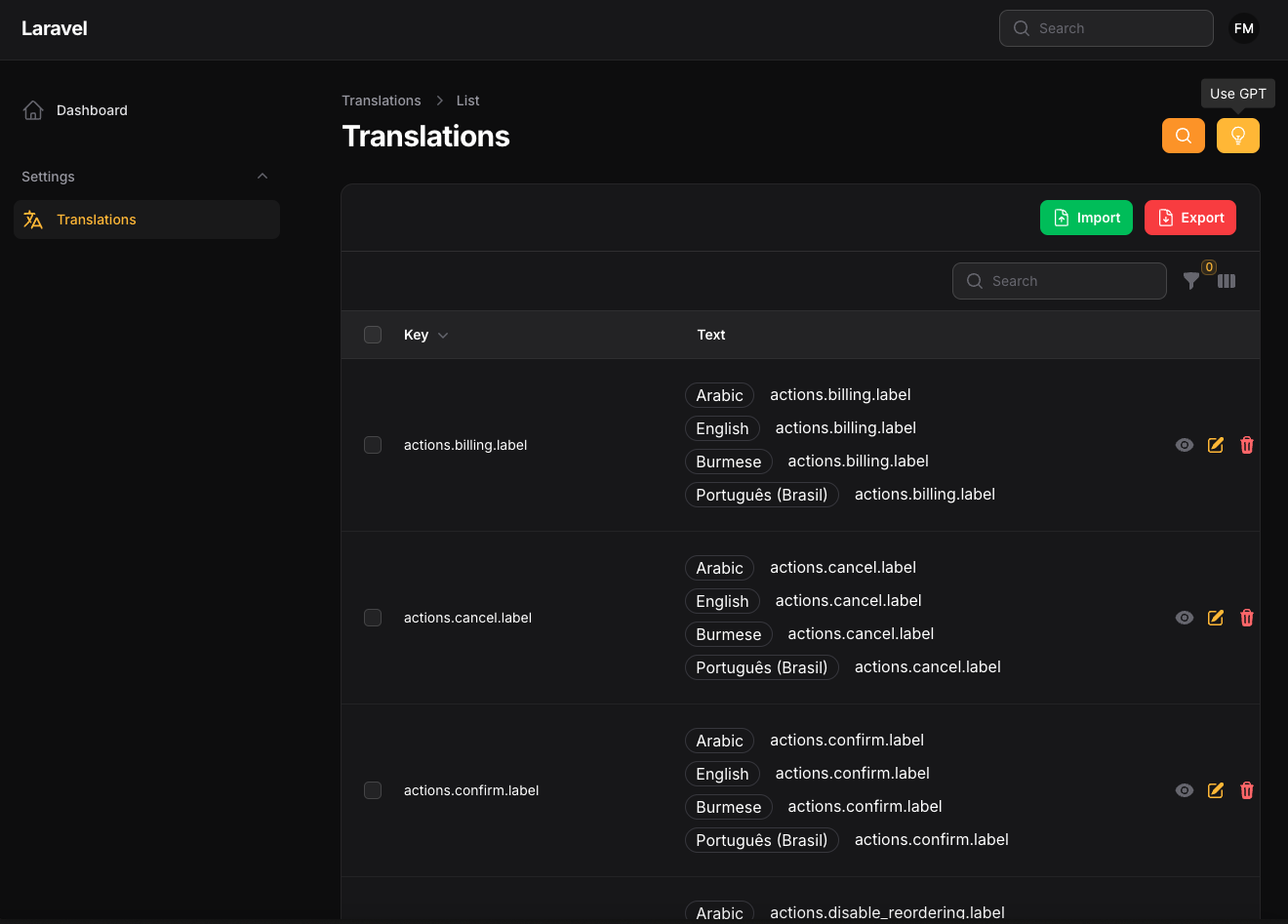
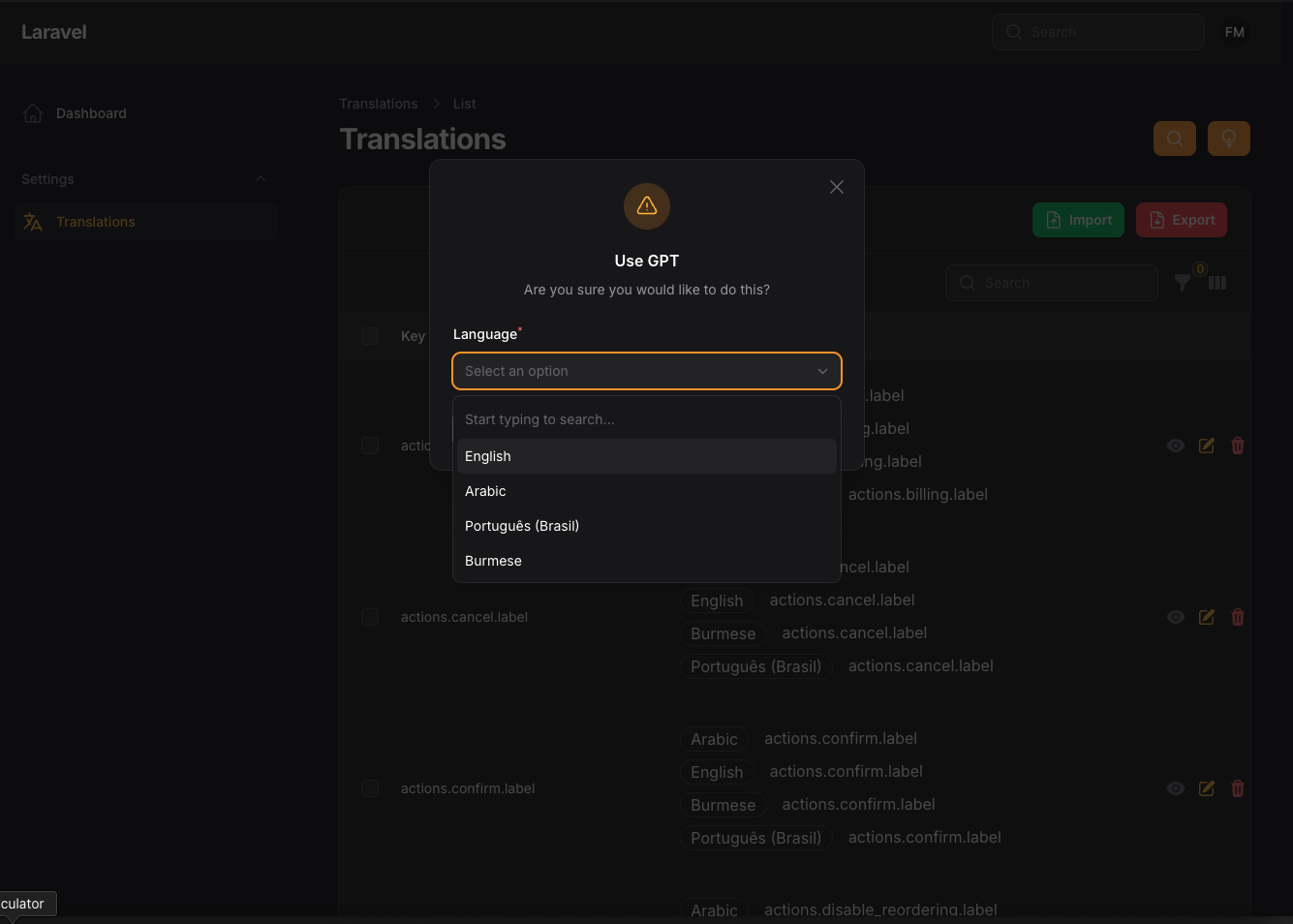
Click the GPT button on the translations page and pick a language. A queued job sends the English text of your translations to the API in chunks
(chunk_size in the config, 50 by default), saves the answers and notifies you when it is done. Run a queue worker (php artisan queue:work) for the job to run.
Words prefixed with : are kept as placeholders.
Without OPENAI_API_KEY nothing is sent: the job only notifies you that the key is missing. If the API answers with an error, you are notified and the job fails.
The action follows the translation policy of the Translation Manager: it needs the create ability.
Publish Assets
you can publish config file by use this command
php artisan vendor:publish --tag="filament-translations-gpt-config"
you can publish languages file by use this command
php artisan vendor:publish --tag="filament-translations-gpt-lang"
Testing
if you like to run PEST testing just use this command
composer test
Code Style
if you like to fix the code style just use this command
composer format
PHPStan
if you like to check the code by PHPStan just use this command
composer analyse
Other Filament Packages
Checkout our Awesome TomatoPHP
More open source from the same author
- TomatoPHP: 60+ open-source FilamentPHP plugins for Laravel
- Laravilt: Laravel admin panels rendered with Inertia on Vue 3 or React 19
- ToGO: the Laravel-style workflow for Go + React apps, with a plugin marketplace
- Zekra: long-term memory for AI agents over MCP
Built by Fady Mondy.