sandermuller / laravel-fluent-validation
Fluent validation rule builders for Laravel
Package info
github.com/SanderMuller/laravel-fluent-validation
pkg:composer/sandermuller/laravel-fluent-validation
Fund package maintenance!
Requires
- php: ^8.2
- illuminate/contracts: ^11.0||^12.0||^13.0
- illuminate/support: ^11.0||^12.0||^13.0
- illuminate/validation: ^11.0||^12.0||^13.0
Requires (Dev)
- driftingly/rector-laravel: ^2.2
- larastan/larastan: ^3.0
- laravel/boost: ^2.4
- laravel/pint: ^1.14
- nunomaduro/collision: ^8.8
- orchestra/testbench: ^9.0||^10.0
- pestphp/pest: ^3.0||^4.0
- pestphp/pest-plugin-arch: ^3.0||^4.0
- pestphp/pest-plugin-laravel: ^3.0||^4.0
- phpstan/extension-installer: ^1.4
- phpstan/phpstan-deprecation-rules: ^2.0
- phpstan/phpstan-phpunit: ^2.0
- phpstan/phpstan-strict-rules: ^2.0
- rector/rector: ^2.0
- rector/type-perfect: ^2.1
- spaze/phpstan-disallowed-calls: ^4.6
- symplify/phpstan-extensions: ^12.0
- tomasvotruba/cognitive-complexity: ^1.0
- tomasvotruba/type-coverage: ^2.1
README
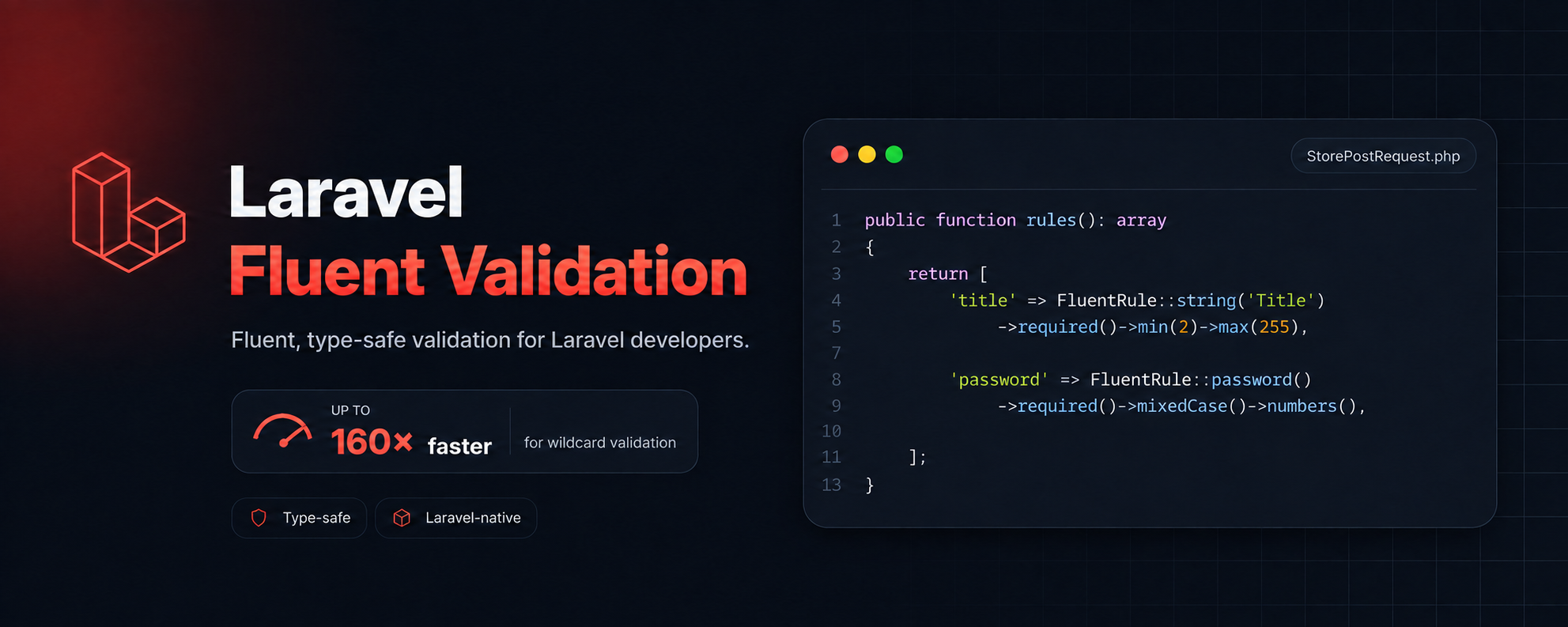
Write Laravel validation rules with IDE autocompletion instead of memorizing string syntax. Type-safe builders prevent impossible rule combinations, and nested each()/children() rules keep your structure readable.
// Before ['name' => 'required|string|min:2|max:255'] // After ['name' => FluentRule::string('Full Name')->required()->min(2)->max(255)]
Contents
- Why this package? — DX, type safety, structure, performance
- Installation
- Quick start — Validator::make, Form Requests, Livewire, migrating existing rules
- Error messages — labels, per-rule messages
- Array validation — each, children, nesting
- Performance — O(n) wildcards, benchmarks, RuleSet::validate
- RuleSet — builder, conditional fields, custom Validators
- Rule reference — string, email, password, numeric, date, boolean, array, file, image, field, anyOf, modifiers, conditionals, macros
- Troubleshooting — common issues and solutions
Why this package?
Autocompletion instead of memorization. Is it required_with or required_with_all? digits_between or digitsBetween? With fluent rules, your IDE tells you.
Type-safe combinations. FluentRule::string() doesn't have digits(). FluentRule::numeric() doesn't have alpha(). Impossible combinations won't compile.
Rules that match your data shape. each() and children() keep parent and child rules together instead of spreading 20 flat dot-notation keys across the file.
Labels and messages next to the rules. No more maintaining a separate messages() array that drifts out of sync.
Faster array validation. For large arrays, the HasFluentRules trait replaces Laravel's O(n²) wildcard expansion with O(n) and applies per-attribute fast-checks that skip Laravel entirely for valid items. Up to 97x faster for simple rules.
Compared to Laravel's Rule class
FluentRule is intentionally named differently from Illuminate\Validation\Rule so both can be used without aliasing. You generally don't need Laravel's Rule at all:
Laravel's Rule |
FluentRule equivalent |
|---|---|
Rule::forEach(fn () => ...) |
FluentRule::array()->each(...) |
Rule::when($cond, $rules, $default) |
->when($cond, fn ($r) => ..., fn ($r) => ...) |
Rule::unique('users')->where(...) |
->unique('users', 'col', fn($r) => $r->where(...)) |
Rule::exists('roles')->where(...) |
->exists('roles', 'col', fn($r) => $r->where(...)) |
Rule::in([...]) |
FluentRule::string()->in([...]) |
Rule::enum(Status::class) |
FluentRule::string()->enum(Status::class) |
Rule::anyOf([...]) |
FluentRule::anyOf([...]) |
| No equivalent | ->each([...]) co-locate wildcard child rules |
| No equivalent | ->children([...]) co-locate fixed-key child rules |
| No equivalent | ->label('Name') / ->message('...') inline messages |
| No equivalent | ->whenInput(fn ($input) => ...) data-dependent conditions |
| No equivalent | HasFluentRules automatic compile + expand optimization |
| No equivalent | FluentValidator base class for custom Validators |
Installation
composer require sandermuller/laravel-fluent-validation
Requires PHP 8.2+ and Laravel 11+.
AI-assisted development
This package ships with Laravel Boost skills. If you use Boost:
php artisan boost:install # adds the skills php artisan boost:update # publishes updates after package upgrades
AI assistants will automatically get the full FluentRule API reference when writing validation rules.
Quick start
The simplest way to use FluentRule is anywhere you'd normally write validation rules. Let's start with Validator::make():
use SanderMuller\FluentValidation\FluentRule; $validated = Validator::make($request->all(), [ 'name' => FluentRule::string('Full Name')->required()->min(2)->max(255), 'email' => FluentRule::email('Email')->required(), 'age' => FluentRule::numeric('Age')->nullable()->integer()->min(0), ])->validate();
The label 'Full Name' replaces :attribute in error messages. You get "The Full Name field is required" instead of "The name field is required", without a separate attributes() array.
In a Form Request
Add the HasFluentRules trait to your Form Requests. It compiles rules to native Laravel format, optimizes wildcard expansion, extracts labels and messages, and applies per-attribute fast-checks for eligible wildcard rules:
use Illuminate\Foundation\Http\FormRequest; use SanderMuller\FluentValidation\FluentRule; use SanderMuller\FluentValidation\HasFluentRules; class StorePostRequest extends FormRequest { use HasFluentRules; public function rules(): array { return [ 'title' => FluentRule::string('Title')->required()->min(2)->max(255), 'body' => FluentRule::string()->required(), 'email' => FluentRule::email('Email')->required()->unique('users'), 'date' => FluentRule::date('Publish Date')->required()->afterToday(), 'agree' => FluentRule::boolean()->accepted(), 'avatar' => FluentRule::image()->nullable()->max('2mb'), 'tags' => FluentRule::array(label: 'Tags')->required()->each( FluentRule::string()->max(50) ), 'password' => FluentRule::password()->required()->mixedCase()->numbers(), ]; } }
The HasFluentRules trait is required for correct behavior with each(), children(), labels, messages, and cross-field wildcard references.
Alternatively, extend FluentFormRequest instead of FormRequest — it applies the trait automatically:
use SanderMuller\FluentValidation\FluentFormRequest; class StorePostRequest extends FluentFormRequest { public function rules(): array { /* same as above */ } }
FluentRule objects implement Laravel's ValidationRule interface. They also work in Validator::make(), Rule::forEach(), and Rule::when().
In a Livewire component
Add the HasFluentValidation trait to Livewire components. It compiles FluentRule objects before Livewire's validator sees them:
use Livewire\Component; use SanderMuller\FluentValidation\FluentRule; use SanderMuller\FluentValidation\HasFluentValidation; class EditUser extends Component { use HasFluentValidation; public string $name = ''; public string $email = ''; public function rules(): array { return [ 'name' => FluentRule::string('Name')->required()->max(255), 'email' => FluentRule::email('Email')->required(), ]; } public function save(): void { $validated = $this->validate(); // ... } }
Livewire reads wildcard keys from
rules()before compilation. Use flat wildcard keys instead ofeach()for array fields:'items.*' => FluentRule::string(), notFluentRule::array()->each(...).
If your component uses a
public array $rulesproperty, switch to arules()method. FluentRule objects can't be declared in property defaults.
Migrating existing rules
You don't need to convert all your rules at once. Fluent rules mix freely with string rules and native rule objects in the same array:
$rules = [ 'name' => FluentRule::string()->required()->min(2)->max(255), // fluent 'email' => 'required|string|email|max:255', // string, still works 'role' => ['required', LaravelRule::in(['admin', 'user'])], // array, still works ];
Step 1: Add use HasFluentRules to your Form Request. This works even before you convert any rules.
Step 2: Convert fields one at a time. Start with the ones that benefit most from autocompletion (complex conditionals, date comparisons, nested arrays).
Step 3: For rules without a direct fluent method, use the rule() escape hatch:
FluentRule::string()->rule('email:rfc,dns') // string rule FluentRule::string()->rule(new MyCustomRule()) // object rule FluentRule::file()->rule(['mimetypes', ...$types]) // array tuple
Tips for common patterns:
| Before | After |
|---|---|
'items.*.name' => 'required|string' |
FluentRule::array()->each(['name' => FluentRule::string()->required()]) |
'search' => 'array' + 'search.value' => '...' |
FluentRule::array()->children(['value' => ...]) |
Rule::in([...]) |
->in([...]) or ->in(MyEnum::class) |
Rule::unique('users') |
->unique('users') |
Rule::forEach(fn () => ...) |
FluentRule::array()->each(...) |
Tips:
- All conditional methods (
requiredIf,excludeUnless, etc.) acceptstring|int|boolvalues. each()andchildren()nest naturally. Flat dot-notation keys likecolumns.*.data.sortbecome nestedeach([...children([...])])trees that mirror the data shape.- FluentRule objects in rules arrays are objects, not arrays. Don't use
array_search,mergeRecursive, or other structural array functions on them.
Extending parent rules in child FormRequests
When a child class needs to add rules to fields defined by the parent, use clone + rule():
// Parent public function rules(): array { return [ 'type' => FluentRule::field()->required()->rule(new EnumValue(QuestionType::class)), 'name' => FluentRule::string()->required()->max(255), ]; } // Child — augment 'type' with extra validation public function rules(): array { $rules = parent::rules(); $rules['type'] = (clone $rules['type'])->rule(function (string $attribute, mixed $value, Closure $fail): void { // extra validation for updates }); return $rules; }
To fully replace a field, use spread + override: return [...parent::rules(), 'type' => FluentRule::string()->required()].
Error messages
Labels
Pass a label to the factory method. It replaces :attribute in all error messages for that field:
return [ 'name' => FluentRule::string('Full Name')->required()->min(2)->max(255), 'email' => FluentRule::email('Email Address')->required(), 'age' => FluentRule::numeric('Your Age')->nullable()->integer()->min(0), 'items' => FluentRule::array(label: 'Import Items')->required()->min(1), ]; // "The Full Name field is required." // "The Email Address field must be a valid email address." // "The Import Items field must have at least 1 items."
Labels work in Form Requests, Validator::make(), and RuleSet::validate(). They also work inside each(), so child fields get clean names too:
'items' => FluentRule::array()->required()->each([ 'name' => FluentRule::string('Item Name')->required(), 'email' => FluentRule::email('Email')->required(), ]), // "The Item Name field is required." (instead of "The items.0.name field is required.")
You can also set a label after construction with ->label('Name').
Per-rule messages
Attach a custom error message to the most recently added rule with ->message():
FluentRule::string('Full Name') ->required()->message('We need your name!') ->min(2)->message('At least :min characters.') ->max(255)
Labels affect all error messages for the field. ->message() overrides a specific rule. For a field-level fallback that applies to any failure, use ->fieldMessage():
FluentRule::string()->required()->min(2)->fieldMessage('Something is wrong with this field.')
Note:
->message()must be called after a rule method. Calling it before any rule (e.g.FluentRule::string()->message(...)) throws aLogicException.
Standard Laravel
messages()arrays andValidator::make()message arguments still work and take priority over->message()and->fieldMessage().
Array validation with each() and children()
Define rules for each item in an array inline with each():
// Scalar items: each tag must be a string under 255 characters FluentRule::array()->each(FluentRule::string()->max(255)) // Object items: each item has named fields FluentRule::array()->required()->each([ 'name' => FluentRule::string('Item Name')->required(), 'email' => FluentRule::string()->required()->rule('email'), 'qty' => FluentRule::numeric()->required()->integer()->min(1), ]) // Nested arrays FluentRule::array()->each([ 'items' => FluentRule::array()->each([ 'qty' => FluentRule::numeric()->required()->min(1), ]), ])
each() works standalone and through Form Requests with HasFluentRules. The trait and RuleSet both optimize wildcard expansion.
Fixed-key children with children()
For objects with known keys (not wildcard arrays), use children() to keep child rules with the parent:
// Instead of: 'search' => FluentRule::array()->required(), 'search.value' => FluentRule::string()->nullable(), 'search.regex' => FluentRule::string()->nullable()->in(['true', 'false']), // Write: 'search' => FluentRule::array()->required()->children([ 'value' => FluentRule::string()->nullable(), 'regex' => FluentRule::string()->nullable()->in(['true', 'false']), ]),
children() produces fixed paths (search.value), while each() produces wildcard paths (items.*.name). children() is also available on FluentRule::field() for untyped fields with known sub-keys.
Combining each() and children()
Both may be used together on the same array. This example validates a datatable with columns that have nested search and render options:
'columns' => FluentRule::array()->required()->each([ 'data' => FluentRule::field()->nullable() ->rule(FluentRule::anyOf([FluentRule::string(), FluentRule::array()])) ->children([ 'sort' => FluentRule::string()->nullable(), 'render' => FluentRule::array()->nullable()->children([ 'display' => FluentRule::string()->nullable(), ]), ]), 'search' => FluentRule::array()->required()->children([ 'value' => FluentRule::string()->nullable(), ]), ]),
The rule tree mirrors the data shape. Compare this with the flat dot-notation alternative: columns.*.data, columns.*.data.sort, columns.*.data.render.display, columns.*.search.value, each defined separately.
Performance
FluentRule objects compile to native Laravel format before validation runs. There is no runtime overhead compared to string rules.
For large arrays with wildcard rules (items.*.name), the HasFluentRules trait optimizes validation automatically. It replaces Laravel's O(n²) wildcard expansion with O(n), and applies per-attribute fast-checks using pure PHP closures that skip Laravel entirely for valid items. 25 common rules are fast-checked including string, numeric, email, url, in, regex, and more. Fields with non-eligible rules (date comparisons, custom closures) fall through to Laravel transparently.
Benchmarks
| Scenario | Native Laravel | With HasFluentRules |
|---|---|---|
| 500 items, simple rules (string, numeric, in) | ~200ms | ~2ms |
| 500 items, mixed rules (string + date comparison) | ~200ms | ~20ms |
| 100 items, 47 conditional fields (exclude_unless) | ~3,200ms | ~83ms |
Simple type+size rules get the largest speedup (50-97x) because the PHP closures are trivially cheap. Mixed rule sets benefit from partial fast-checking. Conditional rules (exclude_unless, required_if with closures) can't be fast-checked but still benefit from per-item validation via RuleSet::validate().
RuleSet::validate()
For inline validation outside FormRequests, RuleSet::validate() applies the same optimizations:
$validated = RuleSet::from([ 'items' => FluentRule::array()->required()->each([ 'name' => FluentRule::string('Item Name')->required()->min(2), 'qty' => FluentRule::numeric()->required()->integer()->min(1), ]), ])->validate($request->all());
Benchmarks run automatically on PRs via GitHub Actions. All optimizations are Octane-safe (factory resolver restored via try/finally, no static state leakage).
RuleSet
RuleSet wraps a set of rules with methods for building, merging, and validating:
use SanderMuller\FluentValidation\RuleSet; // From an array $validated = RuleSet::from([ 'name' => FluentRule::string('Full Name')->required()->min(2)->max(255), 'email' => FluentRule::email('Email')->required(), 'items' => FluentRule::array()->required()->each([ 'name' => FluentRule::string()->required()->min(2), 'price' => FluentRule::numeric()->required()->min(0), ]), ])->validate($request->all()); // Or fluently, with conditional fields and merging $validated = RuleSet::make() ->field('name', FluentRule::string('Full Name')->required()) ->field('email', FluentRule::email('Email')->required()) ->when($isAdmin, fn (RuleSet $set) => $set ->field('role', FluentRule::string()->required()->in(['admin', 'editor'])) ->field('permissions', FluentRule::array()->required()) ) ->merge($sharedAddressRules) ->validate($request->all());
when() and unless() are available via Laravel's Conditionable trait. merge() accepts another RuleSet or a plain array.
| Method | Returns | Description |
|---|---|---|
RuleSet::from([...]) |
RuleSet |
Create from a rules array |
RuleSet::make()->field(...) |
RuleSet |
Fluent builder |
->merge($ruleSet) |
RuleSet |
Merge another RuleSet or array into this one |
->when($cond, $callback) |
RuleSet |
Conditionally add fields (also: unless) |
->toArray() |
array |
Flat rules with each() expanded to wildcards |
->validate($data) |
array |
Validate with full optimization (see Performance) |
->prepare($data) |
PreparedRules |
Expand, extract metadata, compile. For custom Validators |
->expandWildcards($data) |
array |
Pre-expand wildcards without validating |
RuleSet::compile($rules) |
array |
Compile fluent rules to native Laravel format |
Using with validateWithBag or custom Validator instances
When you need a Validator instance (for validateWithBag, custom error bags, or manual inspection), use prepare():
$prepared = RuleSet::from($rules)->prepare($request->all()); $validator = Validator::make( $request->all(), $prepared->rules, array_merge($prepared->messages, $customMessages), $prepared->attributes, ); $validator->validateWithBag('myBag');
Using with custom Validators
If you extend Illuminate\Validation\Validator directly (e.g., for import jobs), extend FluentValidator instead:
use SanderMuller\FluentValidation\FluentValidator; class JsonImportValidator extends FluentValidator { public function __construct(array $data, protected ?User $user = null) { parent::__construct($data, $this->buildRules()); } private function buildRules(): array { return [ '*.type' => FluentRule::string()->required()->in(InteractionType::cases()), '*.end_time' => FluentRule::numeric() ->requiredUnless('*.type', ...InteractionType::withoutDuration()) ->greaterThanOrEqualTo('*.start_time'), ]; } }
FluentValidator resolves the translator and presence verifier from the container, calls prepare() on the rules, and sets implicit attributes. Cross-field wildcard references (requiredUnless('*.type', ...)) work automatically.
Rule reference
String
Length, pattern, format, and comparison constraints:
FluentRule::string()->min(2)->max(255)->between(2, 255)->exactly(10) FluentRule::string()->alpha()->alphaDash()->alphaNumeric() // also: alpha(ascii: true) FluentRule::string()->regex('/^[A-Z]+$/')->notRegex('/\d/') FluentRule::string()->startsWith('prefix_')->endsWith('.txt') // also: doesntStartWith(), doesntEndWith() FluentRule::string()->lowercase()->uppercase() FluentRule::string()->url()->uuid()->ulid()->json()->ip()->macAddress()->timezone()->hexColor() FluentRule::string()->confirmed()->currentPassword()->same('field')->different('field') FluentRule::string()->inArray('values.*')->inArrayKeys('values.*')->distinct()
Configurable strictness levels:
FluentRule::email()->rfcCompliant()->strict()->validateMxRecord()->preventSpoofing() FluentRule::email()->withNativeValidation(allowUnicode: true) FluentRule::email()->required()->unique('users', 'email')
Tip:
FluentRule::string()->email()is also available if you prefer keeping email as a string modifier.
Password
Chainable strength requirements:
FluentRule::password(min: 12)->letters()->mixedCase()->numbers()->symbols()->uncompromised()
FluentRule::password()uses your app'sPassword::default()configuration (set viaPassword::defaults()in AppServiceProvider). Pass an explicit min to override:FluentRule::password(min: 12).
Numeric
Type, size, digit, and comparison constraints:
FluentRule::numeric()->integer(strict: true)->decimal(2)->min(0)->max(100)->between(1, 99) FluentRule::numeric()->digits(4)->digitsBetween(4, 6)->minDigits(3)->maxDigits(5)->multipleOf(5) FluentRule::numeric()->greaterThan('field')->lessThan('field') // also: greaterThanOrEqualTo(), lessThanOrEqualTo()
Date
Boundaries, shortcuts, and format control. All comparison methods accept DateTimeInterface|string:
FluentRule::date()->after('today')->before('2025-12-31')->between('2025-01-01', '2025-12-31') FluentRule::date()->afterToday()->future()->nowOrPast() // also: beforeToday(), todayOrAfter(), past(), nowOrFuture() FluentRule::date()->format('Y-m-d')->dateEquals('2025-06-15') FluentRule::dateTime()->afterToday() // shortcut for format('Y-m-d H:i:s')
Boolean
Acceptance and decline:
FluentRule::boolean()->accepted()->declined() FluentRule::boolean()->acceptedIf('role', 'admin')->declinedIf('type', 'free')
Array
Size constraints, structure, and allowed keys:
FluentRule::array()->min(1)->max(10)->between(1, 5)->exactly(3)->list() FluentRule::array()->requiredArrayKeys('name', 'email') FluentRule::array(['name', 'email']) // restrict allowed keys FluentRule::array(MyEnum::cases()) // BackedEnum keys
File
Size and type constraints. Size methods accept integers (kilobytes) or human-readable strings:
FluentRule::file()->max('5mb')->between('1mb', '10mb') FluentRule::file()->extensions('pdf', 'docx')->mimes('jpg', 'png')->mimetypes('application/pdf')
Image
Dimension constraints. Inherits all file methods:
FluentRule::image()->max('5mb')->allowSvg() FluentRule::image()->minWidth(100)->maxWidth(1920)->minHeight(100)->maxHeight(1080) FluentRule::image()->width(800)->height(600)->ratio(16 / 9)
Field (untyped)
For fields that need modifiers but no type constraint:
FluentRule::field()->present() FluentRule::field()->requiredIf('type', 'special') FluentRule::field('Answer')->nullable()->in(['yes', 'no'])
AnyOf
A value passes if it matches any of the given rule sets. Requires Laravel 13+.
FluentRule::anyOf([ FluentRule::string()->required()->min(2), FluentRule::numeric()->required()->integer(), ])
Embedded rules
String, numeric, and date rules support in, unique, exists, and enum. in() and notIn() accept arrays or a BackedEnum class:
FluentRule::string()->in(['draft', 'published']) FluentRule::string()->in(StatusEnum::class) // all enum values FluentRule::string()->notIn(DeprecatedStatus::class) FluentRule::string()->enum(StatusEnum::class) FluentRule::string()->enum(StatusEnum::class, fn ($r) => $r->only(StatusEnum::Active)) FluentRule::string()->unique('users', 'email') FluentRule::string()->unique('users', 'email', fn ($r) => $r->ignore($this->user()->id)) FluentRule::string()->exists('roles', 'name') FluentRule::string()->exists('subjects', 'id', fn ($r) => $r->where('active', true))
unique(), exists(), and enum() accept an optional callback as the last argument. The callback receives the underlying Laravel rule object, so you can chain ->where(), ->ignore(), ->only(), etc.
Field modifiers
Shared by all rule types:
// Presence ->required() ->nullable() ->sometimes() ->filled() ->present() ->missing() // Conditional presence: accepts field references or Closure|bool ->requiredIf('role', 'admin') ->requiredUnless('type', 'guest') ->requiredIf(fn () => $cond) ->requiredWith('field') ->requiredWithAll('a', 'b') ->requiredWithout('field') ->requiredWithoutAll('a', 'b') // Prohibition & exclusion ->prohibited() ->prohibitedIf('field', 'val') ->prohibitedUnless('field', 'val') ->prohibits('other') ->exclude() ->excludeIf('field', 'val') ->excludeUnless('field', 'val') ->excludeWith('f') ->excludeWithout('f') // Messages ->label('Name') ->message('Rule-specific error') ->fieldMessage('Field-level fallback') // Other ->bail() ->rule($stringOrObjectOrArray) ->whenInput($condition, $then, $else?)
To exclude a field from
validated()output, placeexcludealongside the fluent rule:'field' => ['exclude', FluentRule::string()]
Conditional rules
All rule types use Laravel's Conditionable trait:
FluentRule::string()->required()->when($isAdmin, fn ($r) => $r->min(12))->max(255)
For conditions that depend on the input data at validation time, use whenInput():
FluentRule::string()->whenInput( fn ($input) => $input->role === 'admin', fn ($r) => $r->required()->min(12), fn ($r) => $r->sometimes()->max(100), )
The closure receives the full input as a Fluent object and runs during validation, not at build time. You can also pass string rules: ->whenInput($condition, 'required|min:12').
Escape hatch
Add any Laravel validation rule with rule(). Accepts strings, objects, and array tuples:
FluentRule::string()->rule('email:rfc,dns') FluentRule::string()->rule(new MyCustomRule()) FluentRule::file()->rule(['mimetypes', ...$acceptedTypes])
Macros
Define reusable rule chains in a service provider:
// In a service provider NumericRule::macro('percentage', fn () => $this->integer()->min(0)->max(100)); StringRule::macro('slug', fn () => $this->alpha(true)->lowercase()); // Then use anywhere FluentRule::numeric()->percentage() FluentRule::string()->slug()
Troubleshooting
validated() is missing nested keys (children, each)
Add use HasFluentRules to your FormRequest. Without the trait, FluentRule objects self-validate in isolation and nested keys don't appear in validated() output.
Labels not working ("The name field" instead of "The Full Name field")
Add use HasFluentRules. The trait extracts labels from rule objects and passes them to the validator. Without it, labels are only used inside the rule's self-validation.
Cross-field wildcard references don't work (requiredUnless('items.*.type', ...))
These require HasFluentRules or FluentValidator to resolve wildcard paths. Standalone FluentRule objects self-validate in isolation.
mergeRecursive breaks rules in child FormRequests
PHP's mergeRecursive deconstructs objects into arrays. Use (clone $parentRule)->rule(...) to augment or [...parent::rules(), 'field' => ...] to override. See Extending parent rules.
Method not found on a rule type
Use ->rule('method_name') as an escape hatch for any Laravel rule not yet available as a fluent method. Accepts strings, objects, and ['rule', ...$params] tuples.
HasFluentValidation conflicts with Filament's InteractsWithSchemas
Both traits define validate(). For Filament components, use RuleSet::compile() instead of the trait: $this->validate(RuleSet::compile($this->rules())). FluentRule works correctly without the trait for simple rules.
Testing
composer test
Changelog
Please see CHANGELOG for more information on what has changed recently.
Security Vulnerabilities
Please review our security policy on how to report security vulnerabilities.
Credits
License
MIT License. Please see License File for more information.