
gerenuk / filament-banhammer

This package adds model banning functionality to filament
Fund package maintenance!
Requires
- php: ^8.2
- filament/filament: ^5.7
- mchev/banhammer: ^2.5
- spatie/laravel-package-tools: ^1.16
Requires (Dev)
- larastan/larastan: ^3.0
- laravel/pint: ^1.14
- nunomaduro/collision: ^8.1.1||^7.10.0
- orchestra/testbench: ^9.0||^10.0||^11.0
- pestphp/pest: ^2.34||^3.0
- pestphp/pest-plugin-arch: ^2.7||^3.0
- pestphp/pest-plugin-laravel: ^2.3||^3.0
- phpstan/extension-installer: ^1.3
- phpstan/phpstan-deprecation-rules: ^2.0
- phpstan/phpstan-phpunit: ^2.0
- spatie/laravel-ray: ^1.35
Suggests
None
Provides
None
Conflicts
None
Replaces
None
README
Filament Banhammer
This package uses mchev/banhammer to add model banning functionality to filament.
Table of Contents
- Introduction
- Version Compatibility
- Installation
- Usage
- Testing
- Screenshots
- Changelog
- Contributing
- Security Vulnerabilities
- Credits
- License
Version Compatibility
| Plugin | Filament | Laravel | PHP |
|---|---|---|---|
| 2.x | 5.x | 11.28|12|13 | 8.2|8.3|8.4 |
| 1.x | 3.x | 10.x | 8.x |
| 1.x | 3.x | 11.x | 8.2|8.3 |
Installation
This package depends on mchev/banhammer please follow the install guide there first.
You can install the package via composer:
composer require gerenuk/filament-banhammer
Important
Ensure you have already installed mchev/banhammer before doing this.
This package's own migration (for the Country Blocking feature) is picked up automatically by php artisan migrate — no vendor:publish needed, unless you'd rather have the migration file alongside your own, in which case publish it with:
php artisan vendor:publish --tag="filament-banhammer-migrations"
You can publish the config file with:
php artisan vendor:publish --tag="filament-banhammer-config"
Here's an overview of the published config file (the full file is at config/filament-banhammer.php):
return [
    // The resource the plugin registers.
    'resource' => \Gerenuk\FilamentBanhammer\Resources\BanhammerResource::class,

    'navigation_group' => 'Admin',

    // Whether an export action is included on the resource.
    'show_export' => true,

    // The exporter used by the export bulk action.
    'exporter' => \Gerenuk\FilamentBanhammer\Exports\BanExporter::class,

    // See "Trashed Bans" below.
    'trashed' => [
        'enabled' => true,
        'force_delete' => false,
    ],

    // See "IP Blocking" below.
    'ip_blocking' => [
        'enabled' => true,
    ],

    // See "Country Blocking" below.
    'country_blocking' => [
        'enabled' => false,
        'resource' => \Gerenuk\FilamentBanhammer\Resources\BlockedCountryResource::class,
    ],

    // See "Authorization" below.
    'authorization' => [
        'ban' => 'ban',
        'edit_ban' => 'editBan',
        'unban' => 'unban',
        'ban_ip' => 'banIp',
    ],

    // Per-action label, colour, icon, confirmation and notification titles.
    // `ban`, `edit_ban`, `unban`, `ban_bulk`, `edit_ban_bulk`, `unban_bulk`
    // and `ban_ip` all share this shape — here's `ban`:
    'actions' => [
        'ban' => [
            'label' => 'ban',
            'colour' => 'warning',
            'icon' => 'heroicon-o-no-symbol',
            'require_confirmation' => true,
            'notifications' => [
                'show' => true,
                'success' => ['title' => 'Banned'],
                'error' => ['title' => 'Failed'],
            ],
        ],
        // 'edit_ban' => [...], 'unban' => [...], 'ban_bulk' => [...], ...
    ],
];
Usage
You first need to register the plugin with Filament. This can be done inside of your PanelProvider, e.g. AdminPanelProvider.
<?php

namespace App\Providers\Filament;

use Filament\Panel;
use Filament\PanelProvider;
use Gerenuk\FilamentBanhammer\FilamentBanhammerPlugin;

class AdminPanelProvider extends PanelProvider
{
    public function panel(Panel $panel): Panel
    {
        return $panel
            // ...
            ->plugin(FilamentBanhammerPlugin::make());
    }
}
For each model you have added the Bannable trait to, you will also need to add the following method:
public function getFilamentBanhammerTitleAttribute()
{
    return $this->name;
}
Important
This specifies which property to be displayed in the bans resource.
Ban
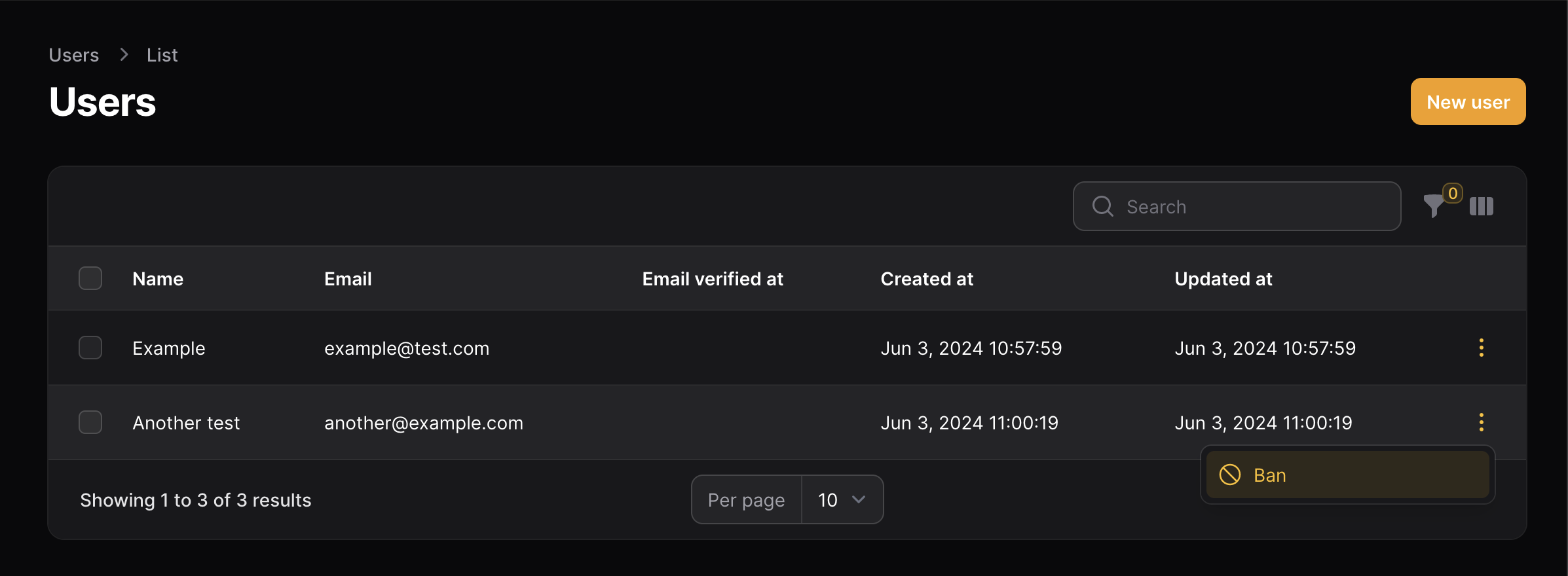
To be able to ban a resource simply add the Ban action:
use Filament\Tables\Table;
use Gerenuk\FilamentBanhammer\Resources\Actions\BanAction;

public static function table(Table $table): Table
    {
        return $table
            ->columns([
                // ...
            ])
            ->recordActions([
                BanAction::make(),
            ]);
    }
Unban
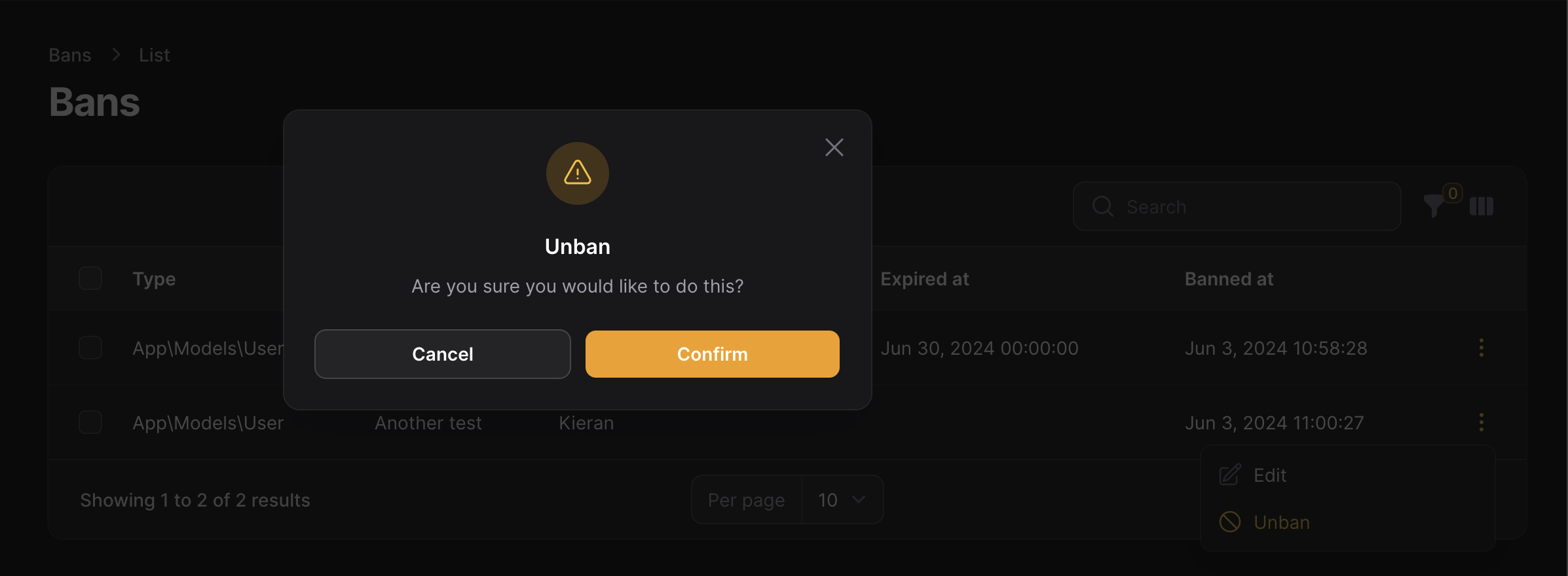
To be able to unban a resource simply add the Unban action:
use Filament\Tables\Table;
use Gerenuk\FilamentBanhammer\Resources\Actions\UnbanAction;

public static function table(Table $table): Table
    {
        return $table
            ->columns([
                // ...
            ])
            ->recordActions([
                UnbanAction::make(),
            ]);
    }
A ban resource is included by default if you would prefer to use that instead.
UnbanActionworks whether it's placed on your own bannable resource's table (as above) or on the bundled ban resource's table, where the record is a ban itself rather than the bannable model.
Ban Bulk
To be able to bulk ban a resource simply add the BanBulk action:
use Filament\Tables\Table;
use Gerenuk\FilamentBanhammer\Resources\Actions\BanBulkAction;

public static function table(Table $table): Table
    {
        return $table
            ->columns([
                // ...
            ])
            ->toolbarActions([
                BanBulkAction::make(),
            ]);
    }
Unban Bulk
To be able to bulk unban a resource simply add the UnbanBulk action:
use Filament\Tables\Table;
use Gerenuk\FilamentBanhammer\Resources\Actions\UnbanBulkAction;

public static function table(Table $table): Table
    {
        return $table
            ->columns([
                // ...
            ])
            ->toolbarActions([
                UnbanBulkAction::make(),
            ]);
    }
A ban resource is included by default if you would prefer to use that instead.
Authorization
BanAction, BanBulkAction, UnbanAction, UnbanBulkAction, EditBanAction, EditBanBulkAction and BanIpAction each check a Laravel policy ability against the record they're acting on, named in the authorization config key (ban, unban, editBan and banIp by default). If the record's model has no policy, or the policy has no method by that name, the action is allowed — so nothing changes until you opt in by adding the method:
class UserPolicy
{
    public function ban(?User $user, User $target): bool
    {
        return $user?->isAdmin() ?? false;
    }
}
Restoring and force-deleting bans (see Trashed Bans) aren't in the authorization config — they use Filament's own restore/forceDelete resource policy conventions instead.
Trashed Bans
Bans are soft-deleted (via mchev/banhammer's Ban model), so the bundled resource ships a "trashed" filter and restore actions by default. Force-deleting a ban permanently is opt-in:
'trashed' => [
    'enabled' => true,
    'force_delete' => false,
],
IP Blocking
The bundled resource includes a "Ban IP" header action that creates an IP-only ban with no bannable model attached, using mchev/banhammer's IP bans. Existing bans, including IP-only ones, can be edited (to correct the IP) and unbanned like any other row. Disable it with:
'ip_blocking' => [
    'enabled' => false,
],
Country Blocking
mchev/banhammer can block requests by country, but manages the blocked list through its own blocked_countries config value. Enabling country_blocking adds a bundled resource for managing that list from the database instead, and merges it into ban.blocked_countries on every application boot:
'country_blocking' => [
    'enabled' => true,
],
This package's migration needs to have run first — see Installation. Note this only manages the list; you still need mchev/banhammer's own BANHAMMER_BLOCK_BY_COUNTRY env variable (or block_by_country config value) set to actually enable the country-blocking middleware.
Note
On Octane or a long-running worker, the application boots once and is reused across requests, so a change made in the blocked countries resource won't take effect until the worker restarts.
Testing
composer test
Screenshots
Resource

Ban Action
Ban Bulk Action

Ban Modal

Unban Action

Unban Bulk Action

Unban Modal
Changelog
Please see CHANGELOG for more information on what has changed recently.
Contributing
Please see CONTRIBUTING for details.
Security Vulnerabilities
Please review our security policy on how to report security vulnerabilities.
Credits
- Based on laravel-banhammer from mchev
- Kieran Proctor
- All Contributors
License
The MIT License (MIT). Please see License File for more information.