
afsakar / filament-otp-login

OTP Login for FilamentPHP
Fund package maintenance!
Requires
- php: ^8.2
- filament/filament: ^4.0 || ^5.0
- spatie/laravel-package-tools: ^1.15.0
Requires (Dev)
- larastan/larastan: ^3.0
- laravel/pint: ^1.0
- nunomaduro/collision: ^8.0
- orchestra/testbench: ^9.0 || ^10.0
- pestphp/pest: ^3.0
- pestphp/pest-plugin-arch: ^3.0
- pestphp/pest-plugin-laravel: ^3.0
- phpstan/extension-installer: ^1.4
- phpstan/phpstan-deprecation-rules: ^2.0
- phpstan/phpstan-phpunit: ^2.0
- spatie/laravel-ray: ^1.26
Suggests
None
Provides
None
Conflicts
None
Replaces
None
README
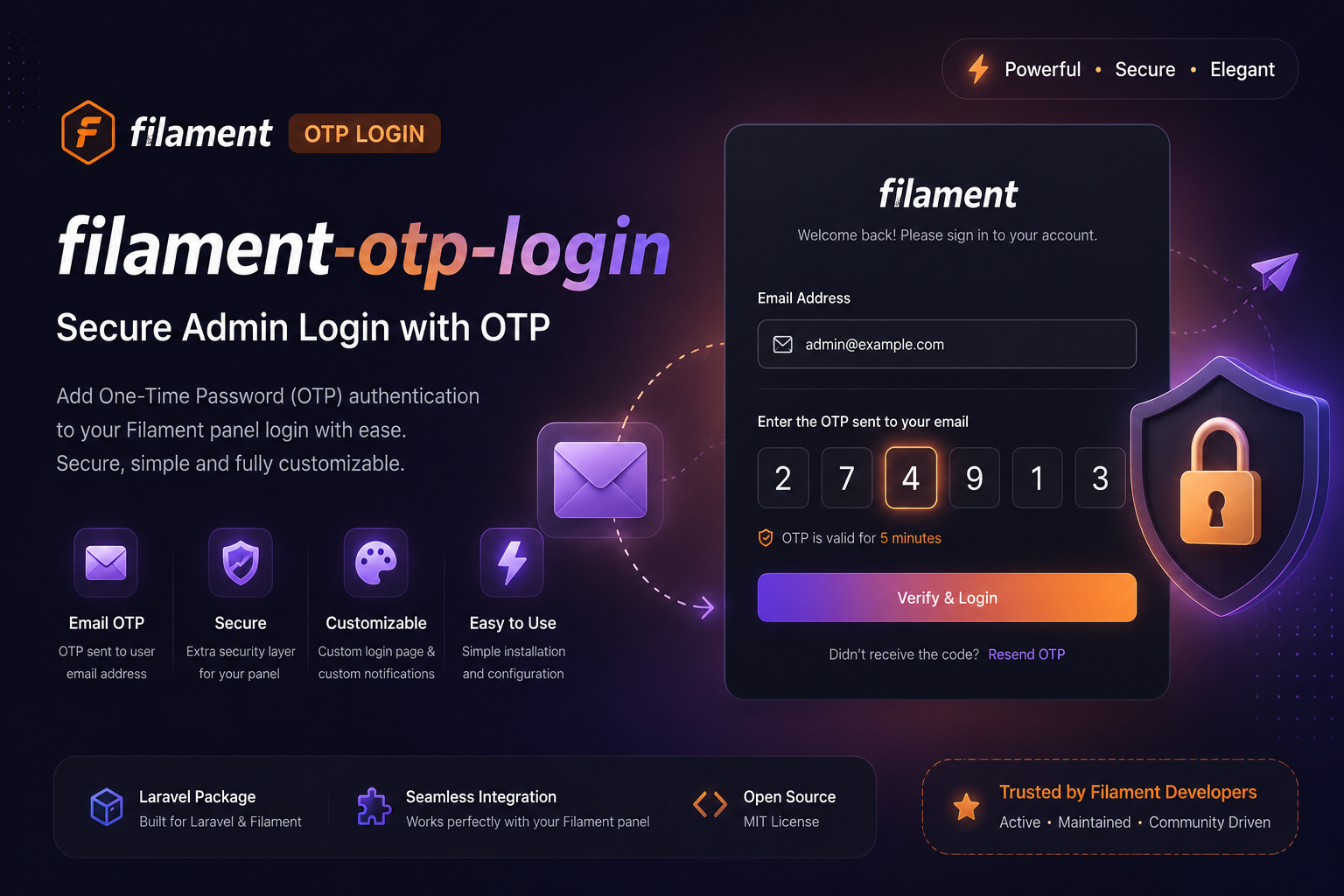
This package is an OTP Login for FilamentPHP. It is a simple package that allows you to login to your FilamentPHP application using OTP.
Installation
You can install the package via composer:
composer require afsakar/filament-otp-login
You can publish and run the migrations with:
php artisan vendor:publish --tag="filament-otp-login-migrations"
php artisan migrate
You can publish the translations files with:
php artisan vendor:publish --tag="filament-otp-login-translations"
Optionally, you can publish the views using
php artisan vendor:publish --tag="filament-otp-login-views"
Upgrade Guide
This release targets Filament ^4.0 || ^5.0 and PHP ^8.2. Filament v2/v3 projects must upgrade Filament before upgrading this package.
Configuration moved from the config file to FilamentOtpLoginPlugin, so define settings per panel:
FilamentOtpLoginPlugin::make()
    ->otpCode(length: 6, expiresIn: 120)
    ->rateLimit(attempts: 5, decaySeconds: 60)
    ->resendLimit(attempts: 3, decaySeconds: 300)
    ->passwordless(false)
    ->notification(\Afsakar\FilamentOtpLogin\Notifications\SendOtpCode::class);
The published config file is intentionally empty.
If you published the login views, publish them again or update them for Filament v4/v5 components and translation namespaces. The package now uses Filament's native OneTimeCodeInput, so remove any custom references to Afsakar\FilamentOtpLogin\Filament\Forms\OtpInput.
The OTP table column changed from email to identifier. Publish and run the new migration, or add this to your own upgrade migration:
Schema::table('otp_codes', function (Blueprint $table) {
    $table->renameColumn('email', 'identifier');
});
OTP codes are now stored as hashes. Any active OTP code created before the upgrade will no longer verify; users can request a new code.
Usage
Just register the Afsakar\FilamentOtpLogin\FilamentOtpLoginPlugin plugin in the your panel provider file.
use Afsakar\FilamentOtpLogin\FilamentOtpLoginPlugin;

    public function panel(Panel $panel): Panel
    {
        return $panel
            ->plugins([
                FilamentOtpLoginPlugin::make()
                    ->otpCode(length: 6, expiresIn: 120)
                    ->rateLimit(attempts: 5, decaySeconds: 60)
                    ->resendLimit(attempts: 3, decaySeconds: 300),
            ]);
    }
For phone based login:
FilamentOtpLoginPlugin::make()
    ->identifierFormField('phone', label: 'Phone', type: 'tel')
    ->userIdentifierColumn('phone');
Use ->tableName(), ->identifierColumn(), ->userModel(), ->passwordless(), and ->notification() when a panel needs different behavior.
If you want to ignore specific user groups from OTP login just implement the Afsakar\FilamentOtpLogin\Models\Contracts\CanLoginDirectly trait in your User model.
use Afsakar\FilamentOtpLogin\Models\Contracts\CanLoginDirectly;

class User extends Authenticatable implements CanLoginDirectly
{
    use HasFactory, Notifiable;

    // other user model code

    public function canLoginDirectly(): bool
    {
        return str($this->email)->endsWith('@example.com');
    }
}
Note: For medium and large scale applications, you only need to run "php artisan model:prune" command as cron to prevent the otp_code table from bloating and performance issues.
OTP codes are hashed before they are stored in the database.
To enable passwordless login, call ->passwordless(). When enabled, users log in with the configured identifier and OTP only.
Custom Login Page
If you want to customize the login page, you can extend the \Afsakar\FilamentOtpLogin\Filament\Pages\Login page and set your custom login page to plugin in the panel provider file with loginPage method.
<?php

namespace App\Filament\Pages;

use Afsakar\FilamentOtpLogin\Filament\Pages\Login as OtpLogin;
use Illuminate\Contracts\Support\Htmlable;

class OverrideLogin extends OtpLogin
{
    public function getHeading(): string | Htmlable
    {
        return 'Example Login Heading';
    }
}
use App\Filament\Pages\OverrideLogin;

    public function panel(Panel $panel): Panel
    {
        return $panel
            ->plugins([
                FilamentOtpLoginPlugin::make()
                    ->loginPage(OverrideLogin::class),
            ]);
    }
Custom Notification Class
If you want to customize the notification, you can replace the \Afsakar\FilamentOtpLogin\Notifications\SendOtpCode with your own.
<?php

namespace App\Notifications;

use Illuminate\Bus\Queueable;
use Illuminate\Notifications\Messages\MailMessage;
use Illuminate\Notifications\Notification;

class SendOtpCode extends Notification
{
    use Queueable;

    /**
     * Create a new notification instance.
     *
     * @return void
     */
    public function __construct(public string $code, public int $expiresIn)
    {
        //
    }

    /**
     * Get the notification's delivery channels.
     *
     * @param  mixed  $notifiable
     * @return array
     */
    public function via($notifiable)
    {
        return ['mail'];
    }

    /**
     * Get the mail representation of the notification.
     *
     * @param  mixed  $notifiable
     * @return \Illuminate\Notifications\Messages\MailMessage
     */
    public function toMail($notifiable)
    {
        return (new MailMessage)
            ->subject(__('filament-otp-login::translations.mail.subject'))
            ->greeting(__('filament-otp-login::translations.mail.greeting'))
            ->line(__('filament-otp-login::translations.mail.line1', ['code' => $this->code]))
            ->line(__('filament-otp-login::translations.mail.line2', ['seconds' => $this->expiresIn]))
            ->line(__('filament-otp-login::translations.mail.line3'))
            ->salutation(__('filament-otp-login::translations.mail.salutation', ['app_name' => config('app.name')]));
    }

}
Then update the plugin to use your custom notification class.
FilamentOtpLoginPlugin::make()
    ->notification(\App\Notifications\SendOtpCode::class);
For SMS or WhatsApp, install the provider notification channel in your application, return that channel from via(), and use the configured identifier as the recipient.
Testing
composer test
Changelog
Please see CHANGELOG for more information on what has changed recently.
Contributing
Please see CONTRIBUTING for details.
Security Vulnerabilities
Please review our security policy on how to report security vulnerabilities.
Credits
License
The MIT License (MIT). Please see License File for more information.