
abdiwaahid / filament-logger

Activity logger for filament
Requires
- php: ^8.2
- filament/filament: ^5.0
- illuminate/contracts: ^11.0 | ^12.0 | ^13.0
- spatie/laravel-activitylog: ^4.5
- spatie/laravel-package-tools: ^1.13.5
Requires (Dev)
- nunomaduro/collision: ^8.0
- orchestra/testbench: ^9.0 | ^10.0 | ^11.0
- pestphp/pest: ^1.21 | ^2.34 | ^3.7 | ^4.0
- pestphp/pest-plugin-laravel: ^1.1 | ^2.3 | ^3.1 | ^4.0
- phpstan/extension-installer: ^1.1
- phpstan/phpstan-deprecation-rules: ^1.0 | ^2.0
- phpstan/phpstan-phpunit: ^1.0 | ^2.0
- phpunit/phpunit: ^9.5 | ^10.5 | ^11.5.3 | ^12.0
- spatie/laravel-ray: ^1.26
Suggests
None
Provides
None
Conflicts
None
Replaces
None
README
Note: This is a maintained fork of Z3d0X/filament-logger, starting from version
1.0. This fork aims to continue development and maintenance of the original package.
Configurable activity logger for filament.
Powered by spatie/laravel-activitylog
Features
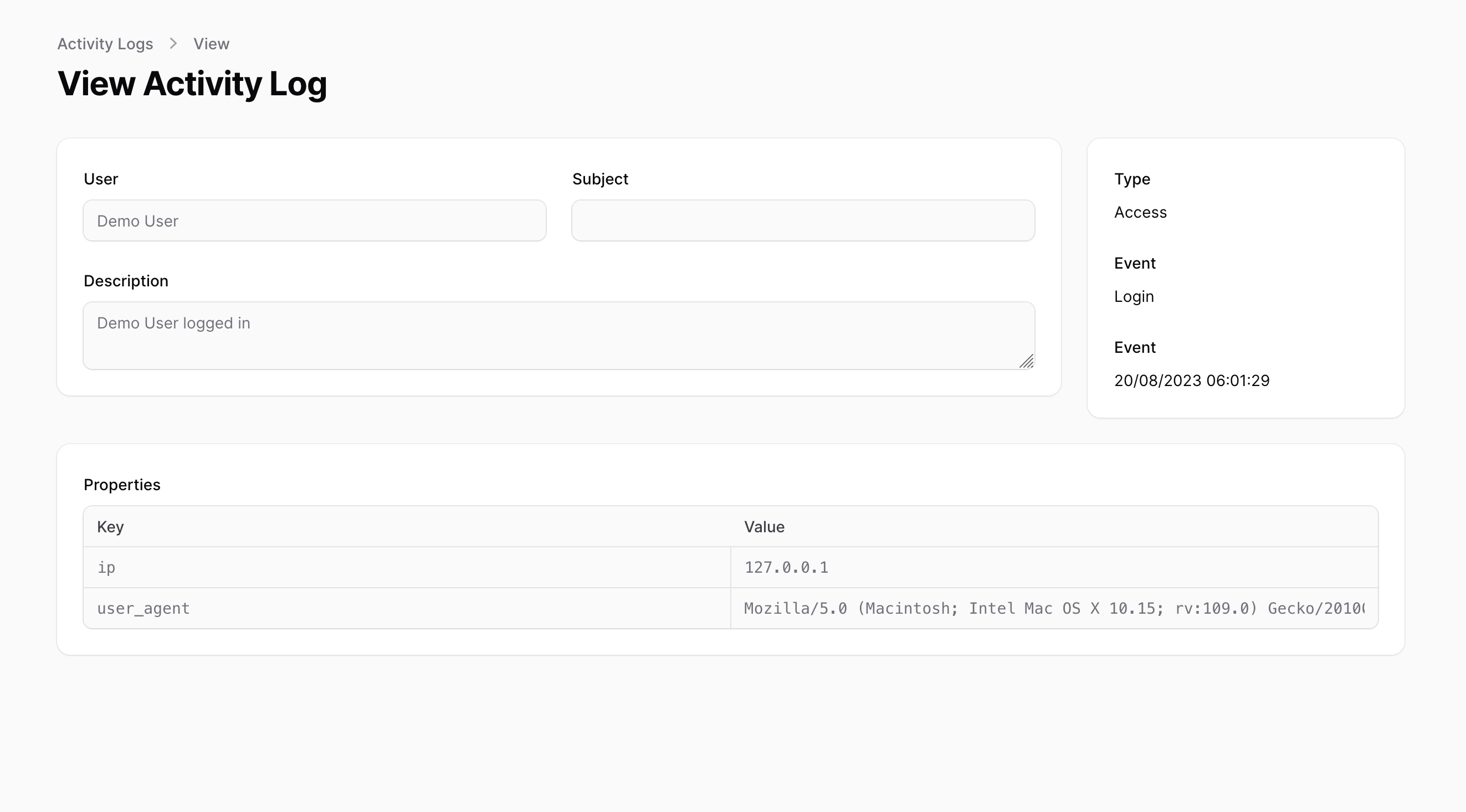
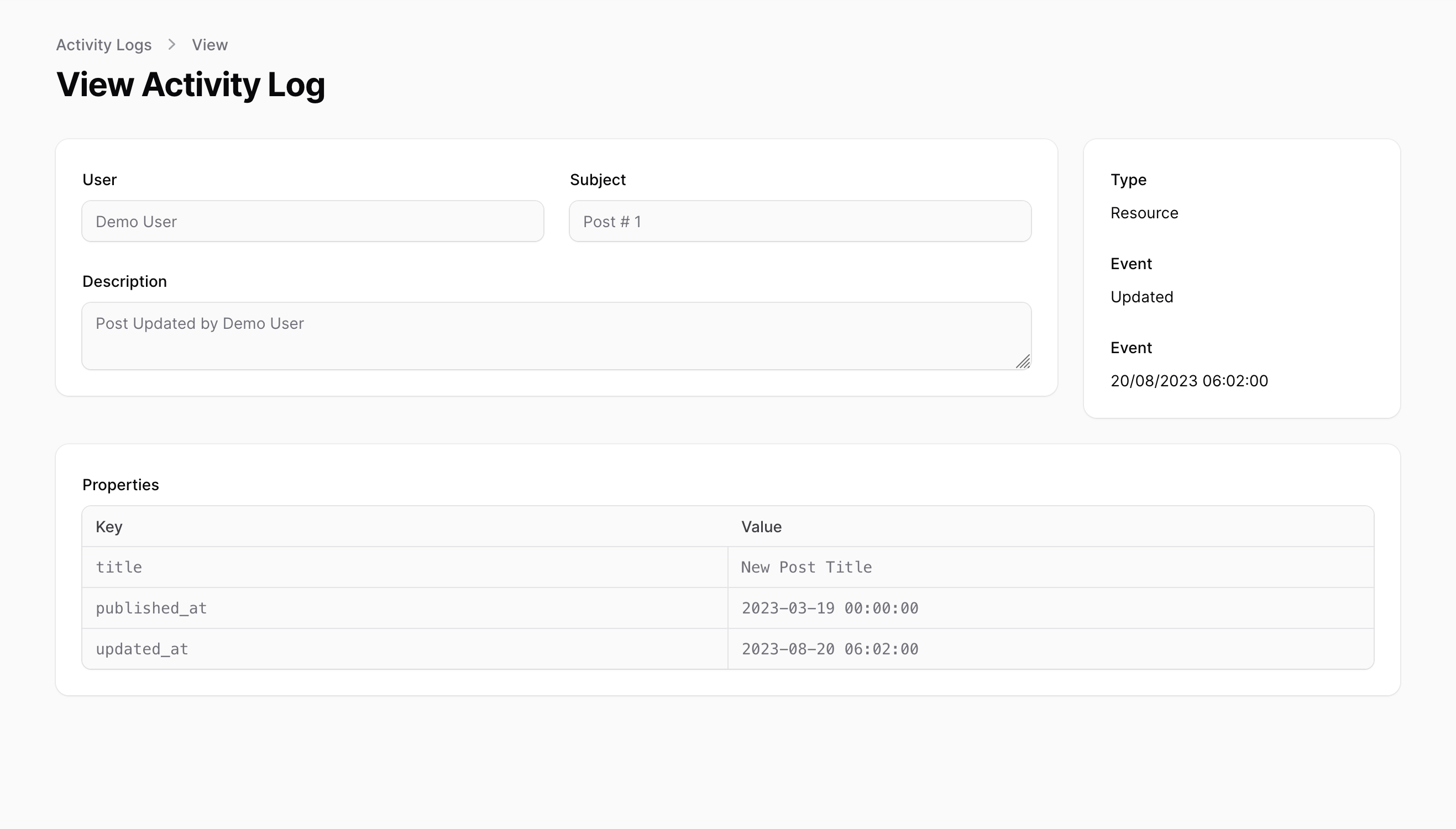
You can choose what you want to log and how to log it.
- Log Filament Resource Events
- Log Login Event
- Log Notification Events
- Log Model Events
- Easily extendable to log custom events
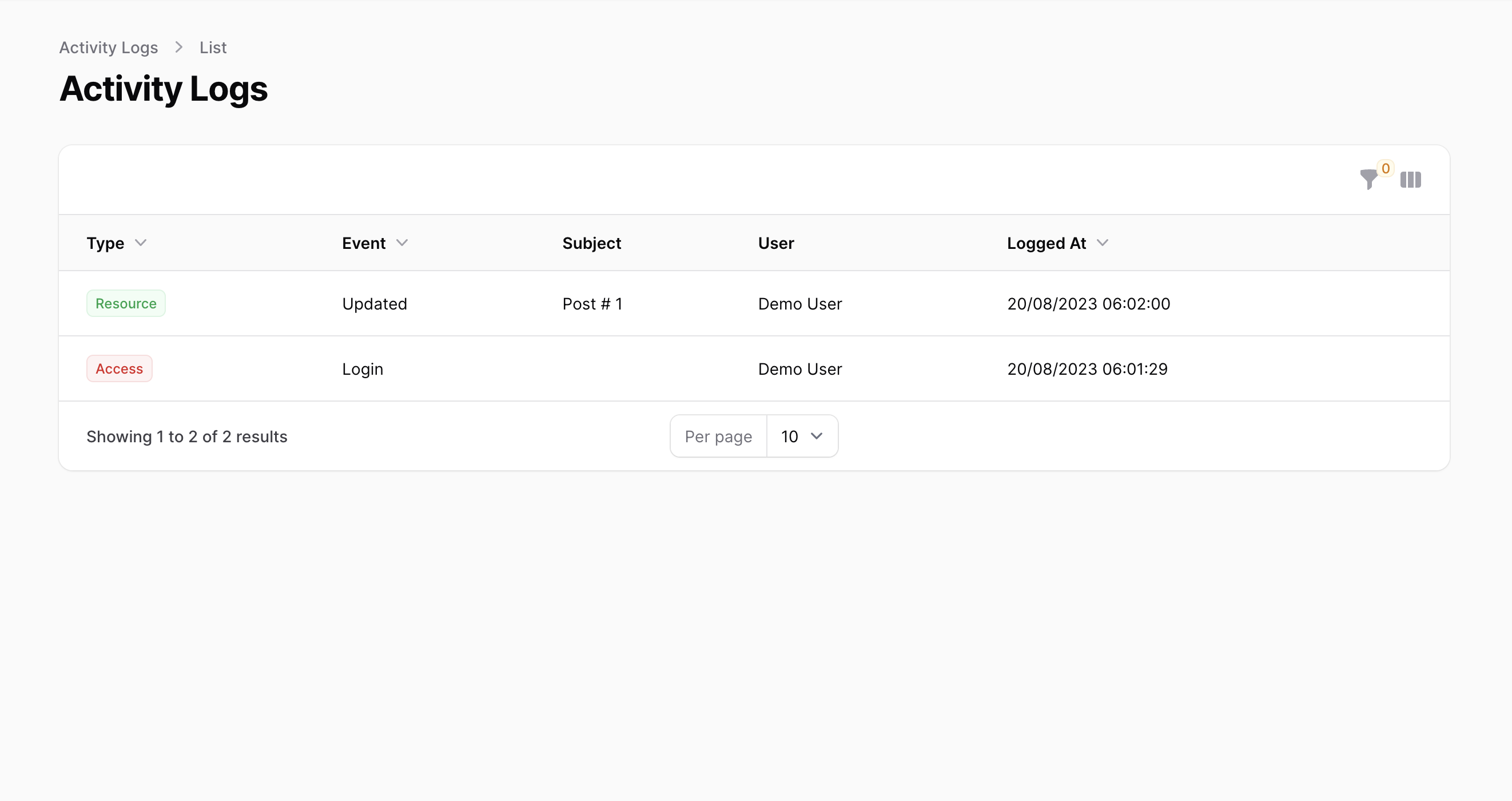
- Filter the log by type, event, subject, user and date range (with presets), and jump between log types with tabs
Note: By default this package will log Filament Resource Events, Access(Login) Events, and Notification Events. If you want to log a model that is not a FilamentResource you will have to manually register in the config file.
Installation
| Plugin Version | Filament Version | Laravel Version |
|---|---|---|
| 1.0.x - 1.1.x | 4.x | 8.x - 12.x |
| 1.2.x | 5.x | 8.x - 12.x |
| 1.3.x | 5.x | 11.x - 12.x |
| 1.4.x and up | 5.x | 11.x - 13.x |
Laravel 13 support requires PHP 8.3 or higher.
This package uses spatie/laravel-activitylog, instructions for its setup can be found here
You can install the package via composer:
composer require abdiwaahid/filament-logger
After that run the install command:
php artisan filament-logger:install
This will publish the config & migrations from spatie/laravel-activitylog
Register the resource manually in your PanelProvider
public function panel(Panel $panel): Panel
{
    return $panel
        ->resources([
            config('filament-logger.activity_resource')
        ]);
}
Or use the Filament plugin, which also registers the configured overview widgets:
use Abdiwaahid\FilamentLogger\FilamentLoggerPlugin;

->plugins([
    FilamentLoggerPlugin::make()
        ->navigationGroup('Administration')
        ->widgets(),
])
The default widget is a 14-day activity trend chart. To replace it with your own widgets,
set filament-logger.widgets in the config. Use ->widgets(false) to disable the charts
for a panel while keeping the activity resource.
Access events and retention
When access logging is enabled, the package records successful logins, logouts, and failed
authentication attempts. Failed attempts are anonymous and do not store the submitted credentials.
Spatie's activitylog:clean command can prune records according to your configured retention
policy; schedule it from your application's console routes or scheduler, for example:
Schedule::command('activitylog:clean')->daily();
Authorization
To enforce policies on ActivityResource, after generating a policy, you would need to register Spatie\Activitylog\Models\Activity to use that policy in the AuthServiceProvider.
<?php

namespace App\Providers;

use App\Policies\ActivityPolicy;
use Illuminate\Foundation\Support\Providers\AuthServiceProvider as ServiceProvider;
use Spatie\Activitylog\Models\Activity;

class AuthServiceProvider extends ServiceProvider
{
    protected $policies = [
        // Update `Activity::class` with the one defined in `config/activitylog.php`
        Activity::class => ActivityPolicy::class,
    ];
    //...
}
If you are using Shield just register the ActivityPolicy generated by it
Filters and tabs
The activity log can be filtered by type, event, subject type, user and date range (presets such as Today or Last 7 days, or an explicit from/until). The type, event and subject type dropdowns list the values from your config plus the ones already stored in the table.
The list page also shows one tab per enabled log type. You can tune both in config/filament-logger.php:
'filters' => [
    'causer_model' => null,          // defaults to the model of the `users` auth provider
    'causer_search_column' => 'name', // column searched by the "User" filter
    'options_cache_ttl' => 60,       // seconds to cache the dropdown values (0 = no cache)
],

'tabs' => [
    'enabled' => true,
],
Translations
Publish the translations using:
php artisan vendor:publish --tag="filament-logger-translations"
Activity Model resolution
The main Activity class being used by the Filament Resource instance will be resolved by Spatie's service provider, which loads the model defined by the configuration key found at activitylog.activity_model in config/activitylog.php.
Screenshots
Changelog
Please see CHANGELOG for more information on what has changed recently.
Contributing
Please see CONTRIBUTING for details.
Security Vulnerabilities
Please review our security policy on how to report security vulnerabilities.
Credits
License
The MIT License (MIT). Please see License File for more information.