
yorcreative / laravel-argonaut-dto

Argonaut is a lightweight Data Transfer Object (DTO) package for Laravel that supports nested casting, recursive serialization, and validation out of the box. Ideal for service layers, APIs, and clean architecture workflows.
Package info
github.com/YorCreative/Laravel-Argonaut-DTO
pkg:composer/yorcreative/laravel-argonaut-dto
Fund package maintenance!
Requires
- php: ^8.2|^8.3|^8.4|^8.5
- illuminate/collections: ^10.0|^11.0|^12.0|^13.0
- illuminate/contracts: ^10.0|^11.0|^12.0|^13.0
- illuminate/support: ^10.0|^11.0|^12.0|^13.0
- illuminate/translation: ^10.0|^11.0|^12.0|^13.0
- illuminate/validation: ^10.0|^11.0|^12.0|^13.0
Requires (Dev)
- laravel/pint: ^1.0
- orchestra/testbench: ^8.0|^9.0|^10.0|^11.0
- phpstan/phpstan: ^2.0
- phpunit/phpunit: ^10.0|^11.5.3|^12.0
Suggests
None
Provides
None
Conflicts
None
Replaces
None
This package is auto-updated.
Last update: 2026-10-04 01:42:33 UTC
README
Laravel Argonaut DTO

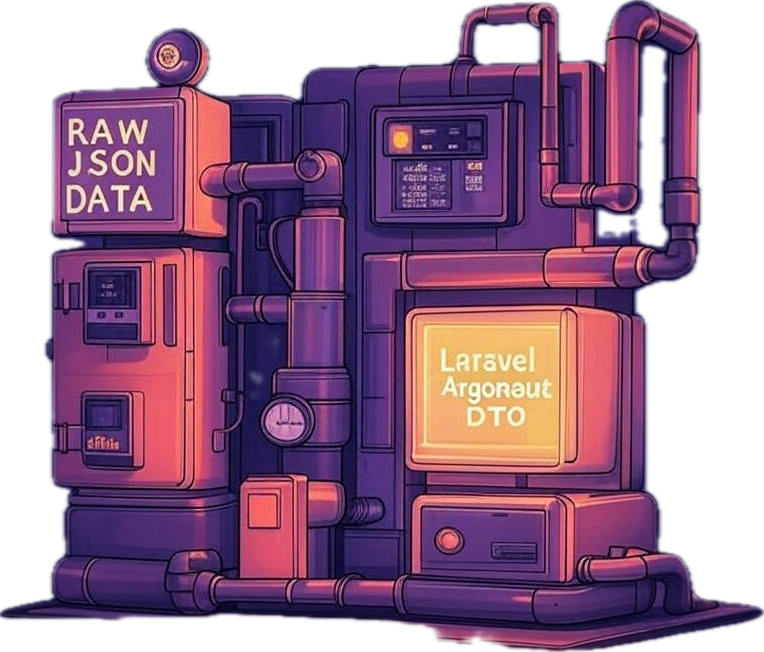
Laravel Argonaut DTO is a lightweight, highly composable package for transforming arrays, objects, or collections into structured DTOs (Data Transfer Objects), with built-in support for:
- 🧱 Deep nested transformation and casting
- 🔁 Type-safe data conversion
- ✅ Validation using Laravel's validator
- 🧠 Explicit attribute prioritization
- 📦 Clean serialization (
toArray,toJson) - 🔒 Immutable DTOs with readonly properties
- ♻️ Consistent data shape enforcement across boundaries
📦 Requirements
- PHP 8.2, 8.3, 8.4, or 8.5 (PHP 8.3+ when using Laravel 13)
- Laravel 10.x, 11.x, 12.x, or 13.x
Support matrix
The composer.json constraint still permits Laravel 10.x and 11.x, but only the
versions marked Tested below are exercised in CI on every commit:
| Laravel | PHP | Status |
|---|---|---|
| 13.x | 8.3, 8.4, 8.5 | ✅ Tested in CI |
| 12.x | 8.2, 8.3, 8.4, 8.5 | ✅ Tested in CI |
| 11.x | 8.2 – 8.4 | ⚠️ Best effort — installable, not covered by CI |
| 10.x | 8.2, 8.3 | ⚠️ Best effort — installable, not covered by CI |
Laravel 10 and 11 are past their active-support windows, so their CI jobs were retired. The package is expected to keep working on them and the constraint is deliberately left open, but regressions there will not be caught automatically. If you depend on Laravel 10.x or 11.x, pin your own test coverage accordingly and please open an issue if something breaks — support may be dropped in a future major release.
📦 Installation
Install via Composer:
composer require yorcreative/laravel-argonaut-dto
🚀 Quick Start
1. Define a DTO
DTOs extend ArgonautDTO, and define your expected structure via public properties, casting rules, and validation.
class UserDTO extends ArgonautDTO
{
    public string $username;
    public string $email;

    protected array $casts = [
        'username' => 'string',
        'email' => 'string',
    ];

    public function rules(): array
    {
        return [
            'username' => ['required', 'string'],
            'email' => ['required', 'email'],
        ];
    }
}
This defines a strongly typed DTO with both validation rules and simple type casting.
2. Create an Assembler
Assemblers are responsible for mapping raw inputs (arrays or objects) into your DTOs.
// static usage example
class UserDTOAssembler extends ArgonautAssembler
{
    public static function toUserDTO(object $input): UserDTO
    {
        return new UserDTO([
            'username' => $input->display_name,
            'email' => $input->email,
        ]);
    }
}

// instance usage example
class UserDTOAssembler extends ArgonautAssembler
{
    public function __construct(protected UserFormattingService $formattingService)
    {
        //
    }

    public function toUserDTO(object $input): UserDTO
    {
        return new UserDTO([
            'username' => $this->formattingService->userName($input->display_name),
            'email' => $this->formattingService->email($input->email),
        ]);
    }
}
Assembler method names must follow the format
to<ClassName>orfrom<ClassName>, and are resolved automatically usingclass_basename.
3. Assemble a DTO
Use the assembler to transform raw data into structured, casted DTO instances.
// static usage example
$dto = UserDTOAssembler::assemble([
    'display_name' => 'jdoe',
    'email' => 'jdoe@example.com',
], UserDTO::class);

// instance usage example
$dto = $userDTOAssemblerInstance->assembleInstance([
    'display_name' => 'jdoe',
    'email' => 'jdoe@example.com',
], UserDTO::class);
You can also batch transform arrays or collections:
// static usage
UserDTOAssembler::fromArray($userArray, UserDTO::class);
UserDTOAssembler::fromCollection($userCollection, UserDTO::class);

// instance usage
UserDTOAssembler::fromArray($userArray, UserDTO::class, $userDTOAssemblerInstance);
UserDTOAssembler::fromCollection($userCollection, UserDTO::class, $userDTOAssemblerInstance);

// or using the assembler instance's static methods
$userDTOAssemblerInstance::fromArray($userArray, UserDTO::class, $userDTOAssemblerInstance);
$userDTOAssemblerInstance::fromCollection($userCollection, UserDTO::class, $userDTOAssemblerInstance);
🧪 Real-World Static Usage Example: Product + Features + Reviews
This example demonstrates nested relationships and complex type casting in action.
ProductDTO with nested casting:
class ProductDTO extends ArgonautDTO
{
    public string $title;
    public array $features;
    public Collection $reviews;
    public ?UserDTO $user = null;

    protected array $casts = [
        'features' => [ProductFeatureDTO::class],
        'reviews' => Collection::class . ':' . ProductReviewDTO::class,
        'user' => UserDTO::class,
    ];

    public function rules(): array
    {
        return [
            'title' => ['required', 'string'],
            'reviews' => ['sometimes', 'required', 'collection', 'min:1'],
        ];
    }
}
ProductDTOAssembler mapping input structure:
class ProductDTOAssembler extends ArgonautAssembler
{
    public static function toProductDTO(object $input): ProductDTO
    {
        return new ProductDTO([
            'title' => $input->product_name,
            'user' => $input->user,
            'features' => $input->features ?? [],
            'reviews' => $input->reviews ?? [],
        ]);
    }

    public static function toProductFeatureDTO(object $input): ProductFeatureDTO
    {
        return new ProductFeatureDTO([
            'name' => $input->name ?? 'Unnamed Feature',
            'description' => $input->description ?? null,
        ]);
    }

    public static function toProductReviewDTO(object $input): ProductReviewDTO
    {
        return new ProductReviewDTO([
            'rating' => (int) ($input->rating ?? 0),
            'comment' => $input->comment ?? '',
        ]);
    }
}
🎯 Dependency Injection in Assemblers
ArgonautAssembler offers enhanced flexibility for your Assembler logic by supporting dependency injection. This allows you to leverage services or custom logic, whether defined in static or non-static methods, during the DTO assembly process. This is particularly powerful when integrating with Laravel's service container.
This feature enables you to:
- Integrate Application Services: Easily inject your existing application services (e.g., a custom formatting utility, a validation service) directly into your assembler methods.
- Decouple Complex Logic: Keep your assembler methods focused on the core task of data mapping by delegating more complex operations or external data fetching/processing to injected dependencies.
- Improve Testability: By injecting dependencies, you can more easily mock them in your unit tests, leading to more robust and isolated tests for your assemblers.
How Dependency Injection Works
ArgonautAssembler supports dependency injection in non-static transformation methods (e.g., toUserDTO or
fromUserDTO) by leveraging Laravel’s service container. When you call ArgonautAssembler::assemble(),
fromCollection(), fromArray(), or assembleInstance() with an instance of the assembler, the transformation method
is invoked on that instance. Laravel’s container automatically resolves and injects any dependencies declared in the
method’s signature.
- Static Methods: Static transformation methods (e.g.,
public static function toUserDTO($input)) do not support dependency injection, as they are called statically without an instance. - Instance Methods: Non-static transformation methods (e.g.,
public function toUserDTO($input)) are called on an assembler instance, allowing Laravel to inject dependencies into the method.
Example: Using Dependency Injection
Below is an example of an assembler with a non-static transformation method that uses dependency injection to format a user’s name via an injected service.
<?php

namespace App\Assemblers;

use App\DTOs\UserDTO;
use App\Services\UserFormattingService;
use YorCreative\LaravelArgonautDTO\ArgonautAssembler;

class UserAssembler extends ArgonautAssembler
{
    public function __construct(protected UserFormattingService $formattingService)
    {
        //
    }

    /**
     * Transform input data into a UserDTO with dependency injection.
     *
     * @param object $input Input data (e.g., from a model or array cast to object).
     * @param UserFormattingService $formatter Injected service for formatting user data.
     * @return UserDTO
     */
    public function toUserDTO(object $input): UserDTO
    {
        return new UserDTO([
            'full_name' => $this->formattingService->formatName($input->first_name, $input->last_name),
            'email' => $input->email,
            'created_at' => $input->created_at,
        ]);
    }
}
Registering the Assembler
// ServiceProvider
<?php

namespace App\Providers;

use Illuminate\Support\ServiceProvider;

class YourServiceProvider extends ServiceProvider
{
    public function register()
    {
        $this->app->bind(FormattingServiceInterface::class, function ($app) {
            return new FormattingService();
        });
        $this->app->bind(YourArgonautAssembler::class, function ($app) {
            return new YourArgonautAssembler($app->get(FormattingServiceInterface::class));
        });
    }

    public function provides()
    {
        return [
            YourArgonautAssembler::class,
            FormattingServiceInterface::class,
        ];
    }
}
Using the Assembler
To use the assembler with dependency injection, you need to provide an instance of the assembler to the assemble
method or related methods (fromCollection, fromArray, or assembleInstance). Laravel’s container will resolve the
dependencies when the method is invoked.
<?php

use App\Assemblers\UserAssembler;
use App\DTOs\UserDTO;

// Example input (e.g., a model or object)
$input = (object) [
    'first_name' => 'John',
    'last_name' => 'Doe',
    'email' => 'john.doe@example.com',
    'created_at' => now(),
];

// Creating an assembler instance
$formattingService = new UserFormattingService();
$assembler = new UserAssembler($formattingService);
// or using the container instance
$assembler = resolve(YourArgonautAssembler::class);

// Pass the $assembler instance
$userDTO = UserAssembler::assemble($input, UserDTO::class, $assembler);
// Or use the instance method
$userDTO = $assembler->assembleInstance($input, UserDTO::class);

// Transform a collection passing the $assembler instance
$array = [$input, $input];
$collection = collect($array);
$userDTOs = UserAssembler::fromCollection($collection, UserDTO::class, $assembler);
$userDTOs = $assembler::fromArray($array, UserDTO::class, $assembler);
In this example:
- The
toUserDTOmethod requires aUserFormattingServicedependency. - The assembler instance (
$assembler) is passed toassemble,fromArrayorfromCollection, ensuring the non-statictoUserDTOmethod is invoked on the instance.
🎯 Nested Assemblers for Deep Transformations
Nested assemblers enhance the casting process by allowing you to specify an assembler class for individual fields in your DTO. When a value is assigned to that field during construction or attribute setting, the raw input is first passed through the assembler's transformation method (e.g., toUserDTO) before the cast is applied. This is ideal for handling complex, nested data structures where raw inputs need preprocessing or mapping.
Nested assemblers integrate seamlessly with casting:
- For single casts (e.g.,
UserDTO::class), the assembler transforms the input value directly. - For array or collection casts (e.g.,
[ProductFeatureDTO::class]orCollection::class . ':' . ProductReviewDTO::class), the assembler is applied to each item in the iterable value. - Assemblers used in nested contexts must have static transformation methods, as they are invoked statically without an instance.
Defining Nested Assemblers
Add a protected array $nestedAssemblers property to your DTO, mapping field names to assembler classes:
class ProductDTO extends ArgonautDTO
{
    public string $title;
    public array $features;
    public Collection $reviews;
    public ?UserDTO $user = null;

    protected array $casts = [
        'features' => [ProductFeatureDTO::class],
        'reviews' => Collection::class . ':' . ProductReviewDTO::class,
        'user' => UserDTO::class,
    ];

    protected array $nestedAssemblers = [
        'user' => UserDTOAssembler::class
    ];

    public function rules(): array
    {
        return [
            'title' => ['required', 'string'],
            'reviews' => ['sometimes', 'required', 'collection', 'min:1'],
        ];
    }
}
In this example:
- The
userfield will useUserDTOAssembler::toUserDTO()(orfromUserDTO()) to transform raw input (e.g., an array or object withdisplay_nameandemail) before casting it to aUserDTOinstance. - If added,
featuresorreviewswould apply the assembler to each item in the array/collection.
How It Works
When setting attributes (via constructor or setAttributes):
- If a nested assembler is defined for the key and a cast exists, the assembler transforms the value (or each item for iterables).
- The transformed value is then cast according to
$casts(e.g., into a DTO, collection, etc.). - Scalars (non-array/object values) skip the assembler to avoid type errors.
This ensures deep, automatic transformations while maintaining type safety and structure.
Example Usage
With the above ProductDTO and a raw input:
$rawProduct = [
    'title' => 'Standing Desk',
    'user' => ['display_name' => 'jdoe', 'email' => 'jdoe@example.com'],
    'features' => [['name' => 'Height Adjustable']],
    'reviews' => [['rating' => 5, 'comment' => 'Great!']],
];

$productDTO = ProductDTOAssembler::assemble($rawProduct, ProductDTO::class);

// $productDTO->user is now a fully assembled UserDTO instance
$this->assertInstanceOf(UserDTO::class, $productDTO->user);
$this->assertSame('jdoe', $productDTO->user->username);
Nested assemblers promote composability, making it easier to handle multi-layered data in APIs, services, or complex domain logic.
🔒 Immutable DTOs
For scenarios where data integrity is critical, ArgonautImmutableDTO provides a base class for creating DTOs with readonly properties that cannot be modified after construction.
When to Use Immutable DTOs
- API Responses: Ensure response data remains unchanged throughout the request lifecycle
- Event Sourcing: Immutable events that represent facts that happened
- Value Objects: Data that should never change once created
- Thread Safety: Prevent accidental mutations in concurrent operations
- Functional Patterns: Enable predictable, side-effect-free code
Defining an Immutable DTO
use YorCreative\LaravelArgonautDTO\ArgonautImmutableDTO;
use Illuminate\Support\Carbon;

class UserDTO extends ArgonautImmutableDTO
{
    public readonly string $username;
    public readonly string $email;
    public readonly ?string $firstName;
    public readonly ?string $lastName;
    public readonly ?Carbon $registeredAt;

    protected array $casts = [
        'registeredAt' => Carbon::class,
    ];

    public function rules(): array
    {
        return [
            'username' => ['required', 'string', 'max:64'],
            'email' => ['required', 'email', 'max:255'],
        ];
    }
}
Usage
// Create an immutable DTO - works exactly like ArgonautDTO
$user = new UserDTO([
    'username' => 'jdoe',
    'email' => 'jdoe@example.com',
    'firstName' => 'John',
    'lastName' => 'Doe',
    'registeredAt' => '2024-01-15 10:30:00',
]);

// Access properties normally
echo $user->username;        // 'jdoe'
echo $user->registeredAt;    // Carbon instance

// Serialization works the same
$array = $user->toArray();
$json = $user->toJson();

// Validation works the same
$user->validate();
$user->isValid();

// Attempting to modify throws an Error
$user->username = 'other';   // ❌ Error: Cannot modify readonly property
Immutable DTOs with Assemblers
Immutable DTOs work seamlessly with assemblers:
class UserDTOAssembler extends ArgonautAssembler
{
    public static function toUserDTO(object $input): UserDTO
    {
        return new UserDTO([
            'username' => $input->display_name,
            'email' => $input->email,
            'firstName' => $input->first_name ?? null,
            'lastName' => $input->last_name ?? null,
        ]);
    }
}

// Works exactly the same as mutable DTOs
$user = UserDTOAssembler::assemble($input, UserDTO::class);
$users = UserDTOAssembler::fromArray($userArray, UserDTO::class);
$users = UserDTOAssembler::fromCollection($userCollection, UserDTO::class);
Nested Immutable DTOs
Immutable DTOs support all casting features including nested DTOs:
class OrderDTO extends ArgonautImmutableDTO
{
    public readonly string $orderId;
    public readonly UserDTO $customer;           // Single nested DTO
    public readonly array $items;                // Array of DTOs
    public readonly Collection $payments;        // Collection of DTOs

    protected array $casts = [
        'customer' => UserDTO::class,
        'items' => [OrderItemDTO::class],
        'payments' => Collection::class . ':' . PaymentDTO::class,
    ];
}
Comparison: Mutable vs Immutable
| Feature | ArgonautDTO |
ArgonautImmutableDTO |
|---|---|---|
| Property modification | ✅ Allowed | ❌ Blocked (readonly) |
| Custom setters | ✅ setPropertyName() |
❌ Not supported |
setAttributes() / merge() |
✅ Available | ❌ Not available |
| Casting (DTOs, enums, dates) | ✅ Full support | ✅ Full support |
| Validation | ✅ Full support | ✅ Full support |
Serialization (toArray, toJson, only, except) |
✅ Full support | ✅ Full support |
| Assembler integration | ✅ Full support | ✅ Full support |
| Nested assemblers | ✅ Full support | ✅ Full support |
| PHP requirement | 8.2+ | 8.2+ (readonly properties) |
Note: Choose
ArgonautDTOwhen you need mutable objects with custom setters. ChooseArgonautImmutableDTOwhen you want guaranteed immutability and don't need post-construction modifications.
🎯 DTOs with Prioritized Attributes and Custom Setters
ArgonautDTO allows you to prioritize the assignment of specific fields using $prioritizedAttributes, which is critical
for cases where one field influences others.
class UserDTO extends ArgonautDTO
{
    public ?string $firstName = null;
    public ?string $lastName = null;
    public string $username;
    public string $email;
    public ?string $fullName = null;

    protected array $prioritizedAttributes = ['firstName', 'lastName'];

    protected array $casts = [
        'firstName' => 'string',
        'lastName' => 'string',
        'username' => 'string',
        'email' => 'string',
        'fullName' => 'string',
    ];

    public function setFirstName($value)
    {
        $this->firstName = $value;
        $this->fullName = $this->firstName . ' ' . $this->lastName;
    }

    public function setLastName($value)
    {
        $this->lastName = $value;
        $this->fullName = $this->firstName . ' ' . $this->lastName;
    }

    public function rules(): array
    {
        return [
            'firstName' => ['nullable', 'string', 'max:32'],
            'lastName' => ['nullable', 'string', 'max:32'],
            'username' => ['required', 'string', 'max:64'],
            'email' => ['required', 'email', 'max:255'],
        ];
    }
}
🔁 Casting Reference
Casting allows you to automatically transform values into other DTOs, Laravel Collections, arrays, dates, enums, and more.
protected array $casts = [
    'registeredAt' => \Illuminate\Support\Carbon::class,
    'profile' => ProfileDTO::class,
    'roles' => [RoleDTO::class],
    'permissions' => Collection::class . ':' . PermissionDTO::class,
    'status' => StatusEnum::class,
    'tags' => [TagEnum::class],
    'priorities' => Collection::class . ':' . PriorityEnum::class,
];
| Cast Type | Example | Description |
|---|---|---|
| Single DTO | ProfileDTO::class |
Cast an array to a DTO instance |
| Array of DTOs | [RoleDTO::class] |
Cast to array of DTOs |
| Collection of DTOs | Collection::class . ':' . CommentDTO::class |
Cast to a Laravel Collection |
| Date casting | Carbon::class |
Cast to Carbon/DateTime instance |
| BackedEnum | StatusEnum::class |
Cast a raw value to a BackedEnum |
| Array of Enums | [TagEnum::class] |
Cast to array of BackedEnum instances |
| Collection of Enums | Collection::class . ':' . PriorityEnum::class |
Cast to a Collection of BackedEnums |
BackedEnum Casting
PHP BackedEnum types are automatically detected and cast using Enum::from(). Existing enum instances are passed through unchanged. On serialization, enums are converted back to their backing value.
use App\Enums\StatusEnum; // enum StatusEnum: string { case Active = 'active'; ... }

class TaskDTO extends ArgonautDTO
{
    public ?StatusEnum $status = null;

    protected array $casts = [
        'status' => StatusEnum::class,
    ];
}

$task = new TaskDTO(['status' => 'active']);
$task->status;              // StatusEnum::Active
$task->toArray()['status']; // 'active'
✅ Validation
Validate DTOs with Laravel’s validator:
$userDTO->validate();         // Throws ValidationException
$userDTO->validate(false);    // Returns array of errors (non-throwing)
$userDTO->isValid();          // Returns true/false
📤 Serialization
Serialize DTOs for output, API responses, etc.
$userDTO->toArray(); // Recursively converts nested DTOs
$userDTO->toJson();  // JSON output (throws on encoding errors)
Partial Serialization
Use only() and except() to serialize a subset of properties:
$user = new UserDTO([
    'username' => 'jdoe',
    'email' => 'jdoe@example.com',
    'firstName' => 'John',
    'lastName' => 'Doe',
]);

$user->only('username', 'email');
// ['username' => 'jdoe', 'email' => 'jdoe@example.com']

$user->except('email');
// ['username' => 'jdoe', 'firstName' => 'John', 'lastName' => 'Doe', ...]
🔄 Merging Attributes
Mutable DTOs support merging additional attributes after construction:
$user = new UserDTO(['email' => 'old@example.com', 'firstName' => 'John']);

$user->merge(['email' => 'new@example.com']);

$user->email;     // 'new@example.com'
$user->firstName;  // 'John' (unchanged)
merge() returns the same instance, so it can be chained:
$user->merge(['firstName' => 'Jane'])->merge(['lastName' => 'Doe']);
Note:
merge()is only available onArgonautDTO. Immutable DTOs do not support post-construction modification.
🧩 Trait-Based Architecture
Under the hood, both ArgonautDTO and ArgonautImmutableDTO compose shared behavior from three traits:
| Trait | Provides |
|---|---|
HasCasting |
castInputValue(), enum/DTO/collection/date casting |
HasSerialization |
toArray(), toJson(), only(), except(), collection() |
HasValidation |
validate(), isValid() |
This is transparent to most users, but if you are extending internal behavior (e.g., overriding castInputValue() in a subclass), note that these methods now live in traits rather than directly on the base class. Method resolution is identical for inheritance purposes.
🛠️ DTO Collection Helper
Create DTO collections directly:
UserDTO::collection([
    ['username' => 'john', 'email' => 'john@example.com'],
]);
🧪 Testing
Run the test suite:
composer test
Run tests with coverage report:
composer coverage
Run static analysis (PHPStan):
composer phpstan
Run code style fixer (Pint):
composer lint
📚 Credits
📃 License
This package is open-sourced software licensed under the MIT license.