
waynestate / rollcall

WELD's fleet scanner: every app answers present with its PHP image, Laravel and auth-package versions and its PROCTOR result, checked against CREED's policy.
Requires
- php: ^8.3
- composer/semver: ^3.4
- nyholm/psr7: ^1.8
- promphp/prometheus_client_php: ^2.14
- psr/clock: ^1.0
- psr/http-client: ^1.0
- psr/http-factory: ^1.0
- psr/http-message: ^2.0
- symfony/console: ^7.1
- symfony/http-client: ^7.4
Requires (Dev)
- laravel/pint: ^1.32
- league/commonmark: ^2.10
- orchestra/testbench: ^10.0 || ^11.0
- phpstan/phpstan: ^2.1
- phpunit/phpunit: ^11.5
- waynestate/advisor: ^0.1.2
- waynestate/pinstripe: ^0.1
Suggests
- laravel/framework: For the Laravel adapter: the dashboard page and the scheduled scan
- waynestate/advisor: ADVISOR's MCP server loads the Rollcall module (src/Advisor/RollcallModule.php) with its three read-only tools
- waynestate/playbook: WSU's shared values (CAS, Entra, gateway); private, git.wayne.edu
- waynestate/wayne-ui: WayneUI styles the Laravel dashboard page. Install it, or link its stylesheet with ROLLCALL_WAYNEUI_CSS
Provides
None
Conflicts
None
Replaces
None
README
Rollcall


Checks: composer ci (the same command runs on GitLab and GitHub).
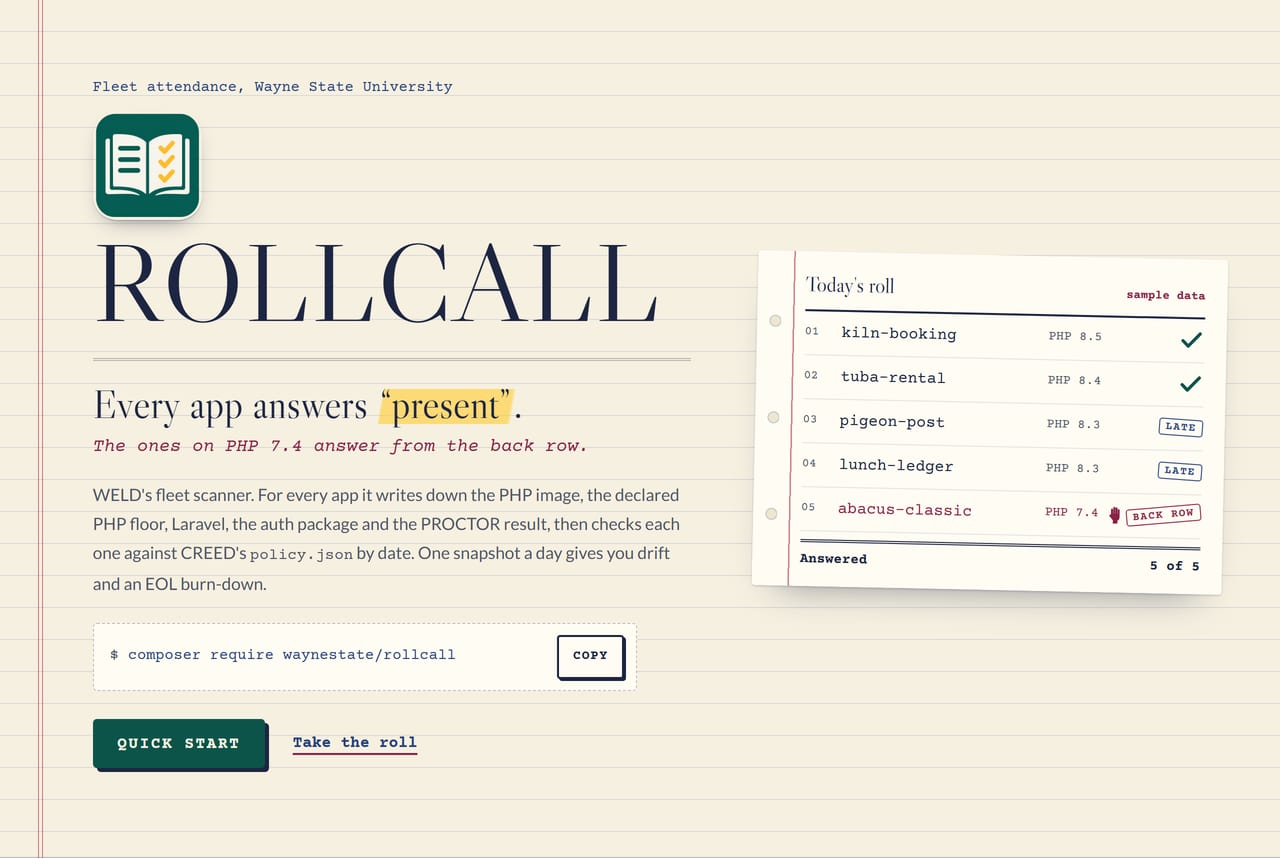
Every app answers "present". The ones on PHP 7.4 answer from the back row.
Front page: site/index.html. It is static, with no build step (see site/README.md).
On Citadel, the raw-PHP deploy layer in deploy/ serves it: a Squire kit whose front controller puts site/ behind HELMET's security headers. For local development, serve site/ directly.
Rollcall is the fleet scanner for the Wayne State application stack. For each app it records the PHP image, the
lowest PHP its composer.json allows, the Laravel version, the auth package and its version, and the PROCTOR
result. Then it looks up each version by date in CREED's policy.json. It keeps one snapshot per scan, so you can
see drift and an EOL burn-down over time. It prunes old snapshots after the retention window (default 90 days; the
newest one always stays).
Rollcall enforces nothing. It never opens an issue, leaves a comment or deploys anything, and it exits 0 whatever
the fleet looks like. The public report has totals only: counts and progress, no app names, owners or rankings. The
per-app list is internal. Like a good attendance sheet, it is for noticing who is missing, not for shaming them.

One page of the roll book, called name by name. Sample data: the apps are fictional, and a real scan's per-app list stays internal.
Where it sits in the stack
The parts of the Wayne State application stack, and their jobs. WELD is the Laravel starter app that has most of them installed:
| Part | Job |
|---|---|
| WayneUI (project 0) | The interface layer: tokens, components, four consumer paths |
| CREED | The standards and policy.json, the dates Rollcall reads |
| PROCTOR | Measures one app against the policy; Rollcall reads its JSON report and never re-runs a rule |
| Preflight | CI templates |
| SESAME | Protocol-neutral auth; Rollcall reports which auth package each app uses |
| HELMET | Baseline runtime and its own optional /metrics |
| Pinstripe | The coding standard this repo includes for its Pint and PHPStan settings |
| Sourdough | Starters |
| Rollcall | The fleet census and EOL burn-down |
How it is built
A framework-free core (src/) plus thin entry points that hold no rules:
bin/rollcall: the CLI (scan,report,drift,advisories,prune). One PHP command, so it works the same on Windows, macOS and Linux.public/index.php: a raw-PHP front controller forGET /metricsandGET /report.json.src/Laravel/: a Laravel adapter with a dashboard page, a/metricsroute andphp artisan rollcall:scanandrollcall:prune.
CREED's policy reader lives under src/Creed/ (namespace Waynestate\Rollcall\Creed) as a generated copy, made
by CREED's bin/export.php. CREED is on Packagist now, so the copy can become a require of waynestate/creed;
until Rollcall switches, the copy stays. To refresh it, run
php <creed>/bin/export.php --namespace='Waynestate\Rollcall\Creed' --to=src/Creed from a CREED checkout.
composer creed-copy:check proves the copy has not drifted (it reads the checkout from CREED_PATH); a hand edit
to src/Creed/ fails that check.
Data comes in through three interfaces. Each has a fixture adapter, so you can try everything without a live host:
| Source | Interface | 0.1 adapters |
|---|---|---|
Repositories (composer.json, composer.lock) |
RepositorySource |
a directory of fixtures; GitLab over PSR-18, tested against recorded responses |
| Runtime image per app | ImageSource |
a JSON export of the app list |
| PROCTOR result | ProctorReportSource |
a directory of PROCTOR --format=json reports |
Rollcall only reads from every source. The one thing it writes is its own snapshot directory.
Install
composer require waynestate/rollcall
Rollcall 0.1.9 is on Packagist. No extra repository needed. Requires PHP ^8.3. The CLI is vendor/bin/rollcall.
Quick start
This runs on the fixtures in the repo, so you need no network and no token. Run composer install once
(or the Docker line under "Run the checks"), then the commands below.
Linux and macOS (bash):
export ROLLCALL_POLICY_FILE=tests/fixtures/policy.json
export ROLLCALL_REPOS_DIR=tests/fixtures/repos
export ROLLCALL_IMAGES_FILE=tests/fixtures/images.json
export ROLLCALL_PROCTOR_DIR=tests/fixtures/proctor
export ROLLCALL_STORE_DIR=var/snapshots
php bin/rollcall scan
php bin/rollcall report
Windows (PowerShell, no bash or WSL needed):
$env:ROLLCALL_POLICY_FILE = "tests/fixtures/policy.json"
$env:ROLLCALL_REPOS_DIR = "tests/fixtures/repos"
$env:ROLLCALL_IMAGES_FILE = "tests/fixtures/images.json"
$env:ROLLCALL_PROCTOR_DIR = "tests/fixtures/proctor"
$env:ROLLCALL_STORE_DIR = "var/snapshots"
php bin/rollcall scan
php bin/rollcall report
policy.json is CREED's file; the copy under tests/fixtures/ is a snapshot for tests. Use the released one in real
runs.
Commands
rollcall scan       [--today=YYYY-MM-DD] [--prune[=DAYS]]
rollcall report     [--format=text|json|prometheus] [--internal] [--today=YYYY-MM-DD]
rollcall drift      --feed=<file> [--component=php] [--today=YYYY-MM-DD]
rollcall advisories --feed=<file> [--today=YYYY-MM-DD]
rollcall prune      [--days=N] [--dry-run] [--today=YYYY-MM-DD]
scanscans once and stores<ROLLCALL_STORE_DIR>/<date>.json. A second scan on the same day replaces it. A gap in one source (a missing report, a bad image tag) becomes a note on that app, and the scan carries on. A refused GitLab token stops the scan loudly instead of producing a flattering partial answer.--prune[=DAYS]deletes snapshots older than that many days after saving (default:ROLLCALL_RETENTION_DAYS, 90; 0 keeps everything).reportprints the latest snapshot against the policy as of today.textis a terminal table,jsonis the machine-readable form,prometheusis the metrics text (refused unlessROLLCALL_METRICS_ENABLED=true).--internaladds the per-app list; keep that output inside the project.driftcomparespolicy.jsonwith a saved endoflife.date v1 product page (for examplehttps://endoflife.date/api/v1/products/php/saved to a file). A difference is a flag for a person to look at; the policy stays the source of truth. Rollcall does not fetch that page itself.advisorieschecks each app's lockedlaravel/frameworkand auth-package versions against a saved Packagist security-advisories response (for examplehttps://packagist.org/api/security-advisories/?packages[]=laravel/frameworksaved to a file). One line per package and version, sorted by package then version: the status (affected,clearorno data), the count and the advisory ids, and how many apps hold that pair. A package with no advisory data printsno data, neversafe: an absent row proves nothing about the package, and a version nobody can parse saysno datatoo. Rollcall does not fetch that page itself; a person saves it and--feedpoints at the file. Output is package names and counts only: no app ids.prunedeletes snapshots older than--days(default:ROLLCALL_RETENTION_DAYS, 90; 0 keeps everything). The newest snapshot is never deleted, even if it is older than the cut-off, so the dashboard always has data.--dry-runlists what would go without deleting anything.
Exit codes: 0 ok, 2 tool error (bad option, unreadable policy, a source that refused). There is no 1: Rollcall
does not gate anything.
What the report says
- PHP image, declared PHP floor, Laravel: apps per version, the state from the policy (
active,security_only,eol,unknown), the date security support ends and the days left (negative once past). - Auth package and PROCTOR: apps per auth package, and per PROCTOR result (
pass,fail,none). - Drift, counted per kind:
image_eol,image_unknown,image_below_floor,floor_allows_eol,floor_unbounded,eol_past_grace(past the policy's grace days),laravel_eol,proctor_missing,proctor_failing,override_expired. - Progress: apps that moved since the previous scan and apps that went from an EOL image to a supported one. In the internal view each upgraded app carries the day it landed.
- EOL burn-down: for each scan day, how many apps ran an EOL image on that day.
State is never decided in code: it is derived from the dates in policy.json by CREED's reader. A version the
policy does not list is unknown.
Configuration
Every setting is an environment variable. .env.example holds placeholders; never commit a real token.
| Variable | Meaning | Default |
|---|---|---|
ROLLCALL_POLICY_FILE |
Path to CREED's policy.json |
none (required for report, drift) |
ROLLCALL_STORE_DIR |
Snapshot directory, the only place Rollcall writes | var/snapshots |
ROLLCALL_SOURCE |
directory (fixtures) or gitlab |
directory |
ROLLCALL_REPOS_DIR |
Fixture repositories as <group>/<project>/composer.{json,lock} |
none |
ROLLCALL_GITLAB_URL |
https:// base URL of the GitLab instance |
none |
ROLLCALL_GITLAB_TOKEN |
A GitLab bot or personal access token with the read_api scope only and an expiry, whose user can read only the projects to scan. Never in git, never logged, never printed | none |
ROLLCALL_GITLAB_GROUPS |
Comma-separated group ids or paths; subgroups are included. Ignored when ROLLCALL_GITLAB_PROJECTS is set | none |
ROLLCALL_GITLAB_PROJECTS |
Comma-separated full group/project paths; when set, only those projects are scanned and no group is listed |
none |
ROLLCALL_IMAGES_FILE |
Export of the app list: {"apps": [{"project": "group/project", "image": "php:8.4-apache"}]} |
none |
ROLLCALL_PROCTOR_DIR |
PROCTOR JSON reports, one per app: group/project is read from group__project.json |
none |
ROLLCALL_AUTH_PACKAGES |
Comma-separated Composer packages that count as an auth package. An entry without a slash matches that package under any vendor (wayne-cas matches anyvendor/wayne-cas); an entry with a slash matches exactly. First match in list order wins |
waynestate/sesame, waynestate/wayne-cas, apereo/phpcas, jasig/phpcas, subfission/cas, wayne-cas, simplecas |
ROLLCALL_RETENTION_DAYS |
How many days of snapshots to keep; the newest is never deleted | 90 (0 keeps everything) |
ROLLCALL_METRICS_ENABLED |
Turn metrics on (CLI report --format=prometheus and /metrics) |
false |
ROLLCALL_METRICS_TOKEN |
Bearer token a scraper must present | none |
ROLLCALL_METRICS_ALLOW |
Comma-separated scraper IP addresses (exact match) | none |
ROLLCALL_PUBLIC_REPORT_ENABLED |
Serve GET /report.json (public counts only) |
false |
ROLLCALL_DASHBOARD_ENABLED |
Laravel: serve the dashboard page | false |
ROLLCALL_DASHBOARD_PATH |
Laravel: dashboard URL path | rollcall |
ROLLCALL_INTERNAL_ENABLED |
Laravel: serve the per-app page at <path>/apps (needs your sign-in middleware) |
false |
ROLLCALL_WAYNEUI_CSS |
Laravel: https:// or absolute URL of WayneUI's stylesheet for the dashboard |
none |
To scan GitLab you need the token and either a group or the project allowlist. The narrow way is
ROLLCALL_GITLAB_PROJECTS: name the exact group/project paths and Rollcall reads only those, never listing a
group. Otherwise set ROLLCALL_GITLAB_GROUPS. The token is a GitLab bot or personal access token with read_api
only and an expiry, whose user can read only the projects to scan; until it exists Rollcall runs on its fixtures.
Set ROLLCALL_SOURCE=gitlab and the GitLab variables. The rollcall-scan job in .gitlab-ci.yml does this on a
schedule or by hand (see below). Rollcall sends only GET and HEAD, fetches the two Composer files without
cloning, skips a file whose blob id has not changed, follows Link pagination only to the configured host, and
waits out 429 Retry-After.
Run the collector in Docker
No PHP on the machine? The repo ships a Dockerfile that builds a small image of the collector. It runs as a
non-root user, writes only to its snapshot folder, and takes every setting from the environment at run time.
Never put a token in the image: the build stays clean, and the token travels with -e (or --env-file) each
time you run. Two lines, and every app answers present.
Build it, from the repo root (again whenever the code changes):
docker build -t rollcall-collector .
That reads the Dockerfile next to it and tags the result rollcall-collector. Then run a scan. Each -e
flag is a setting from the table above; for the narrow scan add
-e ROLLCALL_GITLAB_PROJECTS=group/project,other-group/other-project and only those projects are read, no group
is listed. The two -v flags mount your policy file and snapshot folder so the answer survives the container:
docker run --rm -e ROLLCALL_SOURCE=gitlab -e ROLLCALL_GITLAB_URL=https://gitlab.example.test -e ROLLCALL_GITLAB_TOKEN="$ROLLCALL_GITLAB_TOKEN" -e ROLLCALL_GITLAB_GROUPS=your-group -e ROLLCALL_POLICY_FILE=/app/policy.json -v "$PWD/policy.json:/app/policy.json" -v "$PWD/var:/app/var" rollcall-collector scan
Next: after a good scan, var/snapshots/<today>.json holds the day's attendance, and the same run with
report instead of scan prints it. On Windows PowerShell, set $env:ROLLCALL_GITLAB_TOKEN first and use
${PWD} for the mount paths.
Scheduled scan on GitLab CI
Rollcall's own repository (on nougat, its canonical home) carries a rollcall-scan job in .gitlab-ci.yml. It
runs scan over the 13 stack projects read-only and keeps the snapshot in var/snapshots/ as a 30 day artifact.
It runs when a GitLab schedule says so, or when a person starts it by hand from the web; without a token it skips
green. To make it run, create three things in GitLab:
- A token: a bot or personal access token for a user who is a member (role Reporter) of only the 13 projects the
job names in
.gitlab-ci.yml, with theread_apiscope only and an expiry (90 days, then rotate; Rollcall prints a note 14 days before it expires). - A CI/CD variable
ROLLCALL_GITLAB_TOKENon the ROLLCALL project: masked and hidden, protected (the schedule runs on the protected default branch), and not a file. - A schedule on
main: CI/CD > Schedules, weekly (Monday), with the variableROLLCALL_JOBset toscan.
Why a per-project token: a group token on enterprise-apps would see other teams' repositories, which the scan must
not read. The allowlist ROLLCALL_GITLAB_PROJECTS limits what Rollcall asks for (it never lists the group and
never asks for another project), but it does not limit what the token can read; only the token's membership does.
So the token's user must be a member of just those projects.
WSU values (Playbook)
ROLLCALL_GITLAB_URL is a Wayne State value, so it may come from Playbook (waynestate/playbook) when the
environment has none. The environment always wins; Playbook only fills what the environment leaves out. The GitLab
token never comes through Playbook and stays an environment variable.
| Setting | Value |
|---|---|
ROLLCALL_GITLAB_URL |
The https:// base URL of the GitLab instance |
Playbook is private and lives on git.wayne.edu. Getting it into your app:
Composer: add the repository to your composer.json, then require the package. Composer authenticates to
git.wayne.edu with the token in auth.json.
{
    "repositories": [
        {"type": "vcs", "url": "https://git.wayne.edu/enterprise-apps/playbook.git"}
    ]
}
composer require waynestate/playbook
curl (Linux, macOS):
curl --fail -H "PRIVATE-TOKEN: $GITLAB_TOKEN" "https://git.wayne.edu/api/v4/projects/enterprise-apps%2Fplaybook/repository/files/playbook.env/raw?ref=main" -o .env.playbook
PowerShell (Windows):
Invoke-WebRequest -Headers @{ 'PRIVATE-TOKEN' = $env:GITLAB_TOKEN } -Uri "https://git.wayne.edu/api/v4/projects/enterprise-apps%2Fplaybook/repository/files/playbook.env/raw?ref=main" -OutFile .env.playbook
Clone:
git clone https://git.wayne.edu/enterprise-apps/playbook.git
The token is your own: read_api for curl, read_repository for clone and Composer.
Playbook is private on git.wayne.edu. If you get a 404, ask the Enterprise Applications team for read access.
Metrics
Metrics are off by default (the stack's metrics rule). With ROLLCALL_METRICS_ENABLED=true, /metrics serves
Prometheus text built from the latest snapshot (a request never triggers a scan). It needs ROLLCALL_METRICS_TOKEN as a bearer token or an address in
ROLLCALL_METRICS_ALLOW; with neither set, nobody gets in. Labels are version numbers, state names, drift kinds and
public package names: no app names or personal data. The dashboard JSON is in grafana/rollcall-burn-down.json; import
it into Grafana once a Prometheus server scrapes the endpoint. Run rollcall scan
on a schedule so the series moves.
Laravel
The package registers itself (extra.laravel.providers). Publish the config with
php artisan vendor:publish --tag=rollcall-config, set the variables above, and schedule rollcall:scan. The
dashboard shows counts and progress; the per-app page is a second route that stays off until you enable it, and it
runs behind rollcall.dashboard.internal_middleware (default web and auth.sesame), so an app with no such
middleware fails closed. The page uses WayneUI's class names and takes its stylesheet from ROLLCALL_WAYNEUI_CSS.
The /metrics route is registered on its own path; if your app already serves /metrics (HELMET does), run Rollcall's
on a separate app or leave metrics off.
Use Rollcall from your coding agent (ADVISOR)
Rollcall ships a module for ADVISOR, the stack's MCP server: three read-only tools, and a small creed goes with them: every app answers present, the agent may ask, and nobody gets ranked.
Install both packages where the MCP server runs:
composer require waynestate/advisor waynestate/rollcall
Then name the module in your own manifest file. Rollcall ships none on purpose, so nothing loads by accident:
{
    "modules": [
        "Waynestate\\Rollcall\\Advisor\\RollcallModule"
    ]
}
and point ADVISOR_MODULES_FILE at that file. The tools read the snapshot store behind ROLLCALL_STORE_DIR; with an
empty store each one says so in plain words and names rollcall scan.
| Tool | What it answers |
|---|---|
rollcall_fleet_summary |
Counts from the latest snapshot: apps by PHP image, declared floor, Laravel line, auth package and PROCTOR result, drift per kind, progress since the previous scan, and the snapshot date |
rollcall_burn_down |
The dated EOL series, one point per scan day; optional days (an integer, 1 to 365) keeps only the most recent days |
rollcall_supported_versions |
Every version in CREED's policy, grouped by what it says today: active, security only, or end of life |
The tools take no path, command or URL, make no network call, and answer public counts only: the same fields
/report.json serves. The per-app list stays internal and never leaves through a tool. Each answer names its source
and its dates.
Docs
The full documentation lives at /docs/ on the project site: install, guides, reference and checks, built
from docs/ by Squire's docs builder. Two tables are generated so they cannot drift: the command reference comes
from php bin/rollcall list --format=json, and the environment table is scanned out of src/, bin/ and
config/.
composer docsrebuildssite/docs/fromdocs/; run it after editing a page.composer docs:checkfails when the built site is stale or a generated table has drifted;composer ciruns it.
The pages are committed because the deploy server serves site/ without building. Every page links back to its
Markdown, and the footer stamps the version the docs describe. Roll call: the docs answer present too.
Run the checks
Maintainers: how to build, test and release this project, and where its data comes from, is in MAINTAINING.md.
composer ci is the contract: manifest, tests, Pint, PHPStan, composer audit, a check that the front page
versions table still matches CREED's policy, and a check that the docs site is current. PHP is not needed on the host:
docker run --rm -v "${PWD}:/app" -w /app composer:2.10.3 sh -c "composer install --no-interaction && composer ci"
(On Windows PowerShell ${PWD} works as written; in Git Bash use $(pwd -W) and set MSYS_NO_PATHCONV=1.)
The GitLab pipeline (.gitlab-ci.yml) and the GitHub workflow (.github/workflows/ci.yml) both wrap composer ci,
on PHP 8.3, 8.4 and 8.5. git.wayne.edu has no runners yet; an instance runner there is strongly recommended so this
check can run beside the code it protects.
The front page has its own accessibility gate (axe-core in Playwright, run in Docker): scripts/a11y.sh on Linux
and macOS, scripts/a11y.ps1 on Windows; MAINTAINING.md says when to run it.
Security notes
- Read-only toward GitLab and everything else: one gate in the GitLab adapter allows only
GETandHEAD, and a test fails if a write verb appears insrc/. - The GitLab token is a bot or personal access token with the
read_apiscope only and an expiry, whose user can read only the projects to scan. It goes in the environment asROLLCALL_GITLAB_TOKEN, never in git, is sent only to the configuredhttpshost, and is hidden from debug output and error messages.ROLLCALL_GITLAB_PROJECTSlimits what Rollcall asks for, not what the token can read; only the token's membership does that, so the token's user stays a member of just the listed projects. When the source is GitLab,scanreads the token's own record (GET /api/v4/personal_access_tokens/self) and prints a note 14 days before it expires, or when it has already expired. The note names the date; the owner rotates the token before its expiry, never Rollcall. The check is advisory: a refused, unreachable or unparseable answer prints nothing and never fails the scan, and the token value never appears in output. - Composer files are parsed as data. No
composer install, script or plugin from a scanned repository ever runs. - PROCTOR reports, image tags and app ids are outside input: shapes are validated, text is bounded, and terminal output strips control characters.
Watch the back row empty (the burn-down, sample data)

The same line Grafana draws from /metrics. Made-up apps, real arithmetic.
The brand board (the cover of the book)

Where the code lives
The canonical repository is on nougat: enterprise-apps/rollcall. git.wayne.edu and GitHub (waynestate/rollcall) are read-only mirrors of it. Open issues and merge requests on nougat, not on the mirrors. This moves to git.wayne.edu once it has CI runners. Roll call: nougat? Present. The mirrors? Copies of the sheet.
Contributing
Issues and merge requests go to nougat; see Where the code lives above.
License: MIT, Copyright Wayne State University.
The whole classWayneUI and the stack. Everyone is here today; the ones in the back row know who they are.


 Images are regenerated from the front page by
scripts/readme-art. Present.