
srwiez / nativephp-mobile-screen

Screen wake lock and brightness control for NativePHP Mobile apps
Package info
github.com/SRWieZ/nativephp-mobile-screen
Type:nativephp-plugin
pkg:composer/srwiez/nativephp-mobile-screen
Requires
- php: ^8.3
- illuminate/support: ^11.0|^12.0|^13.0
- nativephp/mobile: ^3.0|^4.0
Requires (Dev)
- laravel/pint: ^1.24
- orchestra/testbench: ^9.0|^10.0|^11.0
- pestphp/pest: ^3.0|^4.0
Suggests
None
Provides
None
Conflicts
None
Replaces
None
README
Keep screens awake. Control brightness. Built for apps users stare at.
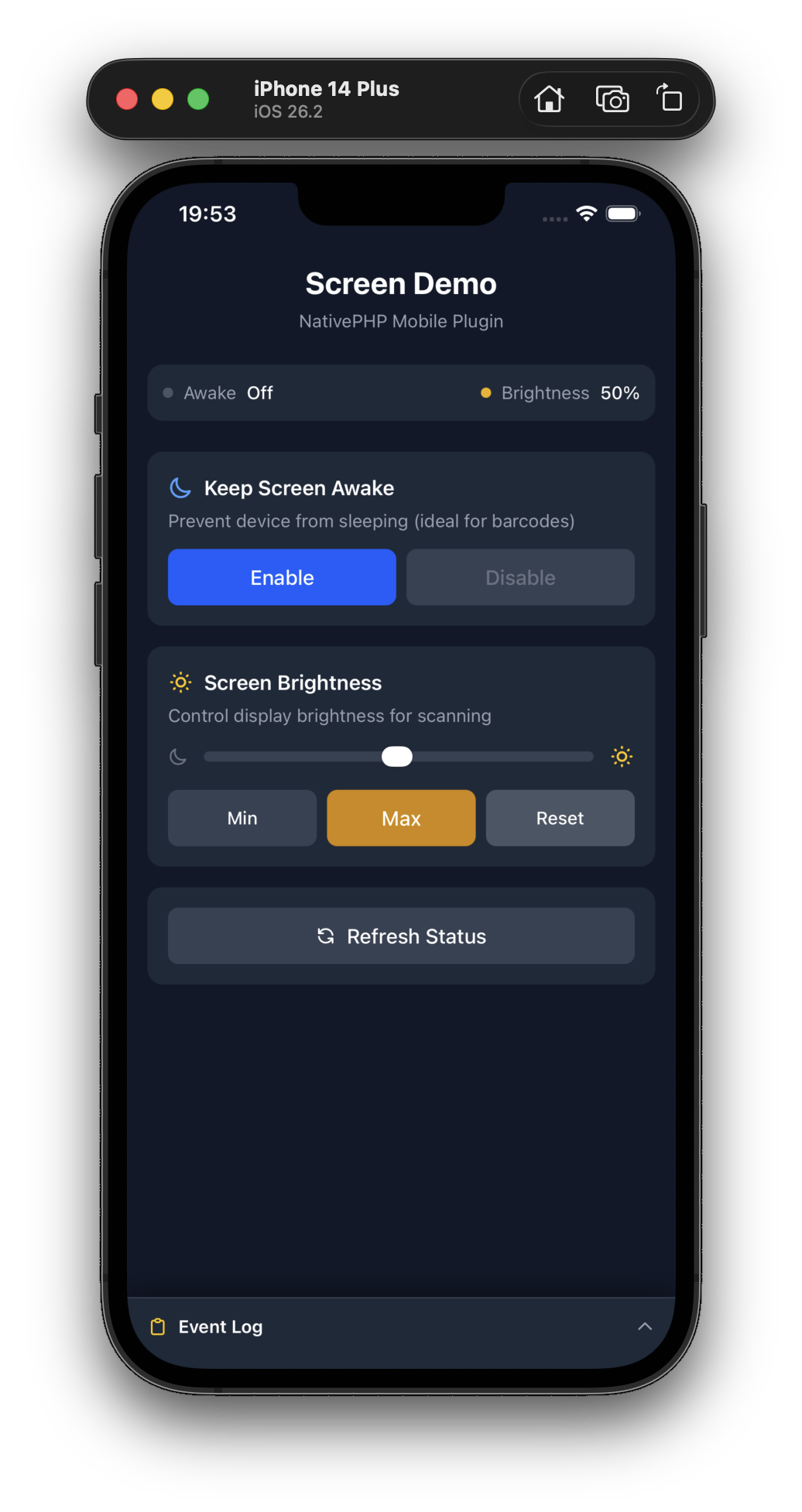
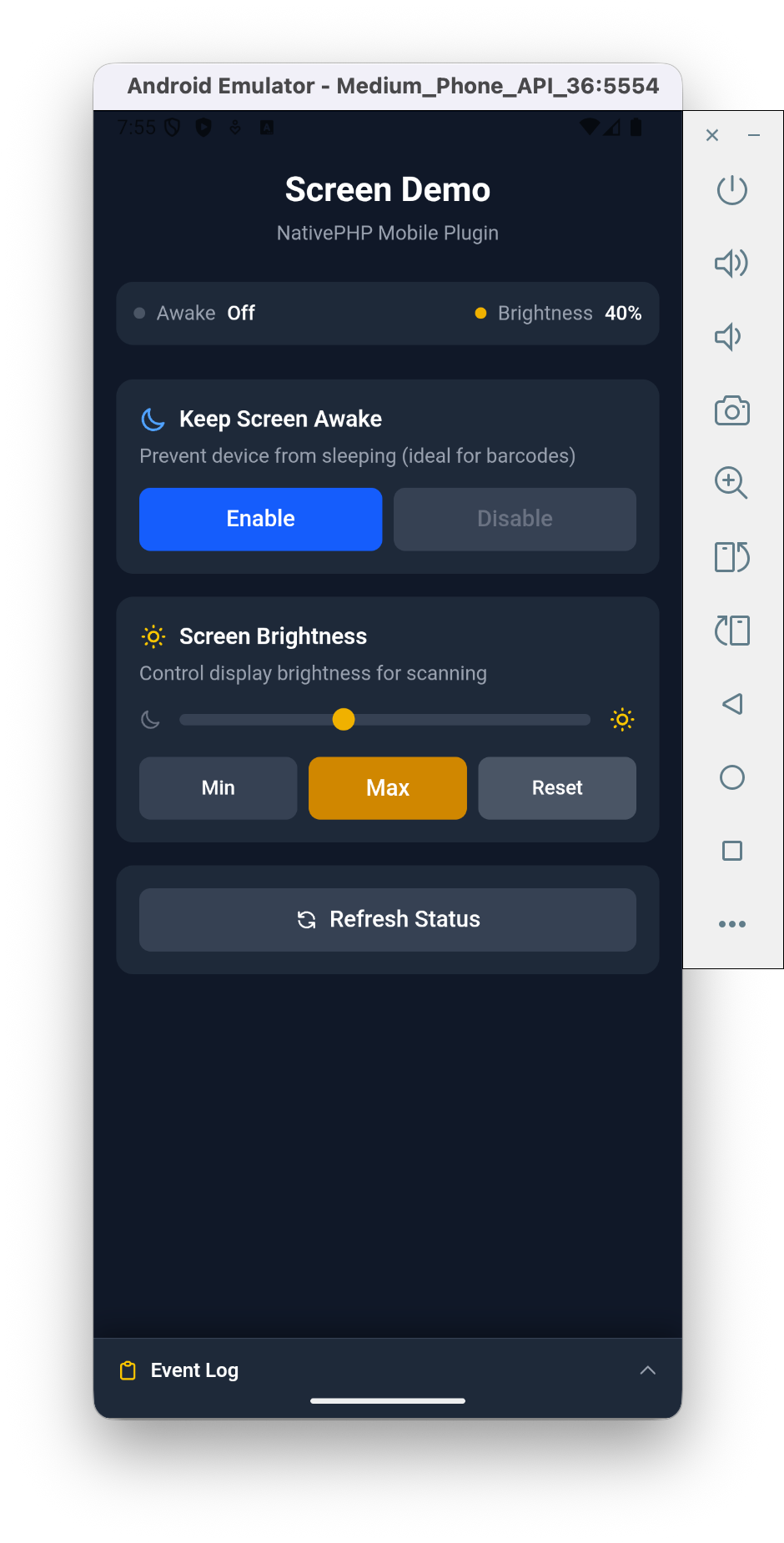
A tiny, focused NativePHP plugin for two things mobile devs constantly need: keeping the screen on and controlling brightness. One facade, eight methods, zero setup.
Why this plugin?
- ☀️ Keep the screen awake — perfect for barcode tickets, live dashboards, kiosks and scoring apps.
- 🔆 Control brightness — crank to 100% to scan barcodes in sunlight, dim down for dark reading rooms.
- 🪶 Dependency-free — a single wake-lock + brightness wrapper. No bloat, no configuration.
- 📱 Works everywhere — iOS 13+ and Android 5+ (API 21).
Features at a glance
| Feature | Android | iOS |
|---|---|---|
| Keep screen awake | ✅ | ✅ |
| Set brightness (0.0–1.0) | ✅ | ✅ |
| Reset to system default | ✅ | ✅ |
| Listen for brightness changes | ✅ | ✅ |
Perfect for
Ticket & boarding-pass apps · Barcode / QR scanners · Kiosk & POS apps · Sports scoreboards · Live dashboards & monitoring · E-readers
Installation
# Install the package
composer require srwiez/nativephp-mobile-screen

# Publish the plugins provider (first time only)
php artisan vendor:publish --tag=nativephp-plugins-provider

# Register the plugin
php artisan native:plugin:register srwiez/nativephp-mobile-screen

# Verify registration
php artisan native:plugin:list
This adds \SRWieZ\NativePHP\Mobile\Screen\ScreenServiceProvider::class to your plugins() array.
Usage
PHP (Livewire/Blade)
use SRWieZ\NativePHP\Mobile\Screen\Facades\Screen;

// Keep screen awake
Screen::keepAwake(); // true on success

// Allow screen to sleep
Screen::allowSleep(); // true on success

// Check wake lock status
$isAwake = Screen::isAwake(); // bool

// Set brightness (0.0 to 1.0)
$level = Screen::setBrightness(1.0); // returns actual level, or false on failure

// Get current brightness
$level = Screen::getBrightness(); // float or null

// Reset to system default
Screen::resetBrightness(); // returns level or false on failure
Brightness change events
Start the listener and NativePHP dispatches a regular Laravel event whenever the brightness changes (on iOS: user-initiated changes, e.g. via Control Center; on Android: system brightness changes):
use SRWieZ\NativePHP\Mobile\Screen\Events\BrightnessChanged;

Screen::startBrightnessListener();

// In a listener, or with Livewire's #[On] attribute:
Event::listen(function (BrightnessChanged $event) {
    // $event->level, $event->timestamp
});

Screen::stopBrightnessListener();
JavaScript (Vue/React/Inertia)
The JS module ships inside the composer package. Import it from the vendor path (or point a Vite alias at it):
import { mobileScreen } from '../../vendor/srwiez/nativephp-mobile-screen/resources/js/mobileScreen.js';

// Keep screen awake
await mobileScreen.keepAwake();

// Set maximum brightness
await mobileScreen.setBrightness(1.0);

// Reset when done
await mobileScreen.resetBrightness();
await mobileScreen.allowSleep();
API Reference
| Method | Returns | Description |
|---|---|---|
keepAwake(bool $enabled = true) |
bool |
Enable/disable screen wake lock. Returns true on success |
allowSleep() |
bool |
Alias for keepAwake(false). Returns true on success |
isAwake() |
bool |
Check if wake lock is active |
setBrightness(float $level) |
bool|float |
Set brightness (0.0-1.0). Returns actual level or false on failure. Android floors at 0.01 to keep the screen visible |
getBrightness() |
?float |
Get current brightness level (0.0-1.0), or null if unavailable |
resetBrightness() |
bool|float |
Reset to system default. Returns level or false on failure |
startBrightnessListener() |
bool |
Start dispatching BrightnessChanged events |
stopBrightnessListener() |
bool |
Stop the brightness listener |
Testing your app
On NativePHP Mobile v4 the plugin registers testing macros on the FakeBridge,
so your app tests can assert in domain terms:
use Native\Mobile\Testing\FakeBridge;

$bridge = FakeBridge::enable()->withBrightness(0.42);

// ... exercise your component ...

$bridge->assertKeptAwake();
$bridge->assertSleepAllowed();
$bridge->assertBrightnessSet(1.0);
Version Support
| Plugin | NativePHP Mobile | PHP | Notes |
|---|---|---|---|
| 2.x | 3.x and 4.x | 8.3+ | NativePHP v4 builds enforce Android API 29 / iOS 18 minimums |
| 1.x | 3.x | 8.2+ | Android 5.0 (API 21) / iOS 13 |
The native code itself runs on Android 5.0 (API 21) and iOS 13 or newer — the effective minimum is whatever your NativePHP Mobile version targets.
More NativePHP Mobile plugins
Building a mobile app with NativePHP? Check out the rest of the suite:
- Calendar — Native calendars & events from PHP, on both platforms.
- Contacts — Read, create & sync the device address book straight from Laravel.
- Screenshots — Lock down sensitive screens, catch capture attempts, respond instantly.
Support
Bugs, questions, and feature requests should be reported at github.com/SRWieZ/nativephp-mobile-screen/issues.