
spiderwisp / laravel-overlord

A powerful Laravel development console with advanced features including interactive terminal, codebase scanning, database analysis, and optional AI assistant
Package info
github.com/spiderwisp/laravel-overlord
Language:Vue
pkg:composer/spiderwisp/laravel-overlord
Requires
- php: ^8.2
- laravel/framework: ^12.0
- laravel/tinker: ^2.9
- phpoffice/phpspreadsheet: ^2.0
Requires (Dev)
- orchestra/testbench: ^10.0
- phpunit/phpunit: ^11.0
Suggests
- laravel/horizon: Optional: For queue monitoring and job management
- predis/predis: Required for Redis support (queue features)
- vue: ^3.3.4 - Required for frontend Vue components
Provides
None
Conflicts
None
Replaces
None
This package is auto-updated.
Last update: 2026-10-19 19:40:43 UTC
README

Laravel Overlord
The ultimate local development console for Laravel — Think Tinker on steroids with Telescope, Horizon, Larastan, a Ton of Tools and an AI pair programmer/scanner with optional auto-fixing.
One command → full interactive terminal, database browser, queue monitor, log viewer, codebase explorer, relationship diagrams, PHPStan integration, and an AI assistant that actually knows your code.
Perfect for solo developers and small teams who want to stop context-switching between 10 tools.
⚠️ Local Development Only: Overlord is designed for local development environments. We strongly discourage using Overlord in production environments due to security and performance considerations. A future release will include a read-only mode for production use.
Why Overlord Exists
You already use:
- Tinker → slow, no history
- Telescope → great but read-only
- Debugbar → helpful but cluttered
- Horizon → only queues
- Separate PHPStan, log viewers, etc.
Overlord puts everything in one beautiful, fast console.
Features People Actually Use Every Day
| Feature | What you can do in <10 seconds |
|---|---|
| Interactive Terminal | User::where('plan', 'pro')->count() + history + favorites |
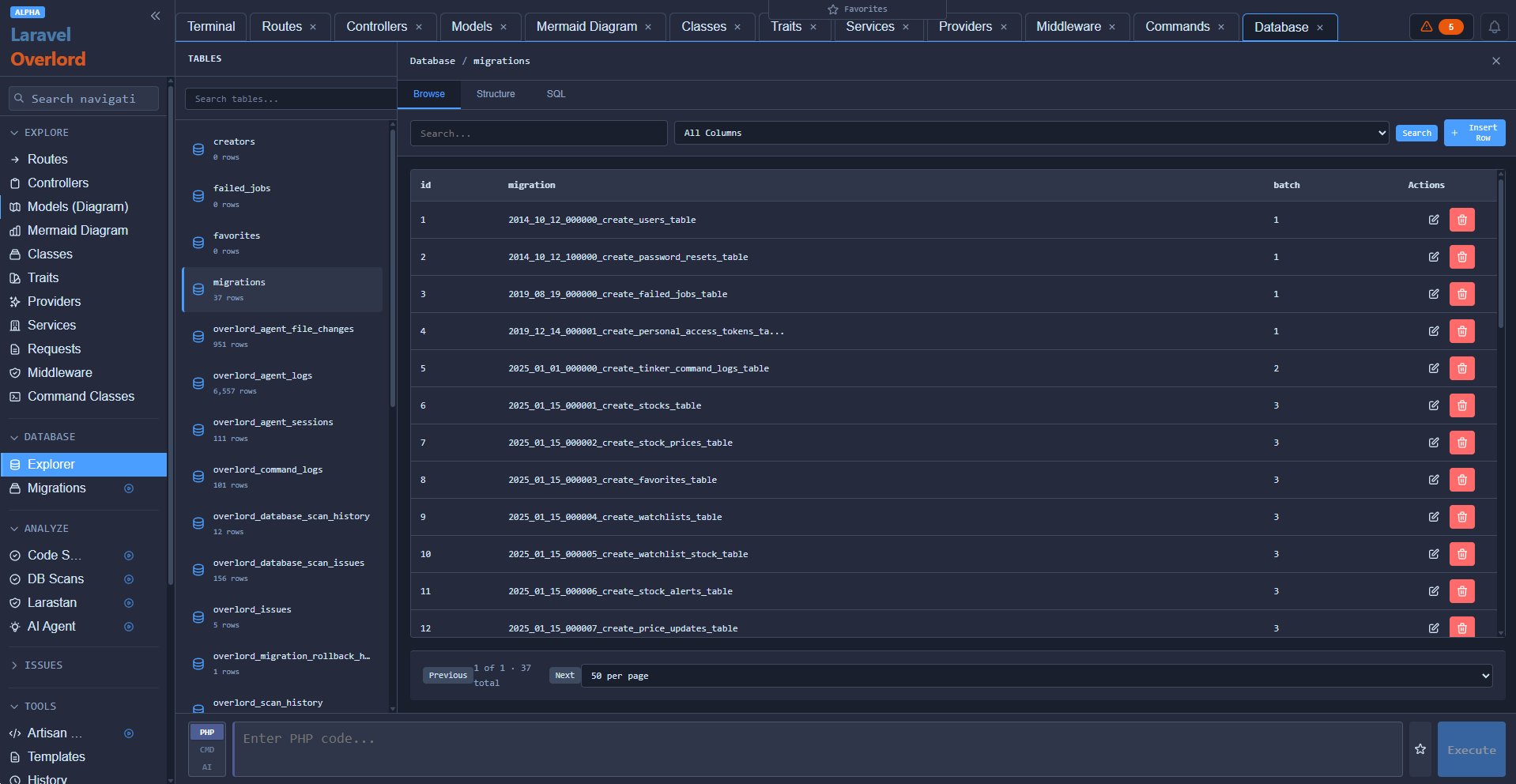
| Database Browser | Click tables → see data → edit rows inline |
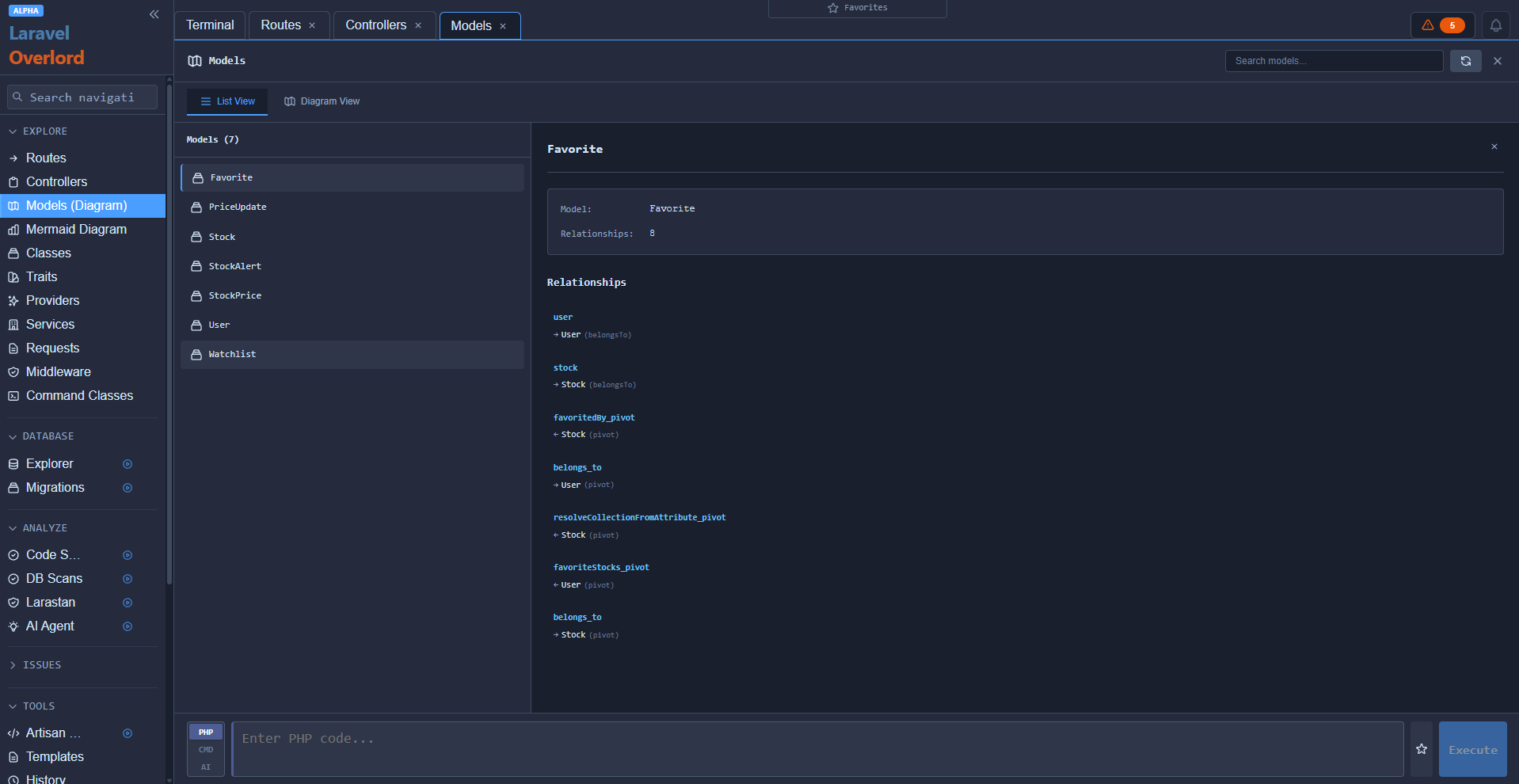
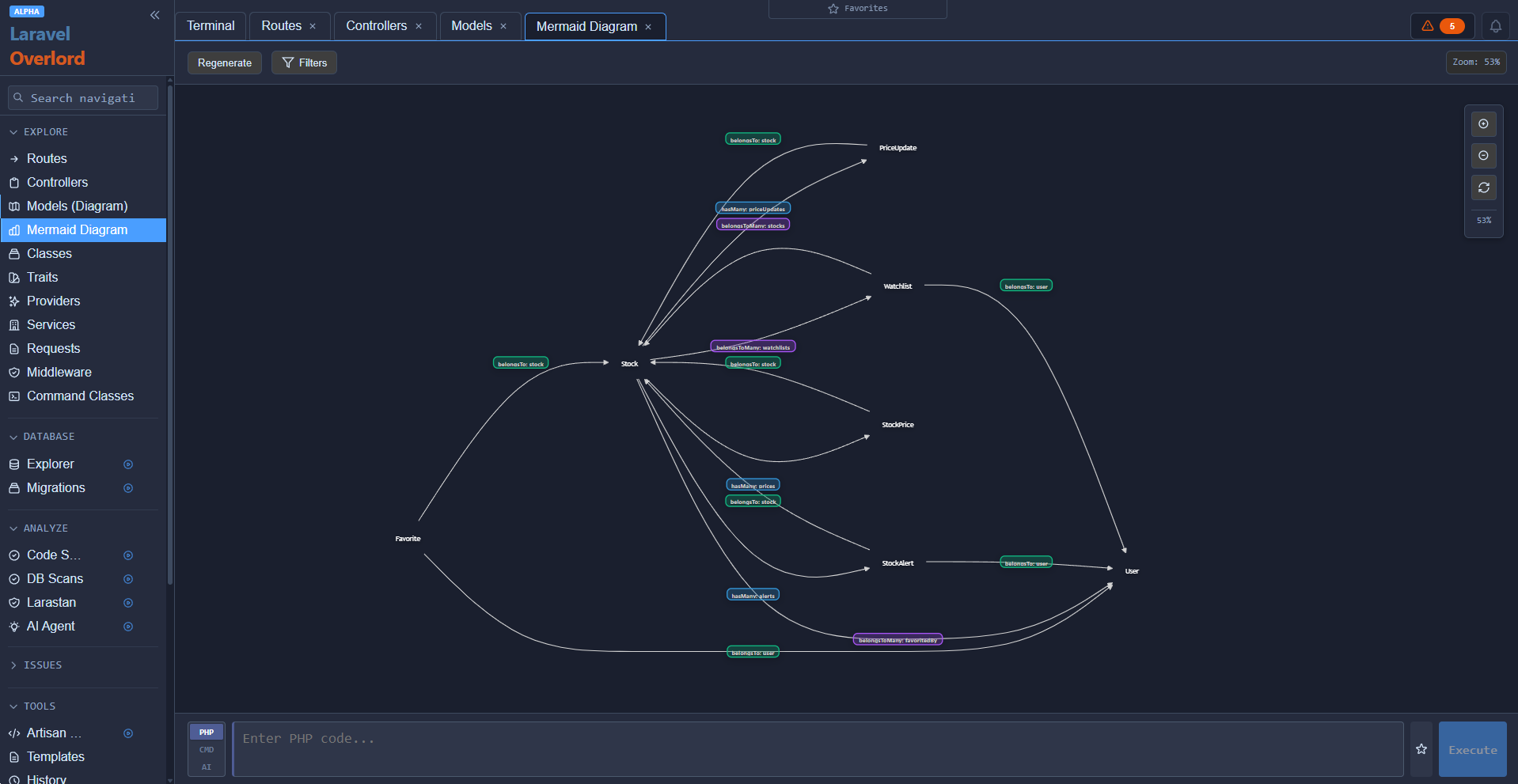
| Model Relationship Diagram | Visual graph of all Eloquent relationships |
| Route Tester | Type route name → see URL + test with fake data |
| Log Viewer | Search logs instantly, click stack trace → jump to code |
| Horizon Dashboard | Full Horizon UI built-in (no extra route) |
| AI Assistant | "Why is this query N+1?" → it reads your code and explains |
(There are many additional features available)
Installation (30 seconds)
Standard Installation
composer require spiderwisp/laravel-overlord
php artisan overlord:install
Dev-Only Installation (Recommended)
Since Overlord is an extremely powerful tool, you can install it as a dev dependency to ensure it's not included in production:
composer require --dev spiderwisp/laravel-overlord
php artisan overlord:install
Visit → http://your-app.test/overlord
That's it. No build step. No Node.js required.
Works out-of-the-box on Laravel 12 + PHP 8.2+
For detailed installation instructions, see the Setup Guide.
Screenshot Gallery
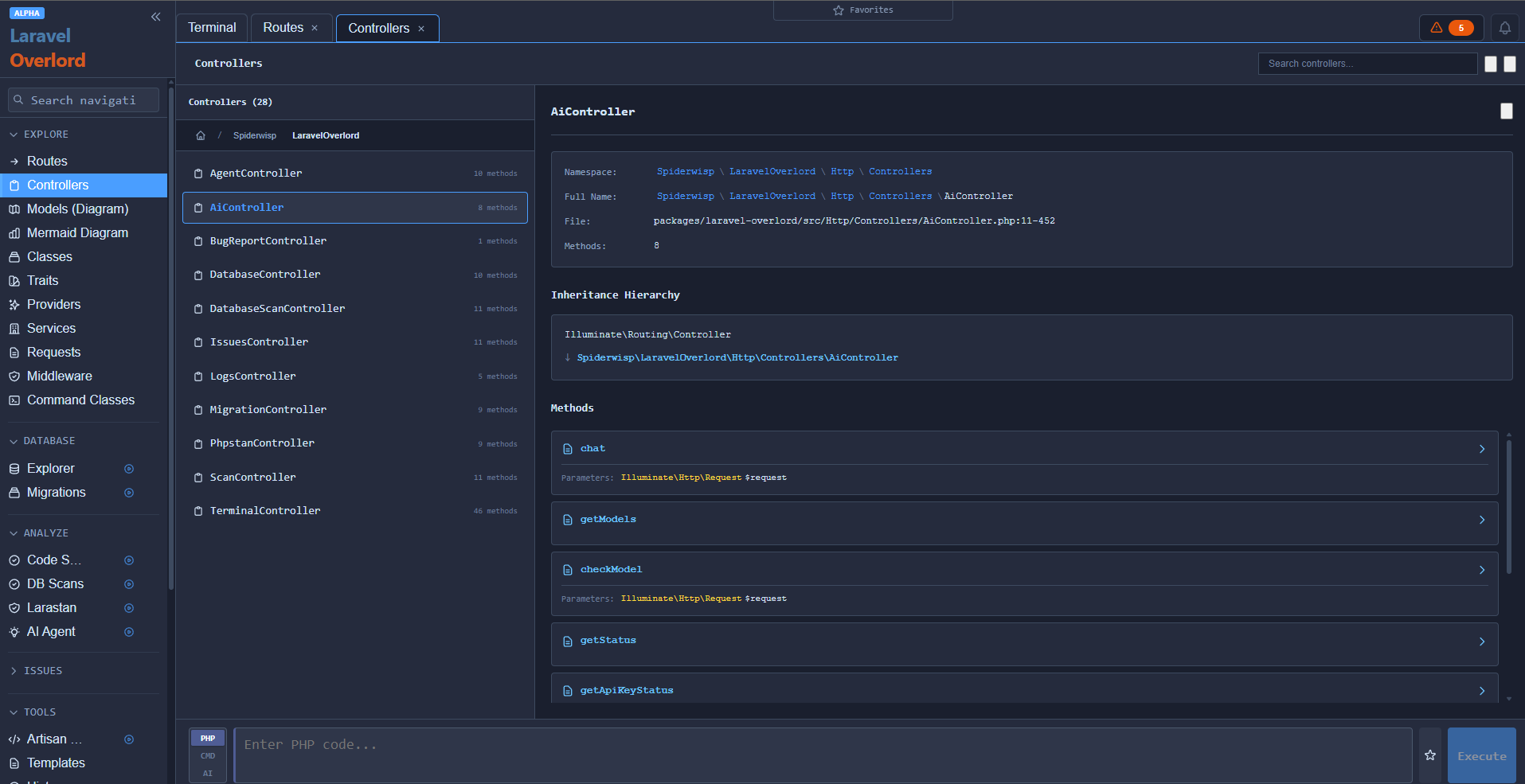
Controllers
Models
Model Mermaid
Database Explorer/Editor
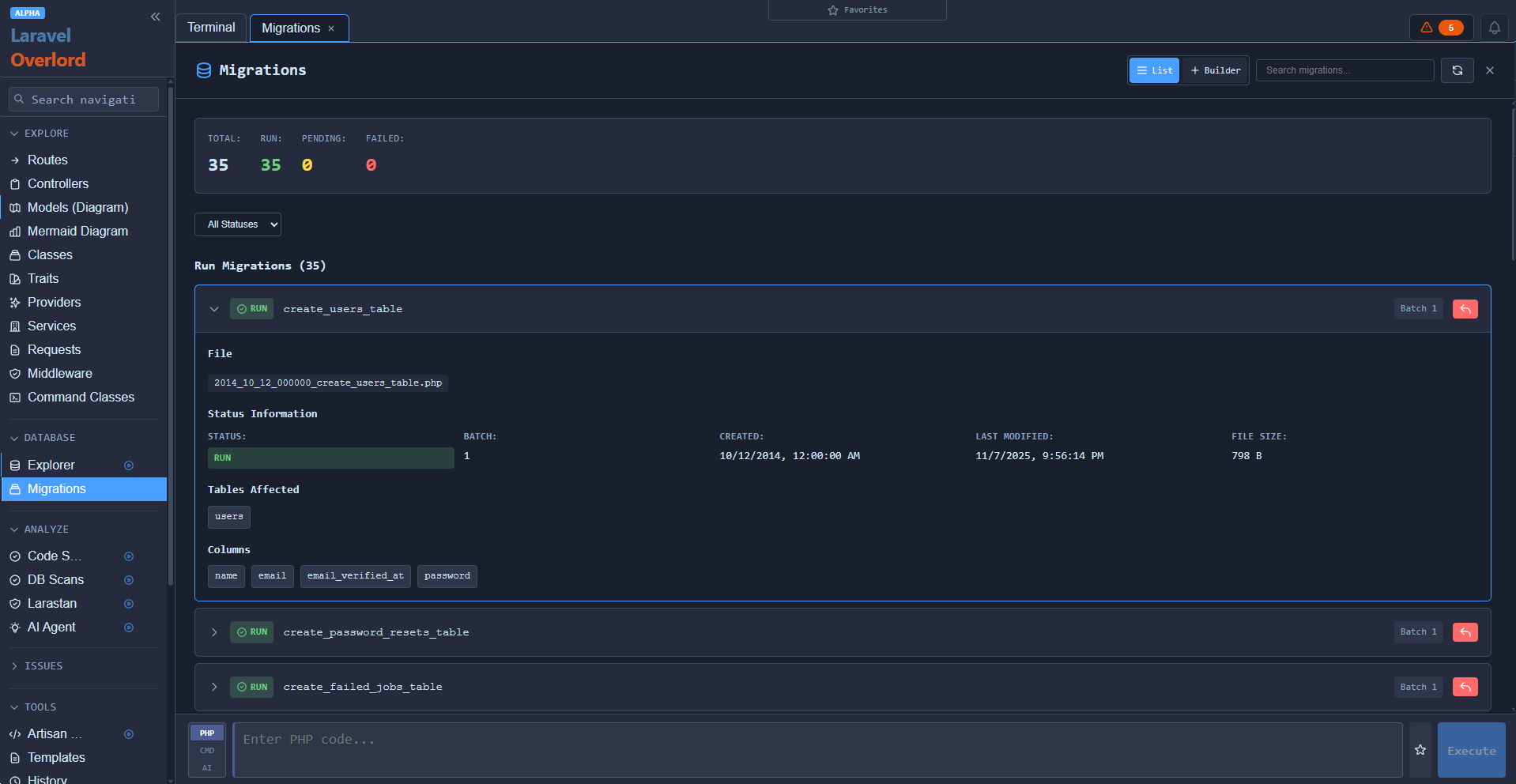
Migrations Management
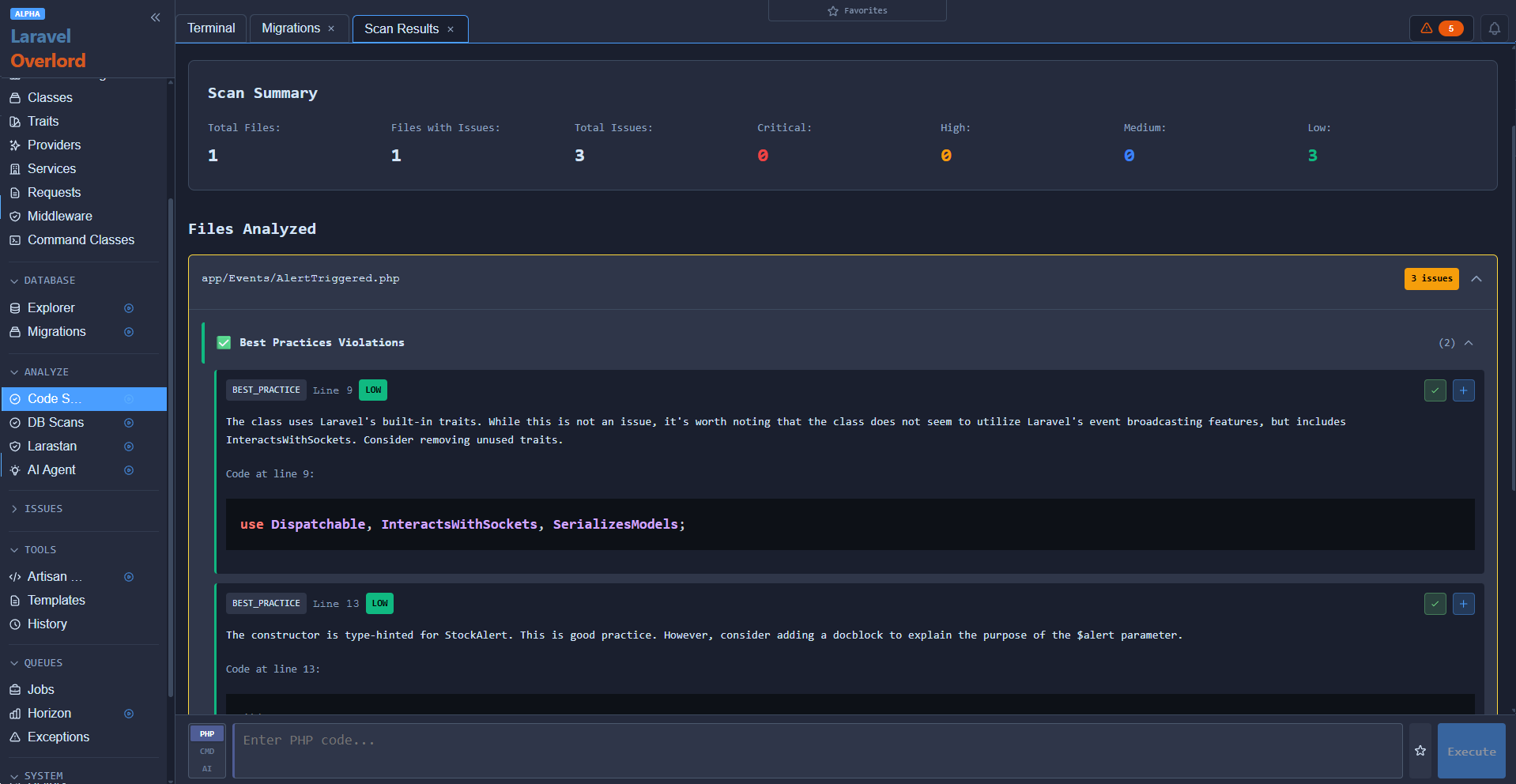
Ai Code Scanner
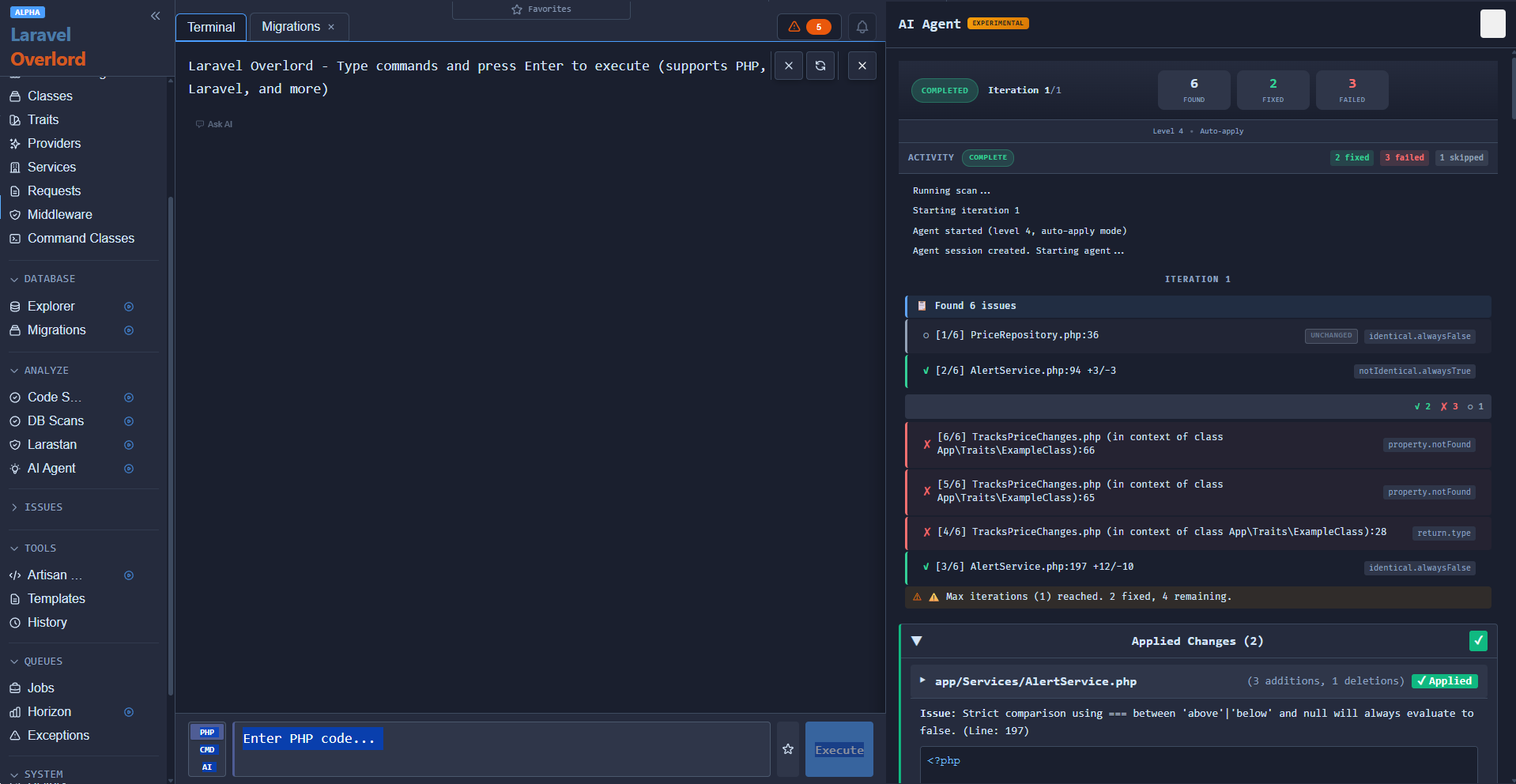
Ai Larastan Code Fixer
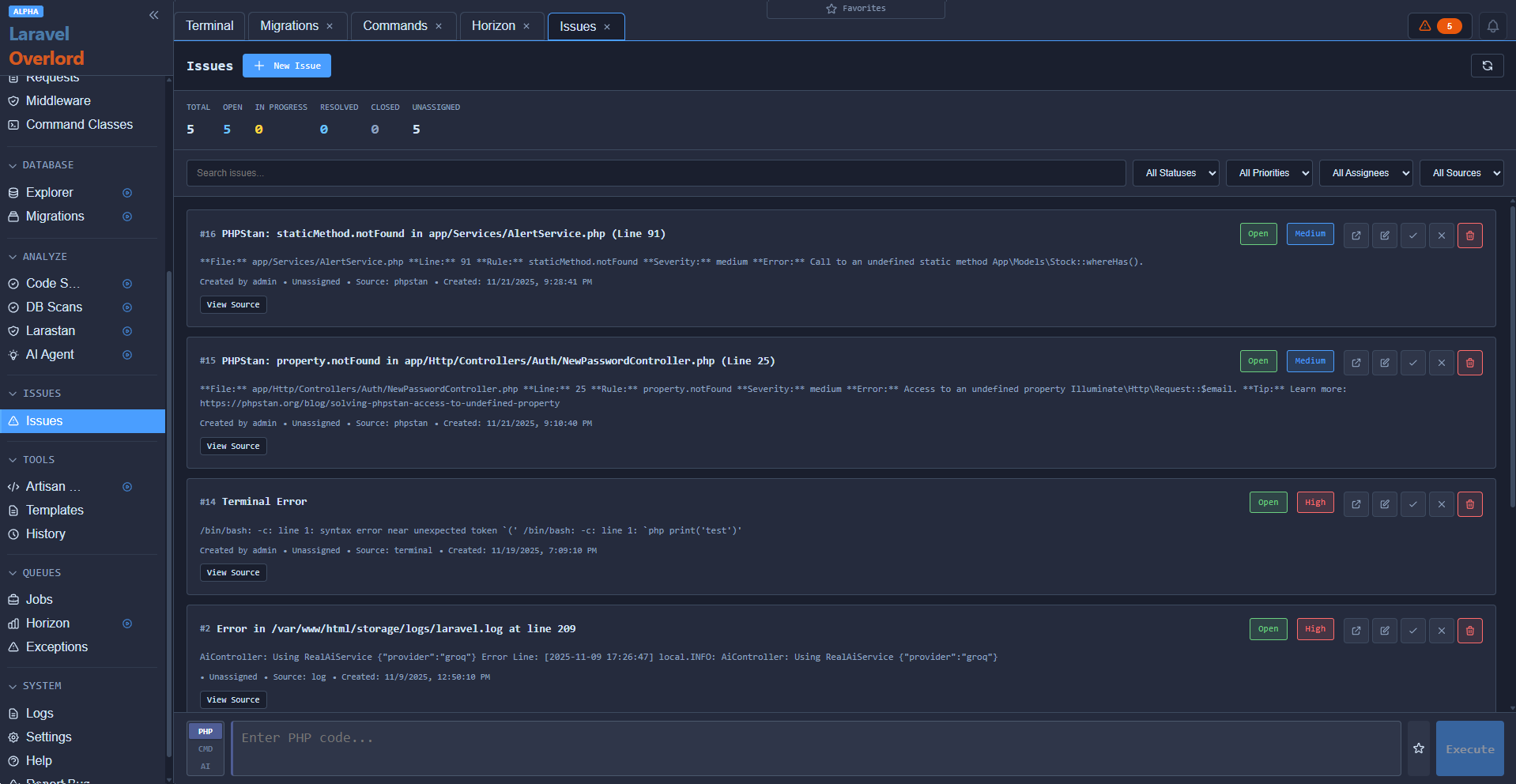
Issues Tracker & Management
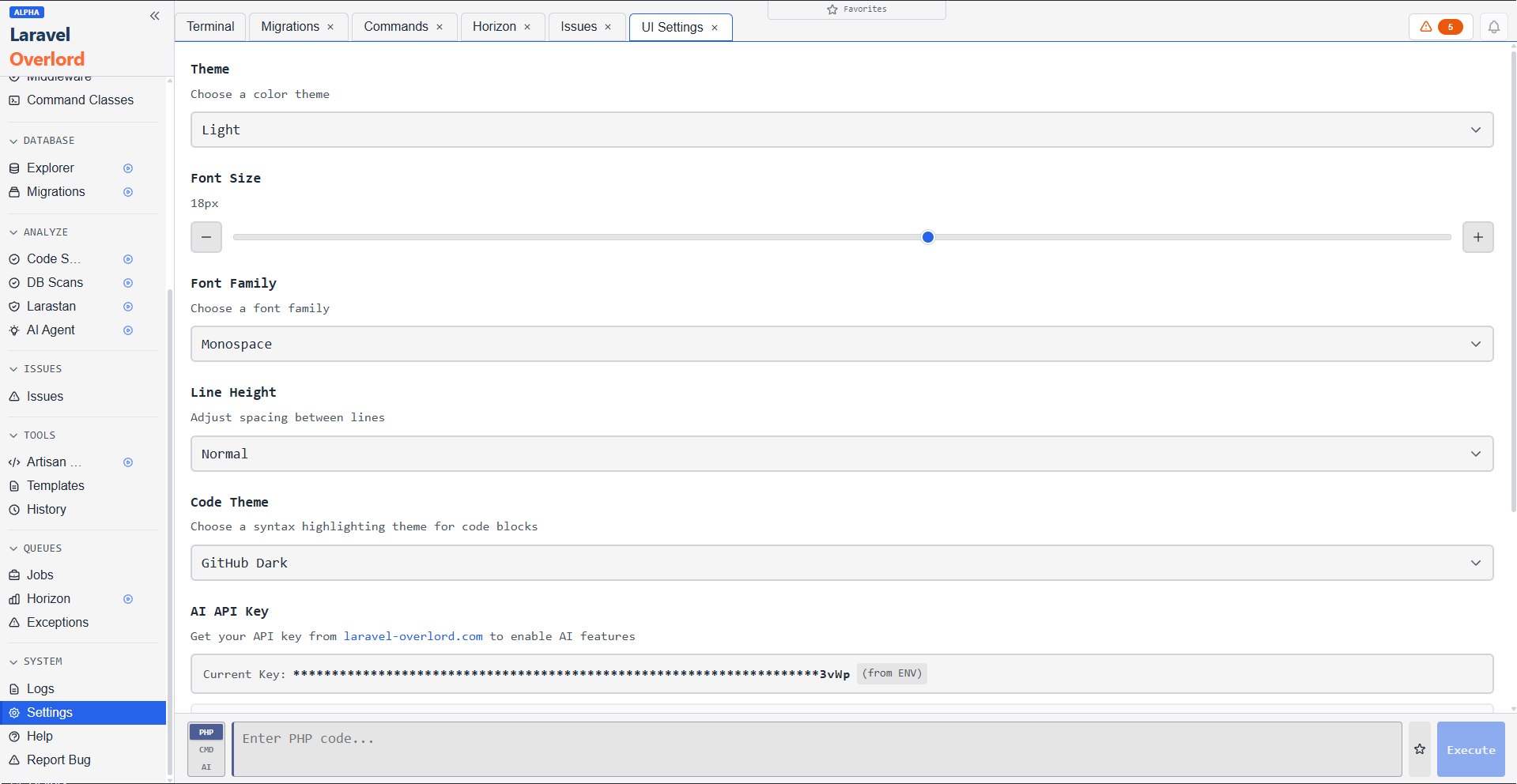
Settings with Several Themes
Just some of Overlord's Features
- **Many other features, including Ai Code Scans, Ai Database Scans, Artisan Command Explorer & Building, & More
Security
⚠️ Production Warning: Overlord is not recommended for production use. It provides powerful tools that can modify your database, execute code, and access sensitive information. While authentication is required by default in production, we strongly recommend keeping Overlord disabled in production environments.
- Requires authentication in production (defaults to
authmiddleware outside local environment) - AI features are optional — requires explicit API key configuration to enable
- Future release: Read-only mode for production environments coming soon
For detailed security configuration, see the Setup Guide.
Basic Usage
Access the Terminal
After installation, the terminal is automatically available at:
http://your-app.com/overlord
Example Commands
// Count records
User::count()

// Query with conditions
User::where('role', 'CREATOR')->get()

// Work with relationships
$user = User::find(1)
$user->creator
$creator->videos()->take(5)->get()

// Aggregations
Video::where('status', 'PUBLISHED')->sum('duration')
Type help or ? in the terminal to view the comprehensive help guide.
Requirements
- PHP ^8.2
- Laravel ^12.0
- Redis (required for queue features)
AI Features
The AI assistant provides context-aware assistance with access to your codebase, database, and logs.
Getting Started with AI
- Obtain an API key from laravel-overlord.com
- Add to your
.envfile:LARAVEL_OVERLORD_AI_ENABLED=true LARAVEL_OVERLORD_API_KEY=your_api_key_here
- Clear config cache:
php artisan config:clear - The AI assistant will be available in the terminal
Note: AI features are optional and have limitations on free plans (rate limits, quota restrictions). AI sends zero code unless explicitly enabled.
Configuration
For detailed configuration options, see the Setup Guide.
Basic configuration is handled via environment variables:
# Redis (required for queue features)
REDIS_HOST=127.0.0.1
REDIS_PASSWORD=null
REDIS_PORT=6379
REDIS_DB=0

# AI Assistant (optional)
LARAVEL_OVERLORD_AI_ENABLED=true
LARAVEL_OVERLORD_API_KEY=your_api_key_here

# Authentication (optional - defaults to auth in production)
LARAVEL_OVERLORD_MIDDLEWARE=auth,verified
Used by
Documentation
- Setup Guide - Complete installation and configuration guide
Credits & License
Created by Spiderwisp
MIT License — free forever