
jasminecms / jasmine

A Laravel based CMS.
Requires
- php: ^8.4
- composer-runtime-api: ^2.2
- alexusmai/laravel-file-manager: ^3.3
- dedoc/scramble: ^0.13.30
- illuminate/support: ^13.4
- inertiajs/inertia-laravel: ^3.0
- mordisacks/faker-php-hebrew: ^1.0
- pragmarx/google2fa: ^9.0
- spatie/eloquent-sortable: ^5.0
- spatie/laravel-translatable: ^6.14
- symfony/filesystem: *
- tightenco/ziggy: ^2.6
- web-auth/webauthn-lib: ^5.3
Requires (Dev)
- fakerphp/faker: ^1.23
- itsgoingd/clockwork: ^5.3
- larastan/larastan: ^3.9
- laravel/framework: ^13.5
- laravel/pail: ^1.2
- laravel/pint: ^1.29
- laravel/tinker: ^3.0
- mockery/mockery: ^1.6
- nunomaduro/collision: ^8.6
- pestphp/pest: ^4.5
- pestphp/pest-plugin-laravel: ^4.1
Suggests
None
Provides
None
Conflicts
None
Replaces
None
- v3.x-dev
- 3.5.1
- 3.5.0
- 3.4.7
- 3.4.6
- 3.4.5
- 3.4.4
- 3.4.3
- 3.4.2
- 3.4.1
- 3.4.0
- 3.3.0
- 3.2.0
- 3.1.17
- 3.1.16
- 3.1.15
- 3.1.14
- 3.1.13
- 3.1.12
- 3.1.11
- 3.1.10
- 3.1.9
- 3.1.8
- 3.1.7
- 3.1.6
- 3.1.5
- 3.1.4
- 3.1.3
- 3.1.2
- 3.1.1
- 3.1.0
- 3.0.8
- 3.0.7
- 3.0.6
- 3.0.5
- 3.0.4
- 3.0.3
- 3.0.2
- 3.0.1
- 3.0.0
- 3.0.0-beta.3
- 3.0.0-beta.2
- 3.0.0-beta.1
- v2.x-dev
- 2.17.2
- 2.17.1
- 2.17.0
- 2.16.20
- 2.16.19
- 2.16.18
- 2.16.17
- 2.16.16
- 2.16.15
- 2.16.14
- 2.16.13
- 2.16.12
- 2.16.11
- 2.16.10
- 2.16.9
- 2.16.8
- 2.16.7
- 2.16.6
- 2.16.2
- 2.16.1
- 2.16.0
- 2.15.0
- 2.14.0
- 2.13.30
- 2.13.29
- 2.13.28
- 2.13.27
- 2.13.26
- 2.13.25
- 2.13.24
- 2.13.23
- 2.13.22
- 2.13.21
- 2.13.20
- 2.13.19
- 2.13.18
- 2.13.17
- 2.13.16
- 2.13.15
- 2.13.14
- 2.13.13
- 2.13.12
- 2.13.11
- 2.13.10
- 2.13.9
- 2.13.8
- 2.13.7
- 2.13.6
- 2.13.5
- 2.13.4
- 2.13.3
- 2.13.2
- 2.13.1
- 2.13.0
- 2.12.2
- 2.12.1
- 2.12.0
- v2.11.x-dev
- 2.11.11
- 2.11.10
- 2.11.9
- 2.11.8
- 2.11.6
- 2.11.5
- 2.11.4
- 2.11.3
- 2.11.1
- 2.11.0
- 2.10.2
- 2.10.1
- 2.10.0
- 2.9.2
- 2.9.1
- 2.9.0
- 2.8.1
- 2.8.0
- 2.7.7
- 2.7.6
- 2.7.5
- 2.7.4
- 2.7.3
- 2.7.2
- 2.7.1
- 2.7.0
- 2.6.0
- 2.5.2
- 2.5.1
- 2.5.0
- 2.4.1
- 2.4.0
- 2.3.4
- 2.3.3
- 2.3.2
- 2.3.1
- 2.3.0
- 2.2.3
- 2.2.2
- 2.2.1
- 2.2.0
- 2.1.2
- 2.1.1
- 2.1.0
- 2.0.10
- 2.0.9
- 2.0.8
- 2.0.7
- 2.0.6
- 2.0.5
- 2.0.4
- 2.0.3
- 2.0.2
- 2.0.1
- 2.0.0
- 1.4.0
- 1.3.0
- 1.2.0
- 1.1.3
- 1.1.2
- 1.1.1
- 1.1.0
- 1.0.2
- 1.0.1
- 1.0.0
- 0.12.1
- 0.12.0
- 0.11.4
- 0.11.3
- 0.11.2
- 0.11.1
- 0.11.0
- 0.10.5
- 0.10.4
- 0.10.3
- 0.10.2
- 0.10.1
- 0.10.0
- 0.9.2
- 0.9.1
- 0.9.0
- 0.8.1
- 0.8.0
- 0.7.1
- 0.7.0
- 0.6.3
- 0.6.2
- 0.6.1
- 0.6.0
- 0.5.0
- 0.4.9
- 0.4.8
- 0.4.7
- 0.4.6
- 0.4.5
- 0.4.4
- 0.4.3
- 0.4.2
- 0.4.1
- 0.4.0
- 0.3.15
- 0.3.14
- 0.3.13
- 0.3.12
- 0.3.11
- 0.3.10
- 0.3.9
- 0.3.8
- 0.3.7
- 0.3.6
- 0.3.5
- 0.3.4
- 0.3.3
- 0.3.2
- 0.3.1
- 0.3.0
- 0.2.9
- 0.2.8
- 0.2.7
- 0.2.6
- 0.2.5
- 0.2.4
- 0.2.3
- 0.2.2
- 0.2.1
- 0.2.0
- 0.1.4
- 0.1.3
- 0.1.2
- 0.1.1
- 0.1.0
- 0.0.17
- 0.0.16
- 0.0.15
- 0.0.14
- 0.0.13
- 0.0.12
- 0.0.11
- 0.0.10
- 0.0.9
- 0.0.8
- 0.0.7
- 0.0.6
- 0.0.5
This package is auto-updated.
Last update: 2026-11-02 11:38:56 UTC
README
A Laravel based CMS inspired by Voyager.
Screenshots
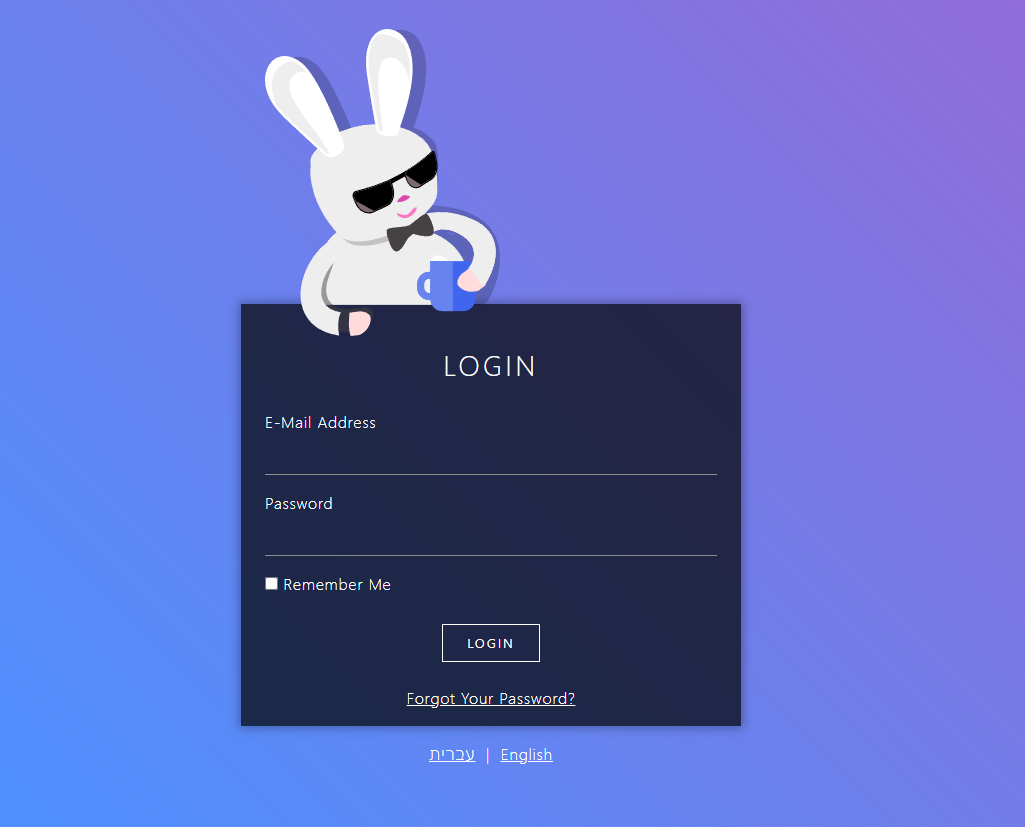
Login
Bread index

Bread Edit

Requirements
- PHP >= 8.4
- Laravel >= 13
Note
Jasmine uses alexusmai/laravel-file-manager
If you are using it already or planning to,
you might need to tweak some configurations to prevent conflicts.
Installation
Require JasmineCMS in your new or existing laravel app
composer require jasminecms/jasmine
Publish the config file (optional, to customize routes and other options)
php artisan vendor:publish --tag=jasmine-config
Link jasmine public assets to your public folder
php artisan jasmine:link-public-assets
Migrate the database (be sure to make any changes to the default laravel migration prior)
php artisan migrate
Create a user (1st user is super admin)
php artisan jasmine:create-user
You can now log in to Jasmine,
Navigate to /jasmine
And login
Routes
Unlike previous versions, Jasmine now registers its web and api routes automatically.
No need to add anything to your route files.
You can control registration, prefixes and middleware via the config file:
'routes' => [
    'web' => [
        'register'   => true,
        'prefix'     => 'jasmine',
        'middleware' => ['web'],
    ],
    'api' => [
        'register'   => true,
        'prefix'     => 'jasmine/api',
        'middleware' => ['api'],
    ],
],
Set register to false if you prefer to register the routes yourself using
Jasmine::routes() and Jasmine::apiRoutes().
API documentation
When api routes are registered, Jasmine generates an OpenAPI specification for all
jasmine.api.* routes using Scramble:
- Interactive docs UI:
/{api-prefix}/docs - OpenAPI JSON spec:
/{api-prefix}/api.json
The docs are only visible to authenticated Jasmine users.
Registering assets
You can register Jasmine assets in your AppServiceProvider.
Locales (content)
Jasmine supports multilingual content, define your content languages like so
Jasmine::registerLocales(['en', 'he']);
Interface locale
Jasmine's interface language files are simple JSON files.
To add or override an interface locale, place a {locale}.json file in:
lang/vendor/jasmine/ui/he.json
Jasmine will automatically pick up any locale files in that directory, alongside its built-in locales. To get started quickly, publish the built-in locale files and edit or copy them:
php artisan vendor:publish --tag=jasmine-locales-ui
Breadables
Breadables can be any model
In your model implement
Jasmine\Jasmine\Bread\BreadableInterface
use trait Jasmine\Jasmine\Bread\Breadable
if the model has multilingual columns, also use trait
Jasmine\Jasmine\Bread\Translatable;
implement missing methods
then register your model in AppServiceProvider
Jasmine::registerBreadable(\App\Models\MyModel::class);

// optionally control the sidebar menu item
Jasmine::registerBreadable(\App\Models\MyModel::class, addMenuItem: false);
Jasmine::registerBreadable(\App\Models\MyModel::class, menuPriority: 10);
Registering a breadable automatically registers its permissions
(browse, read, edit, add, delete) and, unless disabled, a sidebar menu item
that is hidden from users lacking the browse permission.
Pages
Pages are very similar to models, but function as a single entity instead of a table
Register your pages in AppServiceProvider
Jasmine::registerPage(\App\Pages\Home::class);

// optionally control the sidebar menu item
Jasmine::registerPage(\App\Pages\Home::class, addMenuItem: false);
Jasmine::registerPage(\App\Pages\Home::class, menuPriority: 10);
Registering a page automatically registers its permissions (read, edit, add)
and, unless disabled, a submenu item under the "pages" sidebar menu that is hidden
from users lacking the read permission.
Custom assets
If for some reason you wish to load custom javascript or css you can do it like so
Jasmine::registerCustomStyle('https://example.com/path/to/style.css');
Jasmine::registerCustomScript('https://example.com/path/to/app.js');
Paths should be absolute URLs (prefer https).
Permissions
Permissions are simple dot-notated string keys:
Jasmine::registerPermission('reports.sales.view');
Jasmine::registerPermission('reports.sales.export');
Registered permissions are automatically rendered in the role edit screen as grouped switches — each dot segment becomes a group.
Breadables and pages register their own permissions automatically
(models.{key}.{browse|read|edit|add|delete} and pages.{slug}.{read|edit|add}).
You can check permissions on a user with $user->jCan('models.post.edit').
SideBarMenuItems
You can add items to the sidebar menu like so
// internal
\Jasmine::registerSideBarMenuItem('settings', fn() => [
    'title'    => __('Settings'),
    'icon'     => 'bi-gear',
    'href'     => route('jasmine.my.route', 'my-param-value'),
    'is-route' => ['r' => 'jasmine.my.route', 'p' => ['my-param' => 'my-param-value']],
], 70);

// external
\Jasmine::registerSideBarMenuItem('site-triple', fn() => [
    'href'   => 'https://triple.co.il',
    'title'  => 'Triple',
    'icon'   => 'bi-link-45deg text-danger',
    'target' => '_blank',
], 100);
Items accept: title, href, target, icon, class, hidden, is-route.
The third argument is the item's priority (lower = higher in the menu, default 50).
Items with hidden => true (or no href) are not rendered — handy for permission checks:
\Jasmine::registerSideBarMenuItem('settings', fn() => [
    'title'  => __('Settings'),
    'href'   => route('jasmine.my.route'),
    'hidden' => !auth()->user()->jCan('settings.edit'),
]);
Submenu items
You can nest items under a parent menu item:
// the parent — only needs a title and icon
\Jasmine::registerSideBarMenuItem('reports', fn() => [
    'title'  => __('Reports'),
    'icon'   => 'bi-graph-up',
    'opened' => false, // whether the group starts expanded
], 60);

// children
\Jasmine::registerSideBarSubMenuItem('reports', 'sales', fn() => [
    'title'    => __('Sales'),
    'href'     => route('jasmine.my.reports', 'sales'),
    'is-route' => ['r' => 'jasmine.my.reports', 'p' => ['report' => 'sales']],
], 10);

\Jasmine::registerSideBarSubMenuItem('reports', 'traffic', fn() => [
    'title' => __('Traffic'),
    'href'  => route('jasmine.my.reports', 'traffic'),
], 20);
Registration order doesn't matter — submenu items are merged into their parent lazily,
so you can register children before the parent (or from different service providers).
A parent with no visible children is not rendered.
Jasmine ships with a few built-in parent items you can attach submenu items to:
pages (priority 30), jasmine (55) and tools (60).
Dashboard cards
Dashboard cards let you add widgets to the Jasmine dashboard.
A card is either a blade card (server rendered HTML) or a vue card
(a Vue SFC rendered client side).
use Jasmine\Jasmine\Dashboard\DashboardCard;

// blade card
Jasmine::registerDashboardCard('welcome', DashboardCard::blade(
    fn($request) => view('dashboard.welcome', ['user' => $request->user()])
)->width(6)->priority(10));

// vue card, SFC as a string
Jasmine::registerDashboardCard('stats', DashboardCard::vue(
    <<<'VUE'
    <script setup>
    defineProps({ count: Number })
    </script>
    <template>
        <div class="card"><div class="card-body">{{ count }} posts</div></div>
    </template>
    VUE,
    props: fn($request) => ['count' => \App\Models\Post::count()],
)->width(4));

// vue card from a file
Jasmine::registerDashboardCard('orders', DashboardCard::vueFile(
    resource_path('js/jasmine-cards/Orders.vue'),
    props: fn($request) => ['recent' => \App\Models\Order::latest()->limit(5)->get()],
));
Card options
->width(int)— grid width in columns, 1–12 (cards are always full width on mobile). Default4.->priority(int)— display order, lower comes first. Default50.
Card actions
Cards can expose server side actions, callable from the card's frontend:
Jasmine::registerDashboardCard('cache', DashboardCard::blade(fn() => view('dashboard.cache'))
    ->get('status', fn($request) => ['size' => Cache::size()])
    ->post('clear', fn($request) => Cache::flush())
);
->get($name, $handler)— read-only action (cacheable, no CSRF token)->post($name, $handler)— mutating action->action($name, $handler, $method)— any ofGET,POST,PUT,DELETE
Card permissions
->permission('some.permission') hides the card from users who lack it, and refuses its actions with a 403.
Breadable widgets
The same cards can sit above a breadable's browse table. Declare them on the model with browseWidgets()
(use Jasmine\Jasmine\Cards\Card). Renderers, props and actions get a BrowseContext after the request,
whose query() is the breadable's query narrowed down to the filters and search the page currently shows —
so the widgets follow the table as it is filtered:
use Jasmine\Jasmine\Bread\BrowseContext;
use Jasmine\Jasmine\Cards\Card;

public static function browseWidgets(): array {
    return [
        'revenue' => Card::vueFile(resource_path('js/jasmine-cards/Revenue.vue'),
            props: fn($request, BrowseContext $ctx) => ['total' => $ctx->query()->sum('amount')],
        )->width(4)->post('export', fn($request, BrowseContext $ctx) => /* ... */),
    ];
}
BrowseContext also exposes filters, search, locale and breadable. Widgets load deferred, so a slow
one never holds up the table, and they need the breadable's browse permission on top of their own.
Notifications
Jasmine shows Laravel database notifications
sent to Jasmine users: a bell in the top bar with the unread count, a dropdown of the latest ones and a full
list at /jasmine/notifications. Your app only dispatches them:
use Illuminate\Notifications\Notification;
use Jasmine\Jasmine\Notifications\JasmineNotificationData;

class AlertOpened extends Notification
{
    public function __construct(private Alert $alert) {}

    public function via(object $notifiable): array {
        return ['database'];
    }

    public function toArray(object $notifiable): array {
        return JasmineNotificationData::make('Alert opened')
            ->message($this->alert->summary)
            ->url(route('jasmine.bread.edit', ['alerts', $this->alert->id]))
            ->icon('bi-exclamation-triangle')
            ->warning()
            ->toArray();
    }
}

Notification::send(JasmineUser::all(), new AlertOpened($alert));
A plain array of the same shape works too:
| key | required | notes |
|---|---|---|
title |
yes | falls back to the notification class name, e.g. "Alert Opened" |
message |
no | plain text |
url |
no | opened in the same tab when clicked; the notification is marked read |
icon |
no | a Bootstrap Icons class, default bi-bell |
level |
no | info (default), success, warning or danger — colours the icon |
The date comes from the notification itself. URLs under the Jasmine prefix open as a normal Jasmine page; any other URL gets a full page load.
Live updates
The unread count refreshes on every page load, and in the background in one of two ways:
- Polling (always available): every
jasmine.notifications.pollseconds (default300,0turns it off) while the tab is visible. Polls don't count as activity: Jasmine signs a user out once they've been idle forsession.lifetimeminutes, however long the tab polls. - Broadcasting: when your app has a real broadcaster (
broadcasting.defaultis notnull/log), Jasmine pushes anotifications.updatedevent on the private channeljasmine.user.{id}whenever a Jasmine user gets a database notification or marks one read. Your notifications don't need thebroadcastchannel. Polling pauses while the socket is connected and resumes if it drops.
Broadcast events go through your queue like any other ShouldBroadcast event, so a queue worker must be
running unless the queue is sync. A broadcaster failure is reported and never stops the notification
from being stored.
On the browser side, Jasmine connects in this order:
window.Echo, if your app sets one from a custom asset. Use this for any broadcaster (Ably, socket.io, ...). Jasmine's channel auth works through your/broadcasting/authas well as its own.- Its own Echo client for
reverbandpusher, configured fromjasmine.notifications.echo.<driver>. These options default to theVITE_REVERB_*/VITE_PUSHER_*env values your frontend already uses, and are sent to the browser, so put only public keys and hosts there. Channel auth goes through/jasmine/broadcasting/auth, which requires a completed MFA check. - Polling only.
JASMINE_NOTIFICATIONS_POLL=300        # seconds, 0 = off
JASMINE_NOTIFICATIONS_BROADCAST=      # empty = auto, true/false to force
The notifications table
Jasmine ships a migration for Laravel's standard notifications table. It only creates the table when it's
missing and never drops it, so an app that already has one (from php artisan make:notifications-table) is
left as is.
Morph maps
If your app calls Relation::enforceMorphMap() without mapping JasmineUser, Jasmine registers the
jasmine_user alias for it. To use a different alias, map it yourself:
Relation::enforceMorphMap(['admin_user' => \Jasmine\Jasmine\Models\JasmineUser::class, /* ... */]);
Apps without an enforced morph map keep storing the class name.
Flash dialogs
Flash swal to the session to show a SweetAlert2 dialog on the next page.
Its value is the dialog's options:
return back()->with('swal', ['icon' => 'success', 'title' => 'Saved', 'toast' => true]);
To send the answer back to the server, add submit. Confirming the dialog sends it to url through Inertia,
so the response can flash its own dialog. Dismissing it sends nothing.
return back()->with('swal', [
    'title'            => 'Terminate early',
    'input'            => 'date',
    'showCancelButton' => true,
    'submit'           => [
        'url'    => route('contracts.terminate', $contract),
        'method' => 'post', // lowercase, defaults to post
    ],
]);
The answer arrives as value, here $request->input('value'). An object answer is sent as is, so its keys become
the request's fields.
Route groups
You can register your own route groups inside Jasmine's route scope — useful both for
packages extending Jasmine and for app specific admin routes.
Groups are registered in one of three scopes:
// routes behind Jasmine authentication (admin panel routes)
Jasmine::registerAuthenticatedRouteGroup(function () {
    Route::get('my-reports/{report}', MyReportController::class)->name('jasmine.my.reports');
});

// stateless api routes
Jasmine::registerApiRouteGroup(function () {
    Route::get('my-endpoint', MyApiController::class)->name('jasmine.api.my-endpoint');
});

// guest routes (no authentication)
Jasmine::registerGuestRouteGroup(function () {
    Route::get('public-status', PublicStatusController::class);
});
Groups can optionally be named, which allows replacing or removing them
(registering the same id twice throws a LogicException):
Jasmine::registerAuthenticatedRouteGroup($closure, 'my-plugin');

// later, e.g. in an app overriding a plugin's routes
Jasmine::unregisterAuthenticatedRouteGroup('my-plugin');
Jasmine::registerAuthenticatedRouteGroup($otherClosure, 'my-plugin');
unregisterApiRouteGroup(), unregisterGuestRouteGroup() and resetRouteGroups()
are also available.
Oauth2 SSO
You can register oauth2 providers to enable sso login to jasmine
Facebook example
Jasmine::registerOauth2Sso(
    'Facebook', //name
    'https://www.facebook.com/images/fb_icon_325x325.png', //icon
    '{client_id}',
    '{client_secret}',
    'https://www.facebook.com/v3.3/dialog/oauth',
    'https://graph.facebook.com/v3.3/oauth/access_token',
    ['email'],
    false, // accepts boolean or callback
    function ($token) {
        $token = json_decode($token, true);

        $res = Http::asJson()->get('https://graph.facebook.com/v3.3/me', [
            'access_token' => $token['access_token'],
            'fields'       => 'name,email',
        ]);

        return [
            'name'  => $res->json('name'),
            'email' => $res->json('email'),
        ];
    },
);