
filafly / filament-tabler-icons

Tabler Icons pack for Filament Icons: replaces every Filament UI icon with Tabler Icons, outline or filled
Requires
- php: ^8.2
- filafly/filament-icons: ^2.2.2
- filament/filament: ^4.0 || ^5.0
- secondnetwork/blade-tabler-icons: ^3.50
Requires (Dev)
- laravel/pint: ^1.22
- orchestra/testbench: ^10.0 || ^11.0
- phpunit/phpunit: ^11.5 || ^12.3
Suggests
None
Provides
None
Conflicts
None
Replaces
None
This package is auto-updated.
Last update: 2026-11-23 15:11:24 UTC
README
Filament Tabler Icons
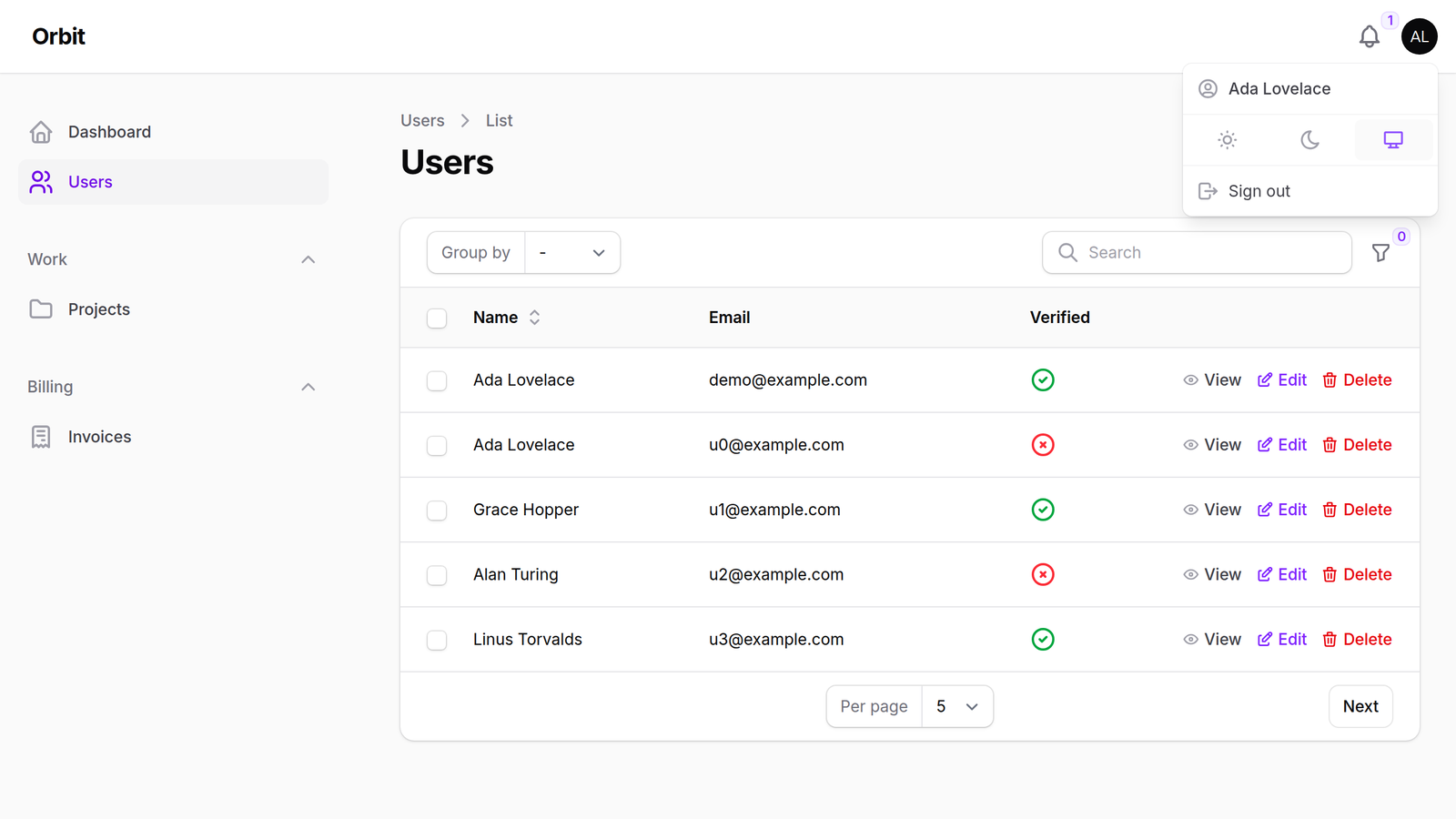
A Tabler Icons set for Filament Icons. Register one plugin and every icon in Filament's own UI (sidebar, tables, forms, actions, notifications, the rich editor toolbar, multi-factor auth and the rest) switches to Tabler Icons, in outline or filled style. All 6,275 Tabler icons are also available as an enum for your own resources.
Works with Filament 4 and 5.
More about this package on FilaFly: Tabler Icons for Filament on FilaFly.
Installation
You can install the package via composer:
composer require filafly/filament-tabler-icons
Not sure which Laravel and PHP versions your Filament version needs? See the Filament version compatibility guide.
After the package is installed, you must register the plugin in your Filament Panel provider:
use Filafly\Icons\Tabler\TablerIcons;

public function panel(Panel $panel): Panel
{
    return $panel
        ->plugin(TablerIcons::make());
}
That's it. Every Filament icon alias (all 222 in Filament 5.12) is mapped to a Tabler icon.
Setting the global icon style
Tabler Icons come in two styles:
- Outline (default)
- Filled
TablerIcons::make()->outline(); // (default)
TablerIcons::make()->filled();
Only icons that Tabler draws in both styles switch (116 of the 228 icons this pack maps). The editor toolbar icons, for example, have no filled version and stay the same.
Setting style for a subset of icons
If you need some icons in a different style, you can use either icon aliases or icon enum cases.
Using icon aliases
Use the overrideStyleForAlias method with a Filament Icon Alias. It takes a single alias or an array of aliases.
use Filafly\Icons\Tabler\TablerIcons;
use Filafly\Icons\Tabler\Enums\TablerStyle;
use Filament\Tables\View\TablesIconAlias;
use Filament\Actions\View\ActionsIconAlias;

// Override a single alias
TablerIcons::make()->overrideStyleForAlias(TablesIconAlias::ACTIONS_FILTER, TablerStyle::Filled);

// Override several aliases at once
TablerIcons::make()->overrideStyleForAlias([
    TablesIconAlias::ACTIONS_FILTER,
    ActionsIconAlias::DELETE_ACTION,
], TablerStyle::Filled);
Using icon enum cases
Use the overrideStyleForIcon method with Tabler enum case(s). Like the alias method, it takes a single case or an array.
use Filafly\Icons\Tabler\TablerIcons;
use Filafly\Icons\Tabler\Enums\Tabler;
use Filafly\Icons\Tabler\Enums\TablerStyle;

// Override a single icon
TablerIcons::make()->overrideStyleForIcon(Tabler::Trash, TablerStyle::Filled);

// Override several icons at once
TablerIcons::make()->overrideStyleForIcon([
    Tabler::Trash,
    Tabler::Filter,
], TablerStyle::Filled);
Specifying exact icons to use
You can also specify exactly which icon you would like to use in given situations. This can be done via icon aliases or icon enum cases.
Override icon aliases
Use overrideAlias() to change which icon is used for specific Filament icon aliases:
use Filafly\Icons\Tabler\TablerIcons;
use Filafly\Icons\Tabler\Enums\Tabler;
use Filament\View\PanelsIconAlias;
use Filament\Tables\View\TablesIconAlias;

TablerIcons::make()
    ->overrideAlias(PanelsIconAlias::SIDEBAR_EXPAND_BUTTON, Tabler::ChevronsRight)
    ->overrideAlias(TablesIconAlias::ACTIONS_FILTER, Tabler::AdjustmentsHorizontal);
Or use overrideAliases() to override multiple aliases at once by passing an array:
TablerIcons::make()
    ->overrideAliases([
        PanelsIconAlias::SIDEBAR_EXPAND_BUTTON => Tabler::ChevronsRight,
        TablesIconAlias::ACTIONS_FILTER => Tabler::AdjustmentsHorizontal,
    ]);
Override individual icons
Use overrideIcon() to replace a Tabler icon everywhere this pack uses it:
TablerIcons::make()
    ->overrideIcon(Tabler::Trash, Tabler::TrashX)
    ->overrideIcon(Tabler::Edit, Tabler::Pencil);
Or use overrideIcons() to override multiple icons at once by passing an array:
TablerIcons::make()
    ->overrideIcons([
        Tabler::Trash->value => Tabler::TrashX,
        Tabler::Edit->value => Tabler::Pencil,
    ]);
PHP arrays do not support enums as keys so
->valueis necessary if you want to reference the enum
Exact overrides win over styles, so pick the outline or filled case you want.
Icon enum
All Tabler icons are available through an enum providing convenient usage throughout Filament. For more information, check the Filament docs.
use Filament\Forms\Components\Toggle;
use Filafly\Icons\Tabler\Enums\Tabler;

Toggle::make('is_starred')
    ->onIcon(Tabler::StarFilled)
The icons come from davidhsianturi/blade-tabler-icons, so <x-tabler-star /> and @svg('tabler-star') work in your own Blade views too.
Testing
composer test
The suite checks that every icon alias in the installed Filament version is mapped, that every enum case has an SVG, and that filled() switches every icon that has a filled version.
From FilaFly
FilaFly also makes premium themes for Filament panels: Lucent, Prizm, Cypher and Citrus. Browse the themes.
License
The MIT License (MIT). Please see License for more information. This package contains no icon files: the icons are installed by davidhsianturi/blade-tabler-icons.
Tabler Icons are © Paweł Kuna under the MIT License.