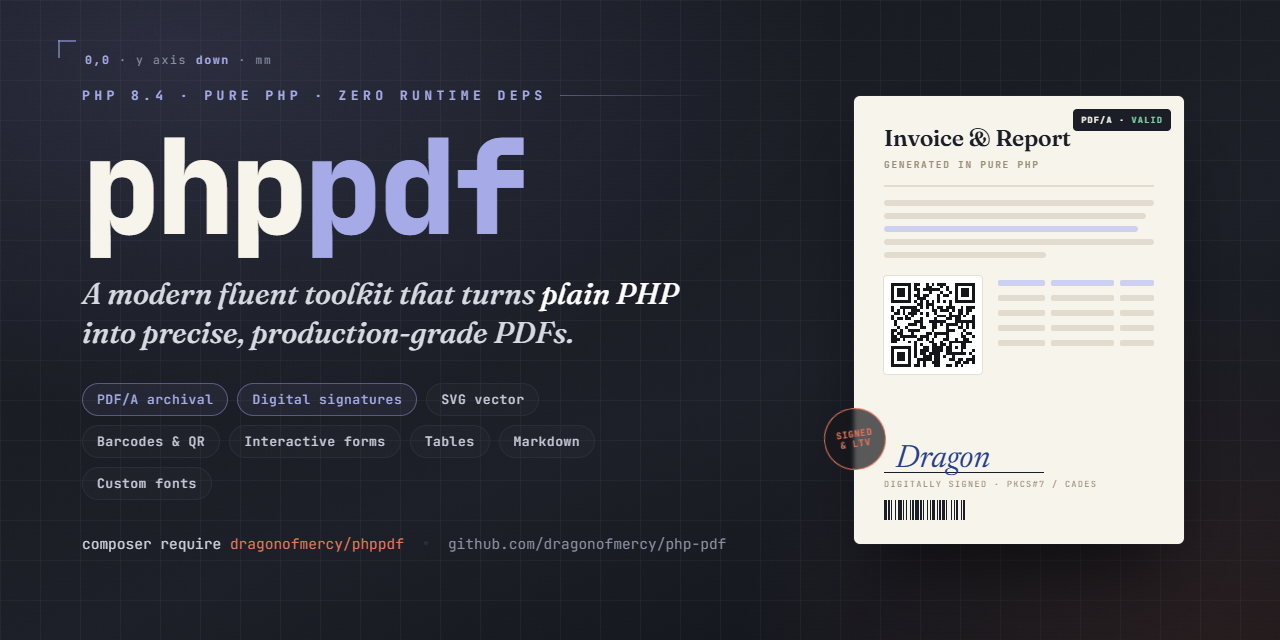
Modern PHP library for PDF generation.

Maintainers

Package info

github.com/dragonofmercy/php-pdf

pkg:composer/dragonofmercy/phppdf

Statistics

Installs: 8

Dependents: 0

Suggesters: 0

Stars: 0

dev-main 2026-05-08 12:26 UTC

This package is auto-updated.

Last update: 2026-05-08 12:26:31 UTC


README

Modern PHP 8.4 library for PDF generation. Pure PHP, no external runtime dependencies beyond the standard mbstring, openssl, and zlib extensions.

Status: work in progress, pre-1.0. The public API is reasonably stable for what is shipped (Phase 5) but is not yet frozen.

What works today

  • Document scaffolding - PDF 1.7 output, deterministic byte-identical fixtures, encryption (RC4 + AES-128), metadata + XMP, viewer preferences (page layout, page mode, initial open action).
  • Pages - standard formats (A3, A4, A5, A6, Letter, Legal) with portrait / landscape orientation, plus arbitrary custom dimensions for labels and similar. Coordinates and sizes default to millimetres; switch to PDF points with Unit::PT.
  • Graphics - lines, rectangles, circles, paths (move/line/curve), fill/stroke, dash patterns, line caps/joins, save/restore, transforms (translate/rotate/scale).
  • Text - 12 standard PDF fonts (Helvetica / Times / Courier x Regular / Bold / Italic / BoldItalic). WinAnsi encoding (covers western Latin scripts incl. accents and the typographic chars in 0x80-0x9F: EUR -- oe Oe %. etc.). Multi-line via \n, custom leading.
  • Custom TTF fonts - register your own TrueType fonts via Document::registerFontFamily('alias', regular: ..., bold: ..., italic: ..., boldItalic: ...). Composite CIDFont/Type0 with Identity-H encoding and embedded ToUnicode CMap (copy-paste works). Full Unicode reach beyond WinAnsi: Latin Extended, Greek, Cyrillic, etc. cmap subtable formats 4 and 12 supported. Fonts are embedded whole (subsetting comes in Phase 3b).
  • Cells - rectangles with text, borders (per-side, with width / color / style: solid / dashed / dotted), fill, padding, alignment (left / center / right * top / middle / bottom), three fit modes (none / condense / shrink), word-wrap with automatic force-break.
  • Text measurement - $page->stringWidth(...) using AFM metrics for the 12 standard fonts.
  • Images - JPEG (RGB / Gray / CMYK) and PNG (RGB / Gray / Palette / RGB+Alpha / Gray+Alpha / Palette+tRNS) embedded as XObjects. Soft-mask transparency for PNG alpha channels. Auto-format detection by magic bytes. Per-document caching: same path / instance reuses one XObject across multiple placements.
  • Barcodes & QR codes - EAN-13, EAN-8, Code 128 (auto A/B/C set switching), QR Code (V1-V10, all four error-correction levels). Pure-PHP encoders, vector rendering as filled rects, configurable color, optional human text under 1D codes.

Not yet implemented

  • Custom OTF/CFF fonts (.otf), TrueType collections (.ttc), variable fonts, kerning, ligatures, RTL/Arabic/Indic shaping -- out of Phase 3a scope.
  • TTF subsetting -- whole-font embedding only in Phase 3a, subsetting planned for Phase 3b.
  • SVG vector images -- later phase.
  • QR Code versions V11-V40 -- capped at V10 in this release (covers URLs, vCards, payment payloads). Add on demand.
  • Other barcode formats (UPC-A, Code 39 / 93, ITF, DataMatrix, PDF417, Aztec) -- add on demand.
  • Outlines / hyperlinks, form fields, digital signatures, HTML/CSS rendering -- later phases.

Installation

composer require dragonofmercy/phppdf

Usage

Empty document

use DragonOfMercy\PhpPdf\Document;

$pdf = new Document();
$pdf->addPage();
$pdf->save('out.pdf');

$pdf->output() returns the PDF bytes as a string instead of writing to disk.

Pages and units

By default the document works in millimetres. Font sizes and leading stay in PDF points (typographic convention). Switch the whole document to points with Unit::PT.

use DragonOfMercy\PhpPdf\{Document, PageFormat, Orientation, Unit};

$pdf = new Document();                              // mm by default
$pdf->addPage();                                    // A4 portrait
$pdf->addPage(PageFormat::A6);                      // A6 portrait
$pdf->addPage();                                    // A6 portrait (remembered)
$pdf->addPage(orientation: Orientation::LANDSCAPE); // last format in landscape
$pdf->addPage([99, 38]);                            // custom 99x38 mm (label)

// Available formats: A3, A4, A5, A6, LETTER, LEGAL.

// To work in PDF points instead:
$pdf = new Document(Unit::PT);
$pdf->addPage(); // 595.28 x 841.89 pt

The document remembers the last format and orientation, so a multi-page label sheet only needs addPage([99, 38]) once. Passing a PageFormat clears any custom dimensions; for custom arrays, the orientation argument is ignored (you provide the dimensions in the order you want).

Metadata + encryption

$pdf = new Document();
$pdf->metadata()
    ->title('Invoice 2026-001')
    ->author('Acme Corp')
    ->creationDate(new DateTimeImmutable());
$pdf->encryption()
    ->userPassword('user')
    ->ownerPassword('owner')
    ->allowPrint();
$pdf->addPage();
$pdf->save('invoice.pdf');

Viewer preferences

Hints stored in the catalog that the PDF viewer applies when opening the document. Three independent setters, all optional. Equivalent to TCPDF's setDisplayMode() but split into typed setters with named-constructor value objects.

use DragonOfMercy\PhpPdf\{OpenAction, PageLayout, PageMode};

$pdf->setPageLayout(PageLayout::TWO_COLUMN_RIGHT) // single page / one column / two-column / two-page; *Right starts on the right (book/magazine)
    ->setPageMode(PageMode::USE_OUTLINES)         // none / outlines / thumbs / full screen / OC layers / attachments
    ->setOpenAction(OpenAction::fitWidth(top: 0)); // initial view: page + zoom/fit

OpenAction constructors (page is 1-indexed, defaults to 1):

OpenAction::fit($page);                                   // entire page fits in viewport
OpenAction::fitWidth($page, top: 50);                     // page width fills viewport, top at 50 mm from page top
OpenAction::fitHeight($page, left: 0);                    // page height fills viewport
OpenAction::zoom($page, left: 10, top: 20, zoom: 1.5);    // top-left corner at (10, 20) mm, zoomed 150%
OpenAction::actualSize($page);                            // 100% zoom anchored at top-left

Coordinates use the document's unit and a top-down Y axis (consistent with the rest of the API). They are converted to PDF native (bottom-up, points) at serialisation. Out-of-range page indices throw PdfException at output time.

Pass null to any setter to clear it. These are hints: Acrobat respects them faithfully, browser viewers (Chrome, Firefox PDF.js) honour some and ignore others, notably full-screen mode.

Graphics

All coordinates and sizes are in the document's unit (millimetres by default).

use DragonOfMercy\PhpPdf\Color;

$page = $pdf->addPage();
$page->setStrokeColor(Color::hex('#ff0000'))
     ->setLineWidth(0.5)               // 0.5 mm
     ->rect(20, 20, 80, 40)            // 80x40 mm at (20, 20) mm
     ->stroke();

$page->setFillColor(Color::rgb(0, 0, 255))
     ->circle(105, 150, 20)             // centre at (105, 150) mm, r = 20 mm
     ->fill();

Text

use DragonOfMercy\PhpPdf\Font;

// Pages created via Document::addPage() start with Helvetica 11 already set,
// so simple uses can call cell()/text()/stringWidth() right away. To change the
// document-wide default before any addPage() call:
//   $doc->setDefaultFont(Font::times(), 11);

// Font size is in points, regardless of the document unit.
$page->setFont(Font::helvetica()->bold(), 18);
$page->text(20, 30, 'Hello World');     // (20, 30) mm

$page->setFont(Font::times()->italic(), 12);
$page->text(20, 50, 'Resume - cafe, naivete, oeuvre');

$page->setFont(Font::courier(), 10);
$page->text(20, 70, "Line 1\nLine 2\nLine 3");

// Size is optional once a font is set: change family/variant, keep the size.
$page->setFont(Font::helvetica()->bold()); // still 10pt from the previous call

// Read back the current font / size if you need to save and restore them.
$savedFont = $page->getFont();
$savedSize = $page->getFontSize();

Custom TTF fonts

Beyond the 12 built-in standard PDF fonts, you can register your own TrueType fonts for the document. Each registration declares a family alias and up to four variant files (regular, bold, italic, boldItalic):

use DragonOfMercy\PhpPdf\{Document, Font};

$pdf = new Document();
$pdf->registerFontFamily('Inter',
    regular: __DIR__ . '/fonts/Inter.ttf',
    bold: __DIR__ . '/fonts/Inter-Bold.ttf',
);

$page = $pdf->addPage();
$page->setFont(Font::custom('Inter'), 14);
$page->text(50, 50, 'Resume, cafe, naivete, oeuvre'); // Latin, also fine in WinAnsi
$page->text(50, 70, "\u{0391} \u{0392} \u{0393} \u{0394}"); // Greek: Alpha Beta Gamma Delta
$page->text(50, 90, "\u{041C}\u{043E}\u{0441}\u{043A}\u{0432}\u{0430}"); // Cyrillic: Moscow

$page->setFont(Font::custom('Inter')->bold(), 14);
$page->text(50, 110, 'Bold variant');

$pdf->save('out.pdf');

Font::custom('alias') mirrors the standard factories (Font::helvetica(), Font::times(), Font::courier()) and supports the same chaining: ->bold(), ->italic(), both combined.

Variant fallback chain when a requested style is not registered:

  • Font::custom('alias')->bold()->italic() -> boldItalic > bold > italic > regular
  • Font::custom('alias')->bold() -> bold > regular
  • Font::custom('alias')->italic() -> italic > regular
  • Font::custom('alias') -> regular (always required)

registerFontFamily() parses each TTF eagerly: missing files, unsupported flavours, malformed tables, and missing required tables raise PdfException immediately at registration time, not later during page rendering.

Currently supported in Phase 3a:

  • TrueType outlines (.ttf) only.
  • cmap subtable formats 4 (BMP, U+0000 to U+FFFF) and 12 (full Unicode, including supplementary planes).
  • Identity-H encoding, left-to-right scripts (Latin, Greek, Cyrillic, etc.). Copy-paste from the rendered PDF works correctly thanks to the embedded ToUnicode CMap.
  • The entire TTF is embedded as-is (no subsetting). Subsetting is planned for Phase 3b.

Not supported in Phase 3a (out of scope):

  • OpenType / CFF outlines (.otf).
  • TrueType Collection (.ttc).
  • Variable fonts (fvar / gvar).
  • Kerning (GPOS / kern table).
  • Ligatures and complex shaping (GSUB).
  • Right-to-left, Arabic, Indic, and other scripts requiring shaping.
  • Identity-V (vertical writing).

Cells

use DragonOfMercy\PhpPdf\Border;
use DragonOfMercy\PhpPdf\BorderStyle;
use DragonOfMercy\PhpPdf\Fit;
use DragonOfMercy\PhpPdf\TextAlign;
use DragonOfMercy\PhpPdf\VerticalAlign;

$page->setFont(Font::helvetica(), 12);

// Header centered, bordered, filled.
$page->cell(
    x: 20, y: 20, w: 170, h: 10,
    text: 'Invoice #2026-001',
    border: Border::all()->withWidth(0.3),
    fill: Color::rgb(242, 242, 242),
    align: TextAlign::CENTER,
    verticalAlign: VerticalAlign::MIDDLE,
);

// Wrapping prose with dashed border.
$result = $page->cell(
    x: 20, y: 35, w: 170,
    text: 'Long paragraph that wraps automatically across multiple lines.',
    border: Border::all()->withStyle(BorderStyle::DASHED),
);

// Right-aligned with custom text color.
$page->cell(
    x: 20, y: $result->y + 2, w: 170, h: 8,
    text: 'Total: 1234.56 EUR',
    textColor: Color::rgb(192, 0, 0),
    align: TextAlign::RIGHT,
);

// Long word condensed to fit a narrow cell.
$page->cell(
    x: 20, y: 80, w: 40, h: 8,
    text: 'Antidisestablishmentarianism',
    border: Border::all(),
    fit: Fit::CONDENSE,
);

// Width auto-derived from the longest text line + horizontal padding.
$page->cell(x: 20, y: 95, text: 'Auto-sized label', border: Border::all());

cell() returns a CellResult carrying x, y (the bottom-right anchor for stacking, in the document's unit), height, lineCount, brokenWords, and textOverflow.

When w is omitted, the cell auto-sizes its width to fit the longest line of text plus horizontal padding (default or per-call). This requires non-empty text -- omitting both w and text raises an error.

Padding (uniform or per-side)

use DragonOfMercy\PhpPdf\CellPadding;

// Uniform: same value all four sides (in document unit).
$page->setCellsPadding(2);

// Per-side, via the CellPadding value object. Three named constructors:
$page->setCellsPadding(CellPadding::all(2));                    // top=right=bottom=left=2
$page->setCellsPadding(CellPadding::symmetric(1, 4));           // vertical=1, horizontal=4
$page->setCellsPadding(CellPadding::sides(top: 1, bottom: 3));  // omitted sides default to 0

// One-shot override on a single cell:
$page->cell(x: 20, y: 20, w: 60, h: 8, text: 'Tight',
    padding: CellPadding::sides(left: 4, right: 1));

// Document-level default applied to pages created afterwards:
$doc->setDefaultCellsPadding(CellPadding::symmetric(2, 4));

Default is 2 pt on all sides when neither the page nor the document configures one.

Cursor flow with ln

cell() can drive an internal cursor so the next call can omit x and y. The ln parameter (a NextPosition enum) chooses where to leave the cursor after rendering. Without ln, the cursor is unchanged.

use DragonOfMercy\PhpPdf\NextPosition;

$page->setCellsPadding(2);

// Row of three cells: only the first call sets x/y. The first two pass
// ln: NextPosition::RIGHT to keep filling the row; the third uses NEWLINE
// to drop down to the next row.
$page->cell(x: 20, y: 20, w: 40, h: 8, text: 'Name',  border: Border::all(), ln: NextPosition::RIGHT);
$page->cell(           w: 60, h: 8, text: 'Email', border: Border::all(), ln: NextPosition::RIGHT);
$page->cell(           w: 30, h: 8, text: 'Phone', border: Border::all(), ln: NextPosition::NEWLINE);

// Now resumes at (20, 28), ready to render the next row.
$page->cell(w: 40, h: 8, text: 'Alice',           border: Border::all(), ln: NextPosition::RIGHT);
$page->cell(w: 60, h: 8, text: 'alice@host.test', border: Border::all(), ln: NextPosition::RIGHT);
$page->cell(w: 30, h: 8, text: '+41 21 000 0000', border: Border::all());

NextPosition cases:

  • RIGHT: cursor moves to the right edge of the cell just drawn (continue the row).
  • NEWLINE: cursor returns to the x at which the row started and advances y by the rendered height (carriage-return + line-feed).
  • BELOW: cursor stays at the cell's left edge and advances y (vertical stack at the same column).

An explicit x always becomes the new "row start" used by NEWLINE. Calling cell() without x before any cursor is set raises an error.

The cursor is also exposed directly via getX(), getY(), setX(), setY(), and setXY() -- handy to seed the cursor before the first cell(), jump to a known position mid-flow, or read the current position after a stack of cells:

$page->setXY(20, 20);            // seed the cursor
$page->cell(w: 50, h: 8, text: 'Header', ln: NextPosition::NEWLINE);
$y = $page->getY();              // bottom of the row, ready for the body

setX() and setXY() also redefine the row-start anchor used by NEWLINE, just like passing an explicit x to cell().

Text measurement

$page->setFont(Font::helvetica(), 12);
$width = $page->stringWidth('Hello'); // ~9.64 (mm), or ~27.34 in PT mode

Images

use DragonOfMercy\PhpPdf\Image;

// Path string: format auto-detected, file read once, cached for the document.
$page->image('logo.png', x: 20, y: 20, w: 40, h: 20);   // 40x20 mm

// Instance: read bytes elsewhere, embed when convenient.
$photo = Image::fromFile('photo.jpg');
$page->image($photo, x: 20, y: 60, w: 80);              // h derived from aspect ratio

// From in-memory bytes or base64 (data URI prefix accepted, e.g. canvas.toDataURL()).
$signature = Image::fromBase64($request->input('signature_png'));
$page->image($signature, x: 20, y: 100, w: 60);

// Same path used twice -> one XObject embedded, two placements.
$page->image('logo.png', x: 150, y: 20, w: 30, h: 15);

Dimension rules:

  • Both w and h provided -> forced (may distort).
  • Only w -> h derived to preserve aspect ratio.
  • Only h -> w derived to preserve aspect ratio.
  • Neither -> intrinsic pixel size at 72 DPI (1 pixel = 1 point ~= 0.353 mm).

(x, y) is the top-left corner in the page user space (Y-down origin, consistent with the rest of phppdf since Phase 2a).

Barcodes & QR codes

use DragonOfMercy\PhpPdf\Color;
use DragonOfMercy\PhpPdf\Barcode\{Ean13, Ean8, Code128, QrCode, ErrorCorrection};

// EAN-13 with 12 digits (checksum auto-computed) and human-readable digits below.
$page->barcode(Ean13::of('978013110362'), x: 20, y: 20, w: 50, h: 18);

// Code 128, no human text, custom red color.
$page->barcode(
    Code128::of('SHIP-2026-001')->withoutText()->withColor(Color::rgb(192, 0, 0)),
    x: 20, y: 50, w: 70, h: 12,
);

// QR Code with high error-correction (30%), branded color.
$page->barcode(
    QrCode::of('https://example.com')
        ->withErrorCorrection(ErrorCorrection::H)
        ->withColor(Color::hex('#003366')),
    x: 130, y: 20, w: 40,
);

Standards supported:

  • EAN-13 (ISO/IEC 15420) -- 12 or 13 digits, auto checksum.
  • EAN-8 -- 7 or 8 digits, auto checksum.
  • Code 128 (ISO/IEC 15417) -- ASCII 0-127, auto-switching between sets A/B/C to minimise width.
  • QR Code (ISO/IEC 18004) -- versions 1-10 (covers ~395 alphanumeric or ~271 byte chars at L), error correction L/M/Q/H, modes numeric / alphanumeric / byte.

API shape:

  • Page::barcode(Barcode $code, float $x, float $y, float $w, ?float $h = null) -- one method, polymorphic by value object.
  • 1D codes (Ean13, Ean8, Code128) require h; QR codes only need w (h defaults to w).
  • Each value object: ::of(...) validates inputs, withColor(Color), withoutText() (1D), withErrorCorrection(ErrorCorrection) (QR) -- all immutable.
  • Default color is black, not the page's current fillColor (deterministic regardless of page state).
  • Coordinates use the document unit (mm by default), top-down Y axis (consistent with the rest of the API).

Recommended sizes for reliable scanning: EAN-13 >= 25 mm wide, QR module >= 0.5 mm (so a V3 QR ~ 15 mm minimum).

The quiet zone is included in the w / h you provide. The barcode wraps its rendering in a graphics state save/restore, so it does not alter your page's current font / fill color.

Development

The library lives entirely under build/. Clone the repo, then:

cd build/
composer install
composer check   # PHPStan max + PHPUnit (unit + golden)

composer test runs the full suite (621 tests at Phase 3a). composer analyse runs PHPStan at level max.

Golden tests

Twelve binary fixtures under tests/Golden/fixtures/ are byte-compared against fresh renders. Each fixture has an associated qpdf --check validation that skips cleanly if qpdf is absent. To install qpdf:

  • Linux: sudo apt-get install qpdf
  • macOS: brew install qpdf
  • Windows: choco install qpdf

When you intentionally change the generator output:

php tests/Golden/regenerate.php

Then commit the regenerated fixture(s) alongside the code change.

Generating the standard font metrics

The 12 AFM-derived metrics PHP files in src/Font/Metrics/ are regenerated from Adobe Type 1 AFM source files placed in bin/afm-source/ (gitignored):

php bin/generate-font-metrics.php

The script handles the WinAnsi glyph-name mapping and emits one PHP file per font.

License

MIT - see LICENSE.

Support

If this project helps to increase your productivity, you can give me a cup of coffee :)

Donate