
stezkoy / flarum-telegram-notify

Send Telegram notifications about new discussions and posts from Flarum
Package info
github.com/Stezkoy/flarum-telegram-notify
Type:flarum-extension
pkg:composer/stezkoy/flarum-telegram-notify
Requires
- php: ^8.3
- flarum/core: ^2.0
Requires (Dev)
None
Suggests
None
Provides
None
Conflicts
None
Replaces
None
README
Sends Telegram notifications about new discussions and replies on your Flarum forum.
Features
- Notifications for new discussions and replies
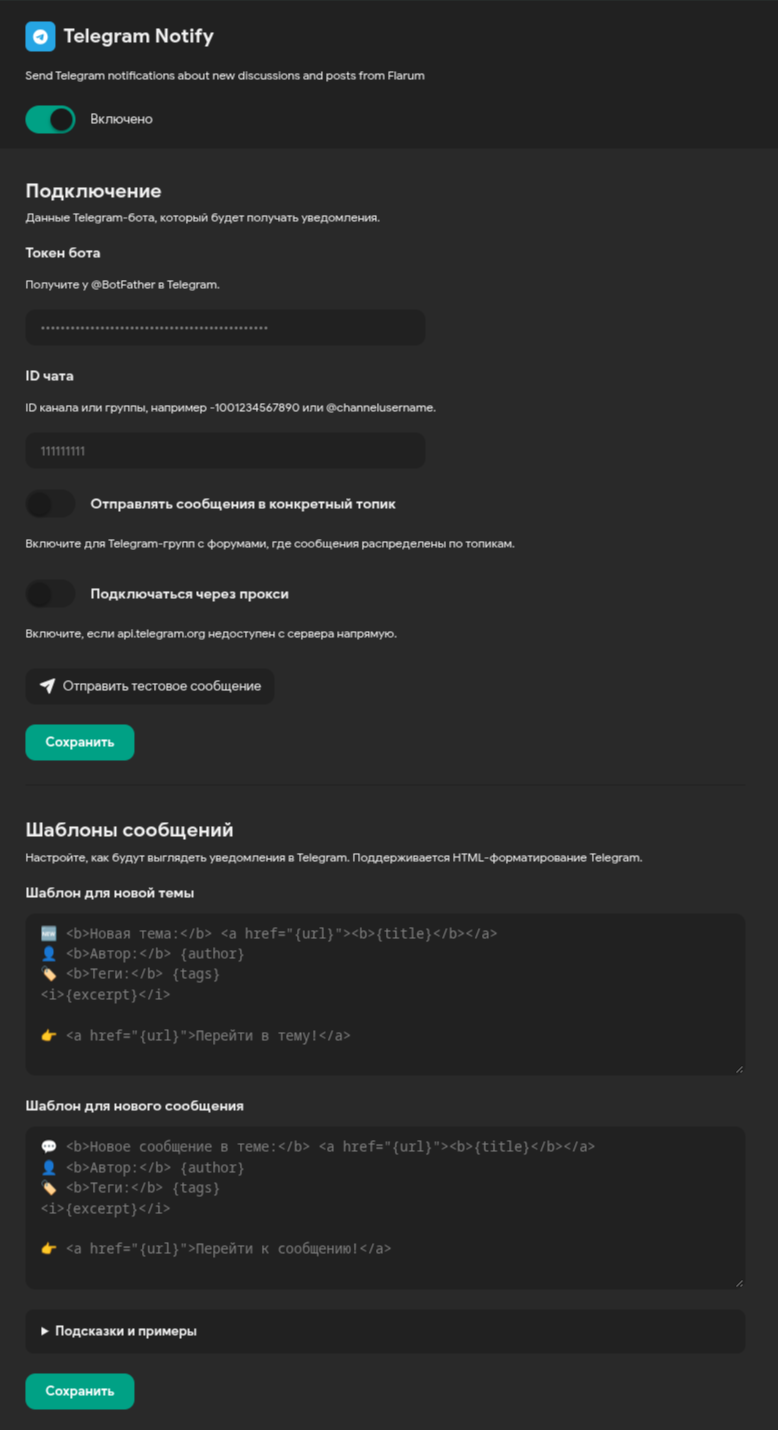
- Customizable message templates with placeholders
- Telegram HTML formatting and emoji
- Topics in forum-style groups (optional)
- Proxy support
- Tag-based filtering: notify only about discussions in selected tags (optional, requires flarum/tags)
Installation
composer require stezkoy/flarum-telegram-notify
php flarum cache:clear
Requirements
- PHP ^8.3
- Flarum ^2.0
Setup
Create a bot via @BotFather, add it as admin to your group/channel, then open Admin → Extensions → Telegram Notify and configure the connection and message templates.
Tag filtering
With the flarum/tags extension installed and enabled, a Tags section appears in the extension settings. Select the tags to limit notifications to discussions in those tags only. Leave the selection empty to notify about everything.
The tags extension is optional: without it, all discussions and replies are notified about.
Updating
Migrations are applied automatically when the extension is first enabled. When updating an already enabled extension, run the migrations manually:
composer update stezkoy/flarum-telegram-notify
php flarum migrate
php flarum cache:clear
Recipes
Default
🆕 <b>{title}</b>
👤 {author}
{excerpt}
👉 {url}
Minimal
{url}
Full card
🆕 <a href="{url}"><b>{title}</b></a>
🏷️ {tags}
👤 {author}

<i>{excerpt}</i>
Compact reply
💬 <b>{title}</b>
👤 {author}
{excerpt}
{url}
Title as a link
🆕 <a href="{url}"><b>{title}</b></a>
👤 {author}
{excerpt}
Labeled link
💬 <b>{title}</b>
👤 {author}
{excerpt}

👉 <a href="{url}">Go to topic</a>
License
MIT · Stezkoy