
stanislas-poisson / kmark

A Markdown to HTML converter that follows the original Markdown and lets you set an id and CSS classes on the elements.
Requires
- php: >=8.3
Requires (Dev)
- phpunit/phpunit: ^11.5
- stanislas-poisson/php-dev-tools: ^1.0
Suggests
None
Provides
None
Conflicts
None
Replaces
None
This package is auto-updated.
Last update: 2026-10-10 20:08:48 UTC
README
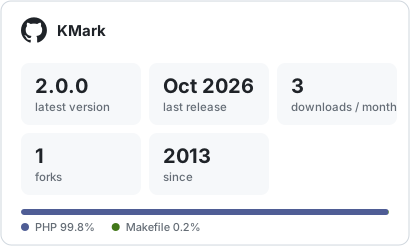
A Markdown to HTML converter written in PHP. It follows the original Markdown (with the usual GitHub extensions: tables, fenced code, strikethrough), and adds one thing to it: an id and CSS classes can be attached to an element, for example # Title {#myId .class1 .class2}. It is made for the web: the output is HTML.
Status: stable,
2.0.0. KMark was written in 2013 with a syntax of its own (bold with*x*, italic with-x-, links as[x]:(url), code between two lines of~~). It now follows the Markdown that everybody writes, so a text written for Markdown renders as expected (#34). That is a breaking change: see Upgrading from 1.x.
Documentation
The documentation site has this guide and the reference of every class, read from the source, for each released version (selector at the top right, next is main). Build it with cd docs && npm ci && npm run dev.
Requirements
PHP 8.3 or higher. There is no dependency.
Usage
Install it with Composer:
composer require stanislas-poisson/kmark
<?php

use KMark\Convert;

require 'vendor/autoload.php';

echo Convert::toHtml("# Title {#top}\n\nSome text with a [link](https://example.com).\n\n- One\n- Two");
The same with an instance:
$html = (new Convert())
    ->withText("# Title")
    ->convert()
    ->getText();
A Convert object never changes: withText() and convert() return a new one.
Output:
<h1 id="top">Title</h1>
<p>Some text with a <a href="https://example.com">link</a>.</p>
<ul>
<li>One</li>
<li>Two</li>
</ul>
The blocks of the output are separated by a line break, and the HTML is the one of the usual converters (<p>, <ul>, <pre><code class="language-php">…).
Syntax
| Element | Input | Output |
|---|---|---|
| Heading | ## Title, or Title then a line of = (level 1) or - (level 2) |
<h2>Title</h2> |
| Paragraph | text, separated by a blank line | <p>text</p> |
| Line break | two spaces or a backslash at the end of a line | <br> |
| Italic | *foo* or _foo_ |
<i>foo</i> |
| Bold | **foo** or __foo__ |
<b>foo</b> |
| Strikethrough | --foo-- or ~~foo~~ |
<del>foo</del> |
| Underline | ++foo++ |
<u>foo</u> |
| Code | `foo` |
<code>foo</code> |
| Code block | lines between two lines of three backticks (or tildes), or lines indented by four spaces | <pre><code>…</code></pre> |
| Quote | > text |
<blockquote>…</blockquote> |
| Bulleted list | - one, * one or + one |
<ul><li>one</li>…</ul> |
| Numbered list | 1. one or 1) one |
<ol><li>one</li>…</ol> |
| Rule | ---, *** or ___ alone on a line |
<hr> |
| Table | | A | B, a line of dashes, then rows |
<table>…</table> |
| Link | [text](https://example.com "Title") |
<a href="https://example.com" title="Title">text</a> |
| Image |  |
<img src="https://example.com/a.png" alt="alt" title="Title"> |
| Bare URL | https://example.com |
<a href="https://example.com">https://example.com</a> |
Headings
# to ######, with closing # if you like (## Title ##). A # needs a space after it: #hashtag is text. A heading can also be underlined, as in the original Markdown:
Title
=====

Sub title
---------
Text styles
| Style | Markdown | Default output | Key of the option tags |
|---|---|---|---|
| Bold | **bold** or __bold__ |
<b>bold</b> |
bold |
| Italic | *italic* or _italic_ |
<i>italic</i> |
italic |
| Underline | ++underline++ |
<u>underline</u> |
underline |
| Strikethrough | --strike-- or ~~strike~~ |
<del>strike</del> |
strike |
***both*** is bold and italic. Bold and italic are the ones of the original Markdown, the strikethrough ~~x~~ comes from GitHub, and --x-- and the underline are KMark's (Markdown has none). An underscore inside a word is not a marker, so snake_case_name stays as it is, and C++ is not an underline.
The default elements are the plain HTML ones: <b>, <i>, <u> and <del>. If you want other elements (<strong>, <em>, <ins>, <s>) or classes (<span class="b">), set them with the option tags, see Options.
Code
A code span is between backticks. The same number of backticks opens and closes it, so a code can hold backticks: ``a ` b``. The text is escaped, and nothing is read inside it.
A code block is between two lines of three backticks or more (or three tildes or more). The word after the opening line is the language, written as a class:
```php
<?php
echo 'Hello world';
```
gives
<pre><code class="language-php"><?php echo 'Hello world'; </code></pre>
Lines indented by four spaces (or one tab) are a code block too.
Quotes
A quote holds blocks: headings, lists, code, other quotes. A line of text without > right after a line of text goes on with it, as in the original Markdown.
Lists
A list is nested by indenting its items, with four spaces, or two under a bullet, or a tab. A list is loose when a blank line separates its items or the blocks of an item: its text is then in paragraphs. Otherwise the text is written without <p>. A numbered list starts at the number of its first item (<ol start="3">). Two kinds of bullets next to each other are two lists.
Tables
As on GitHub: a line of headers, a line of dashes whose colons align the columns, then the rows. The cells can hold emphasis, code and links, and \| writes a bar inside a cell.
| Name | Size | Note
|:-----|-----:|:----:
| a    | 1    | x
:--- is left, ---: is right and :---: is the centre (style="text-align: …").
Links and images
Inline: [text](url "title"). By reference, with the definition on a line of its own, anywhere in the text:
[text][label] and [label] and [label][]

[label]: https://example.com "Title"
<https://example.com> and <me@example.com> are links, and so are the bare http:// and https:// URLs (see the option autoLinks). A final ., ,, ;, :, !, ? or a closing parenthesis that the URL did not open is left outside the link.
Escapes
A backslash before a punctuation character writes it as it is: \*not emphasis\*. Before anything else the backslash stays: C:\Users.
Id and classes
This is what KMark adds to Markdown. Write {#id .class1 .class2}:
- at the end of a heading, a paragraph or a list item (after a space):
# Title {#myId .class}; - right after a link, an image or a code span, with no space:
[text](https://example.com){.external}; - on a line of its own right after any block, to give it to that block, a list, a quote, a table or a code block:
- one
- two
{.checklist}
- after the language of a fenced code block:
```php {#snippet .dark}, which gives them to the<pre>.
The id and classes go on the headings, paragraphs, lists and their items, quotes, tables, code blocks, links, images and code spans. For the text styles, use the option tags.
Only the first id is kept, and only letters, digits, _ and - are accepted in a name. If the braces hold anything else, they stay in the text.
Safety
By default the input is escaped: HTML written in the text is shown as text, so <script> is never executed. Only the links and images with a relative URL or an allowed scheme (http, https, mailto, tel and ftp by default) are kept. For any other scheme (javascript:, data:…), the text of the link is written without the link.
Options
The settings are given with an immutable Options object, to Convert::toHtml() or to the constructor of Convert. Use the named arguments to change one:
use KMark\Convert;
use KMark\Options;
use KMark\Tag;

$options = new Options(
    autoLinks: false,
    allowedSchemes: ['https', 'mailto'],
    tags: ['bold' => new Tag('span', ['bold'])],
);

echo Convert::toHtml('**hello** https://example.com', $options);
// <p><span class="bold">hello</span> https://example.com</p>
| Option | Default | Description |
|---|---|---|
autoLinks |
true |
Turn the bare http:// and https:// URLs into links. |
allowedSchemes |
['http', 'https', 'mailto', 'tel', 'ftp'] |
The schemes that a link or an image can have, in lowercase. A relative URL is always allowed. |
tags |
[] |
The element that writes each text style, by style: bold, italic, underline and strike, each a new Tag('name', ['class', …]). The default is <b>, <i>, <u> and <del>. See Choose the elements of the styles. |
unsafeAllowRawHtml |
false |
Keep the HTML written in the text instead of escaping it: the tags in a text, and the blocks that start with a tag. Never use it on a text you do not trust: it allows scripts. Code stays escaped. |
Choose the elements of the styles
The default elements carry no class. To use another element, or a <span> with a class that your style sheet knows, give a Tag for each style:
// <strong>, <em>, <ins> and <s>
$semantic = new Options(tags: [
    'bold'      => new Tag('strong'),
    'italic'    => new Tag('em'),
    'underline' => new Tag('ins'),
    'strike'    => new Tag('s'),
]);

// <span class="b">, <span class="i">…
$spans = new Options(tags: [
    'bold'      => new Tag('span', ['b']),
    'italic'    => new Tag('span', ['i']),
    'underline' => new Tag('span', ['u']),
    'strike'    => new Tag('span', ['s']),
]);
A style that is not given keeps its default element. When two styles use the same element with classes, they are merged into one: with the $spans above, ***text*** gives <span class="b i">text</span>, not two nested spans.
An invalid scheme, style, element name or class name throws an InvalidArgumentException.
Malformed input
KMark never throws on a text. Whatever it does not understand stays in the text, escaped: a code span or a code block that is not closed is text (a block that is not closed goes to the end), a "{…}" that is not an id and classes stays as it is, a marker that is not closed stays as it is, a reference that is not defined stays as it is, and a link with an unsafe URL is written as its text.
Known limits
- Styles follow the original Markdown, with regular expressions, not the algorithm of CommonMark: a few rare nestings of
*and_give another result. - A link URL holds one level of parentheses and a link text one level of brackets. Write
\)and\]for any other. - A blank line after a nested list does not make the list that holds it loose.
- No footnotes, task lists or definition lists, and the HTML written in the text is escaped unless the option says otherwise.
Upgrading from 1.x
The syntax of 1.x was KMark's own. 2.0 follows Markdown, so a text has to be changed:
1.x |
2.0 |
|---|---|
*bold* |
**bold** |
-italic- |
*italic* or _italic_ |
_underline_ |
++underline++ |
~strikethrough~ |
~~strikethrough~~ |
<span class="b"> for a style |
<b>, <i>, <u>, <del> by default, or the elements you choose with tags |
[text]:(url "title" {#id .class}) |
[text](url "title"){#id .class} |
 |
{#id .class} |
code between two lines of ~~ |
code between two lines of three backticks, or three tildes |
+<tab>item and 1.<tab>item |
- item and 1. item, nested by indenting |
><tab>quote |
> quote |
| a rule of six dashes | --- |
<code> for a block |
<pre><code> |
The option styleClasses and the constant Options::DEFAULT_STYLE_CLASSES are replaced by the option tags: new Options(tags: ['bold' => new Tag('span', ['b']), 'italic' => new Tag('span', ['i'])]) gives back the <span class="…"> of 1.x.
Development
make install
make hooks     # the Git hooks
make quality   # Pint, PHPStan, Rector, PHP Insights and PHPUnit
make help lists every command. See CONTRIBUTING.md for the details.
Roadmap
- Fix the known bugs and clean the application (#2): done.
- Add the missing features (#3): done.
- Turn KMark into a Composer package with a configuration (#4): done, released as
1.0.0. - Follow the original Markdown and keep the id and class rules (#34): done, released as
2.0.0.
Statistics
License
MIT. Copyright (c) 2013 Stanislas Poisson.