
soderlind / vmfa-ai-organizer

AI-powered media organization add-on for Virtual Media Folders
Package info
github.com/soderlind/vmfa-ai-organizer
Type:wordpress-plugin
pkg:composer/soderlind/vmfa-ai-organizer
Fund package maintenance!
Requires
- php: >=8.3
- composer/installers: ^2.0
- woocommerce/action-scheduler: ^3.7
- yahnis-elsts/plugin-update-checker: ^5.6
Requires (Dev)
- brain/monkey: ^2.7
- dealerdirect/phpcodesniffer-composer-installer: ^1.0
- mockery/mockery: ^1.6
- pestphp/pest: ^3.0
- phpcompatibility/php-compatibility: ^9.0
- wp-coding-standards/wpcs: ^3.0
Suggests
None
Provides
None
Conflicts
None
Replaces
None
- dev-main
- 1.6.3
- 1.6.2
- 1.6.1
- 1.6.0
- 1.5.0
- 1.4.0
- 1.3.2
- 1.3.1
- 1.3.0
- 1.2.1
- 1.2.0
- 1.1.1
- 1.1.0
- 1.0.0
- 0.6.0
- 0.5.7
- 0.5.6
- 0.5.5
- 0.5.4
- 0.5.3
- 0.5.2
- 0.5.1
- 0.5.0
- 0.4.3
- 0.4.2
- 0.4.1
- 0.4.0
- 0.3.0
- 0.2.4
- 0.2.3
- 0.2.1
- 0.2.0
- 0.1.9
- 0.1.8
- 0.1.7
- 0.1.6
- 0.1.5
- 0.1.4
- 0.1.3
- 0.1.2
- 0.1.1
- dev-fix/guard-missing-parent-class
- dev-fix/action-scheduler-installer-path
- dev-chore/dependabot-security
- dev-reduce/tokens
- dev-feature/use-vmf-addon-base
- dev-feature/wp7-ui
- dev-fix/dependabot-updates
- dev-update/wp-7.0
- dev-ai7
- dev-fix/stable-tag
- dev-fix/workflow-build-step
- dev-refactor/plugin-updater
- dev-fix/best-practices-audit
- dev-feature/addon-shell-ui
- dev-dependencies/upgrade
- dev-tweeks
- dev-fix/056
- dev-fix/055
- dev-fix/scheduler
- dev-missing/scheduler
- dev-missing/function
- dev-bug
- dev-housekeeping
- dev-feature/settings-tab
- dev-synonyms
- dev-cli/fix
- dev-wp/cli
- dev-dry
- dev-prompt/fix
- dev-system/prompt
This package is auto-updated.
Last update: 2026-10-14 01:53:23 UTC
README
AI-powered media organization add-on for the Virtual Media Folders plugin. Uses vision-capable AI models to analyze actual image content and automatically organize your media library into virtual folders.
Features
- Vision-Based AI Analysis: Analyzes actual image content (objects, scenes, colors) - not just metadata
- Multiple AI Providers: OpenAI/Azure, Anthropic Claude, Google Gemini, Ollama, Grok, Exo
- v1.3.0 adds support for WordPress Core AI provider (WP 7.0+ AI Client) as a first-class provider option. Seamlessly integrates any AI provider registered with the WordPress AI Client, with automatic detection and configuration links. For example, install AI Provider for Azure OpenAI to use Azure-hosted models via the Connectors page.
- Tested with the providers I have access to: Azure OpenAI (gpt-4.1) and Ollama (llama3.2-vision:latest)
- Automatic File Handling: Documents go to "Documents", videos go to "Videos" - no AI needed
- Three Scan Modes:
- Organize Unassigned: Only process media not already in a folder
- Re-analyze All: Re-analyze all media and update assignments
- Reorganize All: Remove all folders and rebuild from scratch
- Preview Mode: Dry-run to see proposed changes before applying
- Backup & Restore: Automatic backup before reorganization with one-click restore
- Background Processing: Uses Action Scheduler for efficient chunked processing
- Real-time Progress: Live progress updates in the admin UI
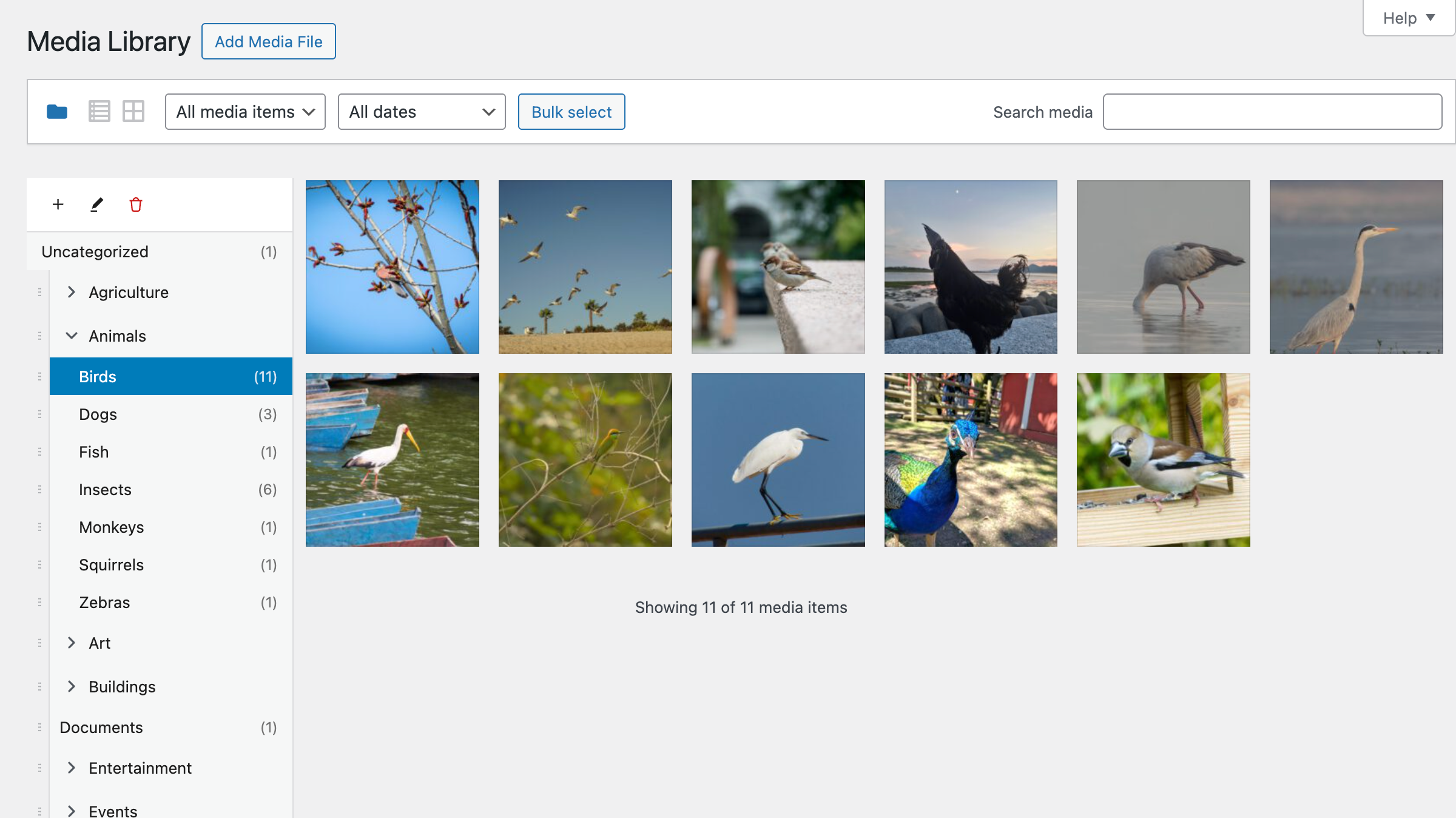
Watch: See how Virtual Media Folders AI Organizer brings order to your media library chaos.
Documentation
- AI Provider Guide - Detailed guide on choosing and configuring AI providers.
- WP-CLI Commands - Command-line interface for automation and scripting.
Requirements
- WordPress 6.8+
- PHP 8.3+
- Virtual Media Folders plugin
Installation
Recommended: Use the Add-On Manager to install the add-on.
Manual installation:
- Download
vmfa-ai-organizer.zip - Upload via
Plugins → Add New → Upload Plugin - Activate via
WordPress Admin → Plugins
Plugin updates are handled automatically via GitHub. No need to manually download and install updates.
Configuration
Navigate to Media → AI Organizer to configure:
Media Scanner Tab
Use this tab to scan and organize your media library. See scan modes and preview options.
Settings Tab
- Max Folder Depth: Limit folder hierarchy depth (1-5)
- Allow New Folders: Enable AI to suggest new folder structures
- Batch Size: Number of items to process per batch
AI Provider Tab
Configure your AI provider for image analysis. See the AI Provider Guide for detailed setup instructions, model recommendations, and cost comparison.
Configuration Priority
Settings are resolved in this order:
- PHP Constants (e.g.,
VMFA_AI_OPENAI_KEY) - Environment Variables (e.g.,
VMFA_AI_OPENAI_KEY) - Database Options (Settings page)
- Default Values
Environment Variables / Constants
// Provider Selection
// Options: 'wordpress', 'openai', 'anthropic', 'gemini', 'ollama', 'grok', 'exo'
define( 'VMFA_AI_PROVIDER', 'openai' );

// WordPress AI (Core) — WP 7.0+ recommended
// No API key constants needed. Configure your connector in Settings → Connectors.
// Example: install AI Provider for Azure OpenAI, then set:
// define( 'VMFA_AI_PROVIDER', 'wordpress' );

// OpenAI / Azure OpenAI
define( 'VMFA_AI_OPENAI_TYPE', 'openai' ); // 'openai' or 'azure'
define( 'VMFA_AI_OPENAI_KEY', 'sk-...' );
define( 'VMFA_AI_OPENAI_MODEL', 'gpt-4o-mini' );
define( 'VMFA_AI_AZURE_ENDPOINT', 'https://your-resource.openai.azure.com' );
define( 'VMFA_AI_AZURE_API_VERSION', '2024-02-15-preview' );

// Anthropic Claude
define( 'VMFA_AI_ANTHROPIC_KEY', 'sk-ant-...' );
define( 'VMFA_AI_ANTHROPIC_MODEL', 'claude-3-haiku-20240307' );

// Google Gemini
define( 'VMFA_AI_GEMINI_KEY', '...' );
define( 'VMFA_AI_GEMINI_MODEL', 'gemini-1.5-flash' );

// Grok (xAI)
define( 'VMFA_AI_GROK_KEY', '...' );
define( 'VMFA_AI_GROK_MODEL', 'grok-beta' );

// Ollama (Local) - Use a vision-capable model for image analysis
define( 'VMFA_AI_OLLAMA_URL', 'http://localhost:11434' );
define( 'VMFA_AI_OLLAMA_MODEL', 'llama3.2-vision:latest' );

// Exo (Distributed Local)
define( 'VMFA_AI_EXO_ENDPOINT', 'http://localhost:52415' );
define( 'VMFA_AI_EXO_MODEL', 'llama-3.2-3b' );

// Organization Settings
define( 'VMFA_AI_MAX_FOLDER_DEPTH', 3 );
define( 'VMFA_AI_ALLOW_NEW_FOLDERS', true );
define( 'VMFA_AI_BATCH_SIZE', 20 );
Vision API Support
The plugin uses vision-capable AI models to analyze actual image content. When processing images, the AI receives:
- Image Content (primary): The actual visual content of the image
- EXIF/Metadata: Camera info, date taken, GPS location, keywords
- Text metadata: Title, alt text, caption, description
- Filename: As a last resort hint
Supported image formats: JPEG, PNG, GIF, WebP (max 10MB per image).
For detailed information about supported AI providers and vision-capable models, see the AI Provider Guide.
Development
For development setup, testing, REST API endpoints, and hooks documentation, see the Development Guide.
License
Virtual Media Folders AI Organizer is free software licensed under the GPL v2 or later.
Copyright 2025 Per Soderlind