
rosgear / rg-theme-green

Theme "Green" for GePanel
Package info
github.com/rosgear/rg-theme-green
Language:CSS
Type:theme
pkg:composer/rosgear/rg-theme-green
Requires
Requires (Dev)
None
Suggests
None
Provides
None
Conflicts
None
Replaces
None
README
 Тема «Green» для Панели управления GePanel

Тема оформления «Green» разработана специально для Панели управления GePanel. Она создана на базе нейтральной настраиваемой темы и адаптирована для классического набора инструментов Ext JS, что обеспечивает гибкость кастомизации и удобство работы с интерфейсом.
Установка
- Загрузите папку
greenв директорию/public/backend/themes/вашего веб-приложения RosGear. - Активируйте тему с помощью компонента «Темы оформления» в Панели управления GePanel.
Лицензия
Тема включает:
- Bootstrap v5.2.3 под лицензией MIT.
- Font Awesome Pro 5.8.2.
- WOW v1.1.3 под лицензией GNU GPL license v3.
- Файлы шаблонов, изображения и стили темы под лицензией GNU GPL license v3.
Шрифты
- Bauhaus Md BT, Copyright 1990-1993 Bitstream Inc.
- Roboto Condensed под лицензией SIL Open Font License, Version 1.1.
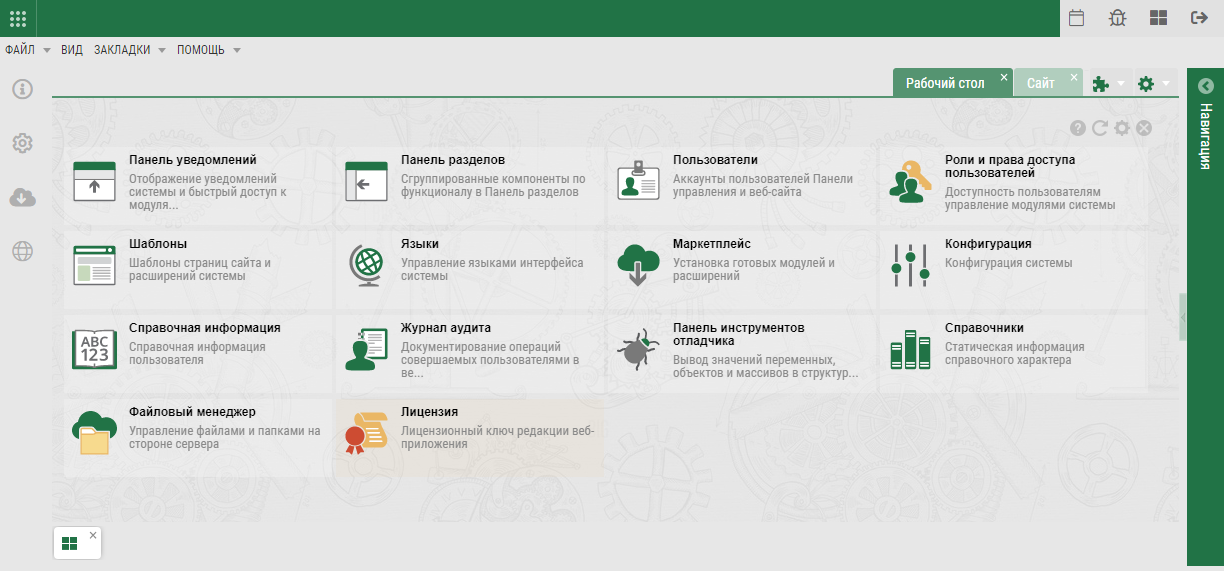
Theme «Green»
The «Green» theme was developed specifically for the GePanel Control Panel. It's built on a neutral, customizable theme and is adapted for the classic Ext JS toolkit, providing flexible customization and a user-friendly interface.
Installation
- Upload the
greenfolder to the/public/backend/themes/directory of your RosGear web application. - Activate the theme using the Themes component in the GePanel Control Panel.
License
The theme includes:
- Bootstrap v5.2.3 under license MIT.
- Font Awesome Pro 5.8.2.
- WOW v1.1.3 under license GNU GPL license v3.
- Template files, images, and theme styles are licensed under GNU GPL license v3.
Fonts
- Bauhaus Md BT, Copyright 1990-1993 Bitstream Inc.
- Roboto Condensed under license SIL Open Font License, Version 1.1.