
pianotell / flarum-ext-flamoji

Simple emoji manager for Flarum. Fork of the-turk/flarum-flamoji, originally created for PianoTell, but now available to all.
Package info
github.com/PrimateCoder/flarum-flamoji
Language:JavaScript
Type:flarum-extension
pkg:composer/pianotell/flarum-ext-flamoji
Requires
- php: ^8.3
- flarum/core: ^2.0.0-beta
Requires (Dev)
- flarum/testing: ^2.0.0-beta
Suggests
- flarum/emoji: Recommended companion. Parses standard emoji shortcodes (e.g. :smile:) typed in posts and renders unicode emoji as Twemoji for visual consistency. When this extension is enabled, Flamoji's picker matches it by serving Twemoji sprites; when disabled (and `picker_set` is on `auto`), the picker switches to native OS rendering so the picker preview matches the post output.
Provides
None
Conflicts
Replaces
README
This is a simple but intuitive emoji picker for Flarum 1.x and 2.x.
About this fork: This is a fork of
the-turk/flarum-flamoji(originally by Hasan Özbey). This fork is published aspianotell/flarum-ext-flamojiand was originally created for 🎹 Piano | Tell, but now available to all. It has substantial changes from the original including replacing emoji-button with emoji-mart. All credit for the original extension belongs to the original author.
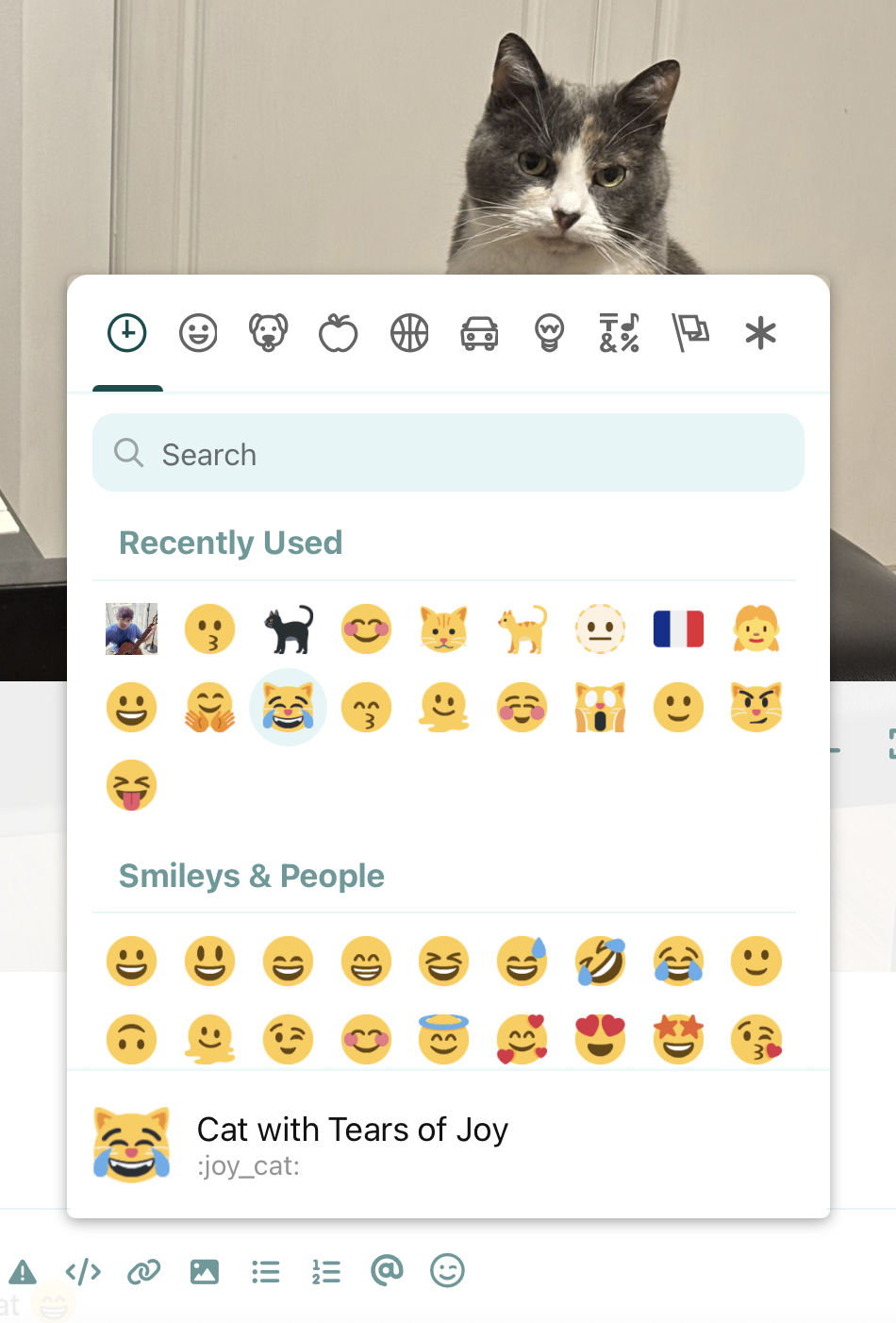
Screenshot:
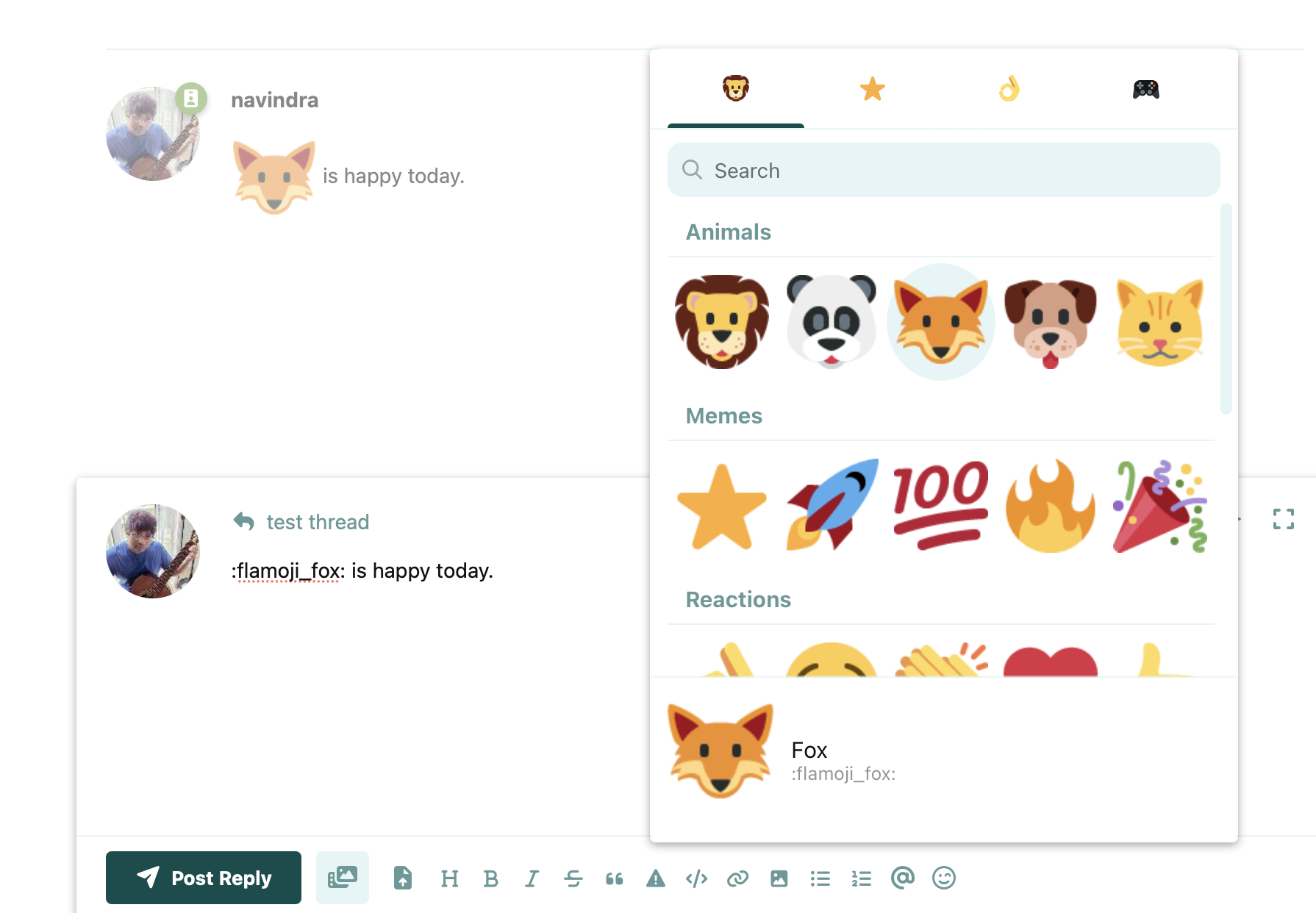
Sticker mode — custom emojis organized into categories and rendered large in posts:
Features
- Built on emoji-mart (Missive, MIT). Originally based on joeattardi/emoji-button — migrated in this fork after the upstream picker was archived.
- Add an emoji picker to the text editor (compatible with dark mode).
- Picker style is configurable — choose Twemoji glyphs (sourced from a jsDelivr-hosted spritesheet) or your operating system's native emoji font, or leave the picker on
Autoto mirror what posts actually display (Twemoji whenflarum/emojiis enabled, native otherwise). - Add custom emojis to the picker.
- Organize custom emojis into named categories — assign each a freeform category and it gets its own tab in the picker. Each category is also exposed on rendered emoji so you can style them per category from your own CSS (see Styling emojis by category).
- Sticker mode — an optional admin toggle that renders custom emojis as large stickers in posts, the composer preview, and the picker.
- Import and export custom emoji configurations.
- Picker code and emoji data load lazily on first open (no impact on initial page load); when Twemoji is selected, the image spritesheet is fetched from jsDelivr on first picker render. Native mode adds zero image bytes.
Installation
composer require pianotell/flarum-ext-flamoji
php flarum extension:enable pianotell-flamoji
Updating
composer update pianotell/flarum-ext-flamoji
php flarum migrate
php flarum assets:publish
php flarum cache:clear
Styling emojis by category
Custom emojis render with their category on the wrapping <span> as a
data-flamoji-category attribute (the exact category name you set in the
admin panel). This lets you size or style emojis per category from your own
theme/CSS — for example, to make everything in a "Stickers" category larger:
span.flamoji[data-flamoji-category="Stickers"] img {
  height: 35px;
  vertical-align: bottom;
}
Uncategorized emojis render as plain <span class="flamoji"> with no
attribute, so they're unaffected.