
nwnuyhs / flarum-user-manager

A better user admin for Flarum 2: email-confirmation status, sorting and filters, sign-up stats, bulk actions (activate, groups, suspend, message, delete), CSV export, user details, cleanup of unconfirmed sign-ups and an action log.
Package info
github.com/nwnuyhs/flarum-user-manager
Language:TypeScript
Type:flarum-extension
pkg:composer/nwnuyhs/flarum-user-manager
Requires
- php: ^8.2
- flarum/core: ^2.0
Requires (Dev)
None
Suggests
- antoinefr/flarum-ext-money: Show and sort by points
- flarum/messages: Send a private message to many users at once
- flarum/suspend: Suspend and unsuspend in bulk, filter suspended users
Provides
None
Conflicts
None
Replaces
None
README
English | 简体中文
💡 Made by the team behind X Theme, a Flarum 2 theme that makes your forum feel like X (Twitter). See it below ↓
A better user admin for Flarum 2. Flarum's own Users page lists accounts by ID and lets you edit them one at a time. User Manager adds a page to the admin panel where you can see who confirmed their email, sort and filter, and act on many users at once.

Features
See who is who
- Sign-up stats at the top: all users, new today, new this week (compared with the week before), unconfirmed email, suspended, active in the last 30 days. Click a card to filter by it.
- Email confirmation status next to every address, with a one-click Activate.
- Sign-in method (email + password, Google, GitHub, WeChat… anything in
login_providers), groups, discussions, replies, points, last active and status.
Find them
- Search by username, display name, email or ID.
- Quick filters: unconfirmed, new (7 days), suspended, never posted, staff.
- More filters: group, joined between, last active between, sign-in method, points range.
- Sort by newest / oldest sign-up, recently active, most discussions, most replies, most points or username; click a column header to sort by it.
- Choose which columns to show (remembered in your browser); 20–200 users per page.
Act on many at once
- Select users on the page, or select all matching the current filters (up to 5,000).
- Activate · resend the confirmation email · add to / remove from a group · suspend (1 / 7 / 30 days, indefinitely or custom, with a message for the user and an internal note) · unsuspend · send a private message · send a password reset · export · delete.
- Delete keeps their posts (shown as by a deleted user) or deletes their discussions and replies too; you type a confirm word first. Administrators and you are never deleted or suspended.
- Large selections run in batches with a progress bar.

Details without leaving the list
- Click a row: overview, stats (likes received, times flagged), recent posts, recent sign-ins (time, IP, device) and a private admin note.

Keep it clean
- Cleanup: accounts that never confirmed their email, never posted and are in no group, older than N days. Preview the list, then delete them or resend their email. Optionally every night (
php flarum schedule:runmust be running). - CSV export of the filtered or selected users (opens in Excel, times in your time zone).
- Action log: every bulk action, export and cleanup: who, when, how many.
Everything goes through Flarum's own API as the acting administrator, so permissions, validation and the events other extensions listen to all apply.
Optional extensions
Features appear only when the extension behind them is enabled:
| Extension | Adds |
|---|---|
| flarum/suspend | Suspend / unsuspend, the "Suspended" filter and card |
| flarum/messages | Send a private message to many users |
| antoinefr/flarum-ext-money | Points column, filter and sort |
Installation
composer require nwnuyhs/flarum-user-manager
php flarum migrate
php flarum cache:clear
Enable User Manager in the admin panel. It appears in the admin menu under Users; turn on Replace the built-in Users page in its settings to keep only one.
Update:
composer update nwnuyhs/flarum-user-manager
php flarum migrate
php flarum cache:clear
Settings
| Setting | Default |
|---|---|
| Default sort | Newest first |
| Users per page | 50 |
Show full email addresses in the list (otherwise ab••@example.com until you click the eye) |
On |
| Show sign-in IP addresses in the details | On |
| Replace the built-in Users page in the admin menu | Off |
| Clean up unconfirmed accounts every day | Off |
| Days before cleanup | 7 |
The daily cleanup can also be run by hand: php flarum user-manager:cleanup --force.
Requirements
- Flarum 2.0+
- PHP 8.2+
- MySQL / MariaDB or SQLite (tested); PostgreSQL should work but is untested
Languages
English and Simplified Chinese. Other languages: copy locale/en.yml to locale/<your-locale>.yml and translate; pull requests are welcome.
Privacy
Only administrators can open the page or call its API (/api/user-manager/*). Notes, the action log and IPs never leave the admin panel. Exports are logged.
X Theme
User Manager is free. If you like it, have a look at X Theme, our theme for Flarum 2: a timeline like X (Twitter), tweet-style posts with images and link cards, live-stream posts (TikTok and more), group posts (WhatsApp, Telegram, WeChat, QQ), events with sign-up and waiting list, daily check-in, levels, a phone layout with a bottom tab bar, dark mode, English and Chinese.
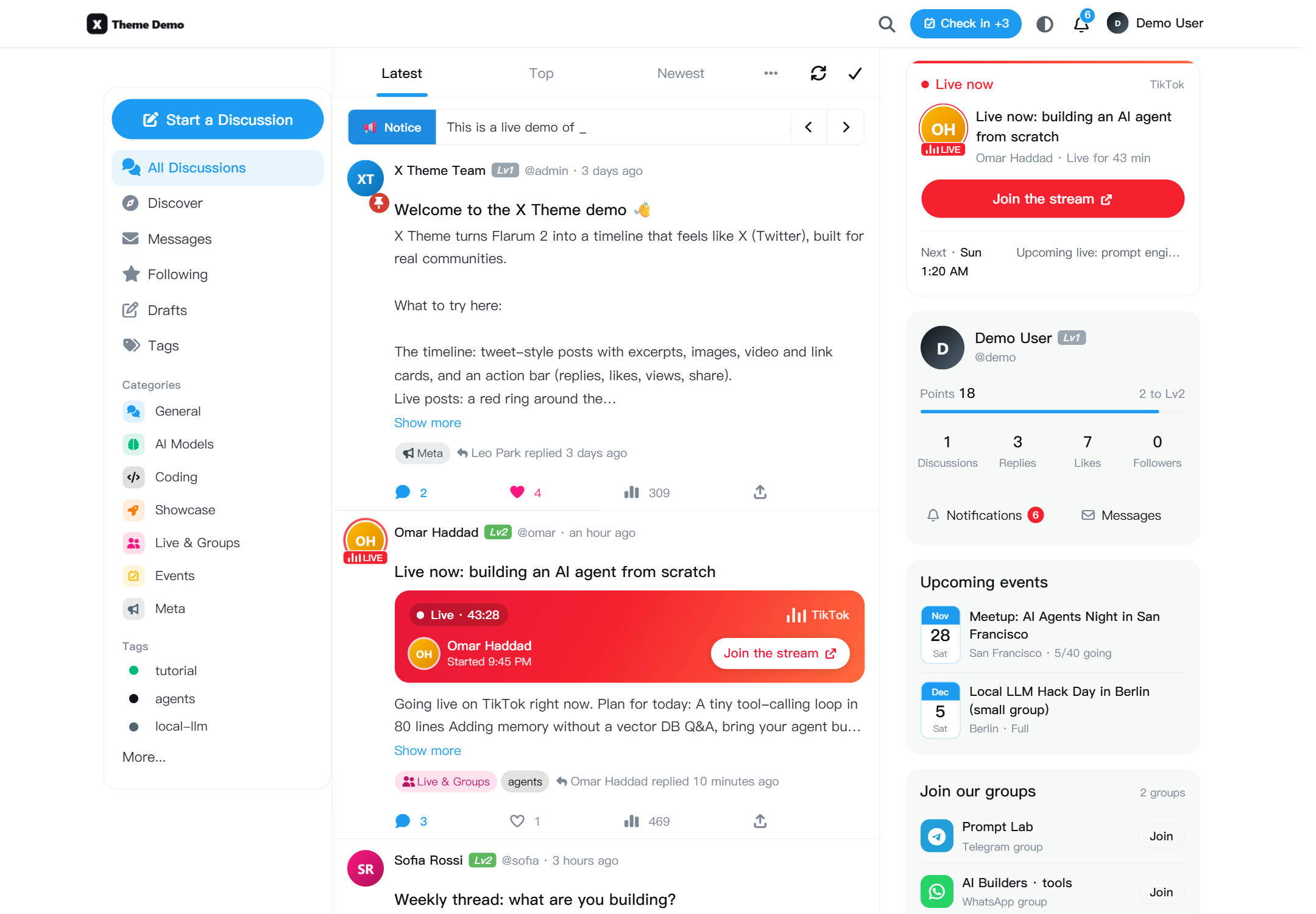
- Live demo: https://x.it6.cc (sign in as
demo/demo-x-theme) - Get X Theme: https://www.ikehan.com/product/x-theme-flarum/
License
MIT © X Theme