
mathiasgrimm / glimpse-cli

Convert, optimize, resize, thumbnail and analyze images from your terminal. The first-party CLI for glimpseimg.com, the image API for developers.
Requires
- php: ^8.2
Requires (Dev)
- illuminate/http: ^12.17
- laravel-zero/framework: ^12.0.2
- laravel-zero/phar-updater: ^1.4
- laravel/pint: ^1.29
- mathiasgrimm/glimpse-php: ^3.2
- mockery/mockery: ^1.6.12
- pestphp/pest: ^3.8.4|^4.1.2
- phpstan/phpstan: ^2.2
- symfony/finder: ^7.2
Suggests
- ext-gd: Far tighter size estimates for the analyze command when Imagick is unavailable
- ext-imagick: Far tighter size estimates, plus AVIF and CMYK support, for the analyze command
Provides
None
Conflicts
None
Replaces
None
- dev-main
- v1.8.2
- v1.8.1
- v1.8.0
- v1.7.2
- v1.7.1
- v1.7.0
- v1.6.1
- v1.6.0
- v1.5.0
- v1.4.0
- v1.3.0
- v1.2.1
- v1.2.0
- v1.1.1
- v1.1.0
- v1.0.0
- v0.12.0
- v0.11.0
- v0.10.0
- v0.9.0
- v0.8.0
- v0.7.0
- v0.6.0
- v0.5.0
- v0.4.0
- v0.3.0
- v0.2.0
- v0.1.0
- dev-refresh-readme
- dev-harden-image-workflows
- dev-allow-manual-skip-prs
- dev-skip-images
- dev-versioned-user-agent
- dev-automatic-image-optimization-name
This package is auto-updated.
Last update: 2026-11-02 15:30:37 UTC
README
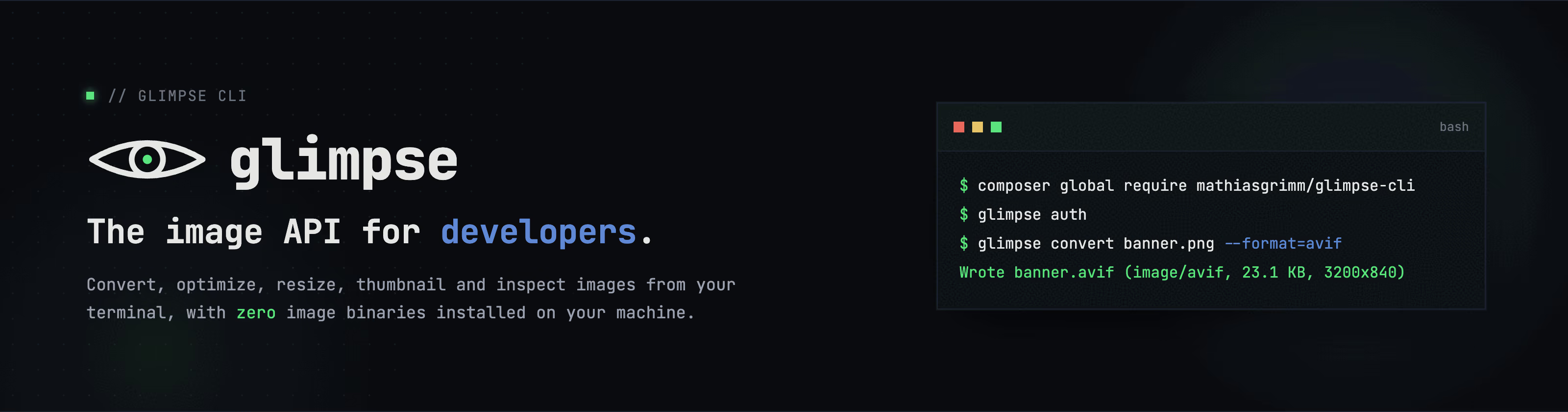
Ship smaller images. Skip the toolchain.
Convert, optimize, resize, thumbnail and analyze images from your terminal.
The first-party CLI for glimpseimg.com, the image API for developers.
Shipping images means wrangling ImageMagick, libvips, mozjpeg, cwebp and avifenc: compiled binaries that differ between your laptop, your teammate's laptop, and CI. glimpse replaces all of them with one command, with zero binary dependencies. The heavy lifting happens on the Glimpse API: stateless, nothing stored, your bytes never linger. Run it with cpx:
cpx mathiasgrimm/glimpse-cli convert banner.png --format=avif
Wrote banner.avif (image/avif, 24.2 KB, 3200x840)
Image commands work with the built-in public token. Use glimpse auth or set GLIMPSE_TOKEN for higher limits. Account and usage commands require a personal token. Both workflow modes can run without GLIMPSE_TOKEN. Transform and info commands upload your image; analyze and check send image measurements.
Use glimpse analyze to estimate the output size for each format before
converting. It sends image measurements without uploading your image:

Run glimpse with no arguments to see everything it can do:

Keep an original image
From your Git repository root, restore an image and skip it in future checks:
cpx mathiasgrimm/glimpse-cli skip public/img/hero.png
This restores the image from HEAD and records via: "skip" in the baseline.
Use --from=COMMIT to restore from another commit. The original must exist
in Git. If it does not, the command leaves the file unchanged.
The image stays skipped until its contents change.
On an automatic optimization PR, open Files changed and add an inline comment on the image:
glimpse skip
The workflow restores the original and updates the same PR. You need repository write access. See automatic optimization for setup and details.
Documentation
The full documentation lives at glimpseimg.com/docs/cli:
- Installation: cpx, the standalone PHAR, and
self-update. - Authentication:
glimpse authand the environment variables. - Commands: convert, optimize, resize, thumbnail, analyze, info, and usage.
- Project files:
glimpse init,glimpse check,glimpse skip,.glimpseignore, and the baseline. - Continuous integration: the scaffolded GitHub Actions workflow.
- Scripting: stdin, stdout,
--json, and clean pipes.
Adding glimpse to an existing project? Follow Add Glimpse to Your Project; it goes from install to a CI gate in about ten minutes.
This repository uses automatic image optimization: see .github/workflows/glimpse.yml.
Development
composer test # Pint (check), PHPStan, and the Pest suite
Releasing
make release VERSION=vX.Y.Z
This runs the test suite, compiles the PHAR, commits builds/glimpse, pushes, and creates the GitHub release with the binary attached, the equivalent of:
php glimpse app:build glimpse --build-version=vX.Y.Z
git add builds/glimpse && git commit -m "Build vX.Y.Z" && git push
gh release create vX.Y.Z builds/glimpse --title vX.Y.Z --generate-notes
self-update discovers versions through Packagist and downloads the glimpse PHAR attached to the GitHub release of the matching tag, so the release must carry the binary as an asset under exactly that name. Committing the fresh build keeps composer global require working (composer's bin points at builds/glimpse) and lets pre-0.1.1 installs, which download builds/glimpse from the tag itself, still update.
The --build-version must be the tag name verbatim, including the v prefix. The updater compares the embedded build version against the Packagist tag as plain strings, so a build stamped 0.1.0 never equals the tag v0.1.0 and self-update would keep re-downloading the release it is already running.
License
glimpse-cli is open-source software licensed under the MIT license.
Image commands work without an account or a token of your own.
Visit glimpseimg.com for the docs and optional personal tokens.