Search by 
ernestdefoe / pigeonhole

Folders for Flarum's private messages. Each member files their own conversations into folders with a colour and an icon, archives what is done until a new message brings it back, and sees what is unread in each folder. Works with Group Messages.
Package info
github.com/ernestdefoe/pigeonhole
Type:flarum-extension
pkg:composer/ernestdefoe/pigeonhole
Fund package maintenance!
v1.1.1
2026-10-23 10:02 UTC
Requires
- php: ^8.3
- flarum/core: ^2.0
- flarum/messages: ^2.0
Requires (Dev)
- ernestdefoe/group-messages: ^2.1
- flarum/gdpr: ^2.0
- flarum/phpstan: ^2.0
- flarum/tags: ^2.0
- flarum/testing: ^2.0
Suggests
None
Provides
None
Conflicts
None
Replaces
None
README
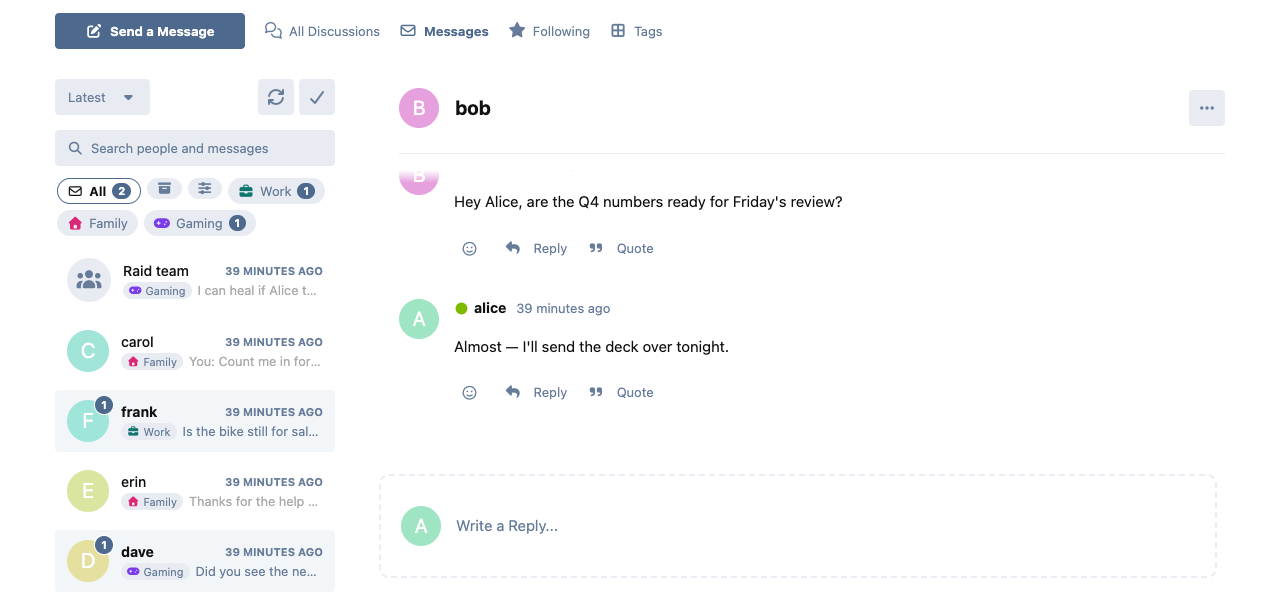
Folders for private messages in Flarum 2 (flarum/messages). Each member sorts their own conversations into folders with a colour and an icon, archives the ones they are done with until someone writes again, and sees at a glance where the unread ones are.
Features
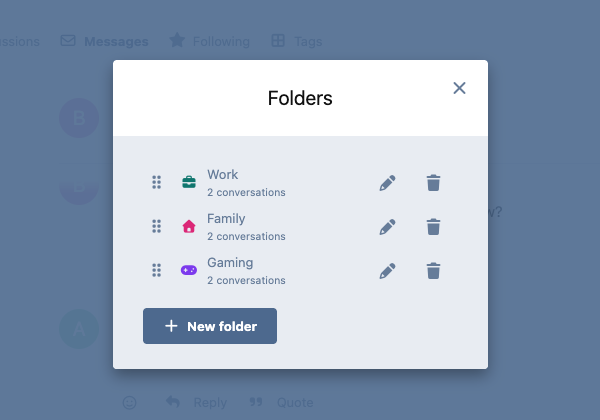
- Your own folders. Make as many as you need (up to 50), each with a name, a colour and a Font Awesome icon. Nobody else ever sees them.
- Filing is personal. Putting a conversation in a folder changes only your view. The other people in it keep theirs.
- Drag and drop. Drag a conversation from the list onto a folder to file it, onto Archive to put it away, or onto All to take it out of its folder (and out of the archive). Drag folders into the order you want, in the folder bar or in Manage folders (which also works by touch on phones and tablets).
- Archive. An archived conversation leaves your list and the header's messages dropdown, and is marked read. It comes back on its own, to the folder it was in, as soon as there is a new message.
- Unread counts per folder, beside each folder's name, so you can see where the new messages are without opening every folder.
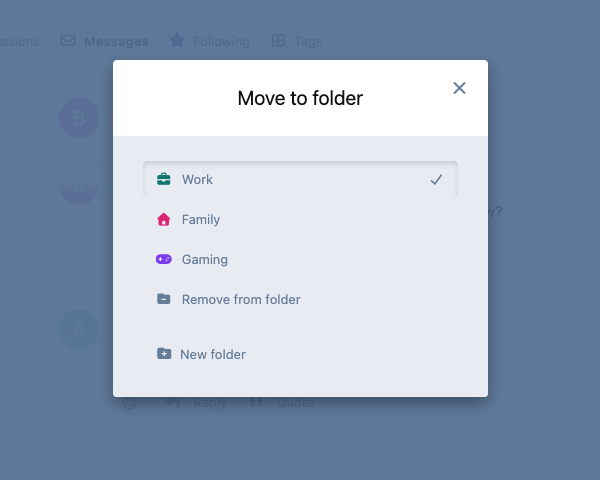
- From the conversation itself. Its ⋯ menu has Move to folder and Archive, which is how you file on a phone.
- Works with Group Messages. Group conversations go in folders like any other, and its Messages-page search still finds every conversation, archived ones included.
- Tidy by design. Leave a group, or be removed from it, and it leaves your folders. Delete a folder and its conversations go back to your list. Delete an account and its folders go with it. With flarum/gdpr, a member's folders are in their data export and are removed when they are anonymised or erased.
- Light. Nothing is added to pages other than Messages. Folders load with the Messages page in one request, and each conversation's folder comes with the conversation list in a single query, however long the list is.
Installation
composer require ernestdefoe/pigeonhole
php flarum migrate
php flarum cache:clear
Needs flarum/messages enabled.
Updating
composer update ernestdefoe/pigeonhole
php flarum migrate
php flarum cache:clear
For developers
GET /api/dialogs?filter[folder]=<id>lists the actor's conversations in one of their folders, andfilter[folder]=archivetheir archive. Without the filter (and without a search), archived conversations are left out.- Conversations have two attributes for the actor, on the dialog list and a single dialog:
pigeonholeFolderIdandpigeonholeArchived. Both can be set withPATCH /api/dialogs/{id}. - Folders are the
pigeonhole-foldersresource (GET,POST,PATCH,DELETE), withPOST /api/pigeonhole-folders/ordertaking{"order": [ids]}.