
ernestdefoe / logo-manager

Everything Flarum's logo setting will not do — SVG uploads, real size control that grows the header with it, alignment, live effects (pixelate, recolour, glow), and a seasonal schedule that swaps the logo by itself.
Package info
github.com/ernestdefoe/logo-manager
Type:flarum-extension
pkg:composer/ernestdefoe/logo-manager
Fund package maintenance!
Requires
- php: ^8.3
- enshrined/svg-sanitize: ^1.0
- flarum/core: ^2.0
Requires (Dev)
- flarum/phpstan: ^2.0
- flarum/testing: ^2.0
Suggests
None
Provides
None
Conflicts
None
Replaces
None
README
Everything Flarum's logo setting will not do. Upload an SVG. Make the logo bigger and let the header grow with it. Centre it. Recolour it, pixelate it, give it a shadow. Put a santa hat on it in December and take it off again in January, without touching anything.

MIT licensed, free, and no JavaScript is loaded on the forum at all: the whole
appearance is one stylesheet composed on the server and inlined into <head>,
so the header is already the right size in the first paint.
Why this exists
Flarum's logo is a single upload field, and it does three things people keep
running into. These are not opinions — they are lines in flarum/core:
| What you hit | Where it comes from |
|---|---|
| "My SVG won't upload" | AbstractImageValidator::getAllowedTypes() allows jpeg, jpg, png, bmp, gif, webp. SVG is rejected twice — once by the MIME allow-list, once by getimagesizefromstring(). |
| "My logo is blurry when I make it bigger" | UploadLogoController::makeImage() re-encodes every upload to WebP scaled to height: 60. The large file you uploaded is not the file being served. |
| "I can't make the logo bigger" | .Header-logo { max-height: 30px } and --header-height: 52px sit in core's compiled CSS with no setting attached to either. |
The usual workaround for the first one is to edit logo_path in the database
by hand — which works right up until somebody uses the admin uploader again,
and does nothing about the other two.
Screenshots
A logo that is actually the size you asked for
Flarum caps the logo at 30px and the header at 52px. Set 88px and the header grows with it, so nothing overflows and nothing is clipped.

For comparison, the same forum at Flarum's own maximum:

Centred, in flow
Centring moves the navigation to the left of the logo and the account controls to the right. It is done with flex, not absolute positioning — so a crowded header pushes the logo off-centre rather than covering your links with it.

Effects, applied live
Nothing is baked into the file, so every effect works on an SVG and a photograph alike, and turning one off restores the original exactly.
Flat recolour keeps the logo's shape and fills it with one colour — the quick fix for a dark logo on a dark header, with no second file to maintain:

Pixelate, which has no CSS filter and is done with real SVG filter primitives:

A background plate, for a logo that was drawn for a white background when your header is not one:

Seasons that run themselves
Give the logo a different look for part of the year. Each season can carry its own logo, its own effects, an ornament pinned to a corner, and weather drifting across the header.


The studio
Four tabs and a live preview that is always on show, because every control here changes how one thing looks.
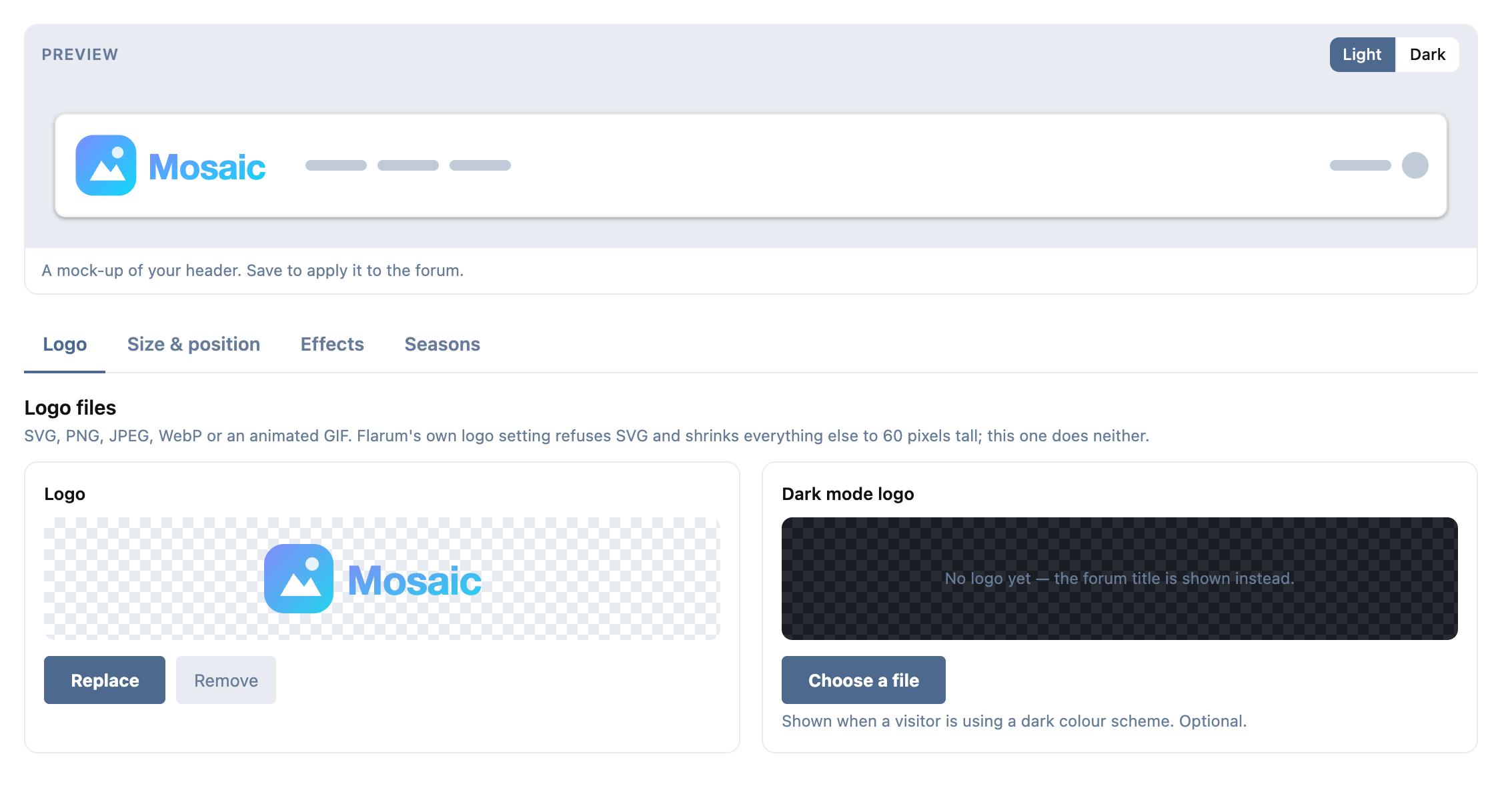
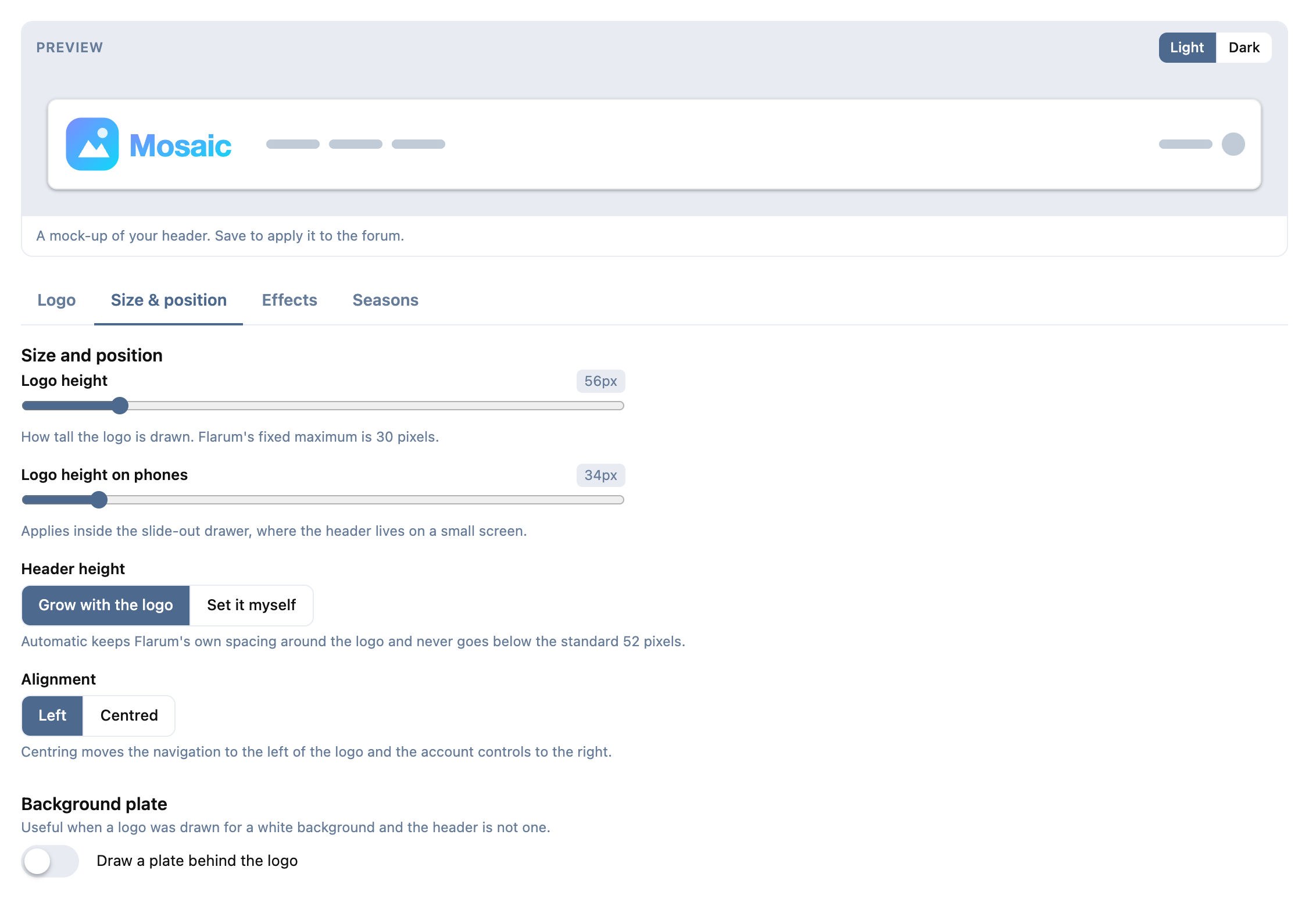
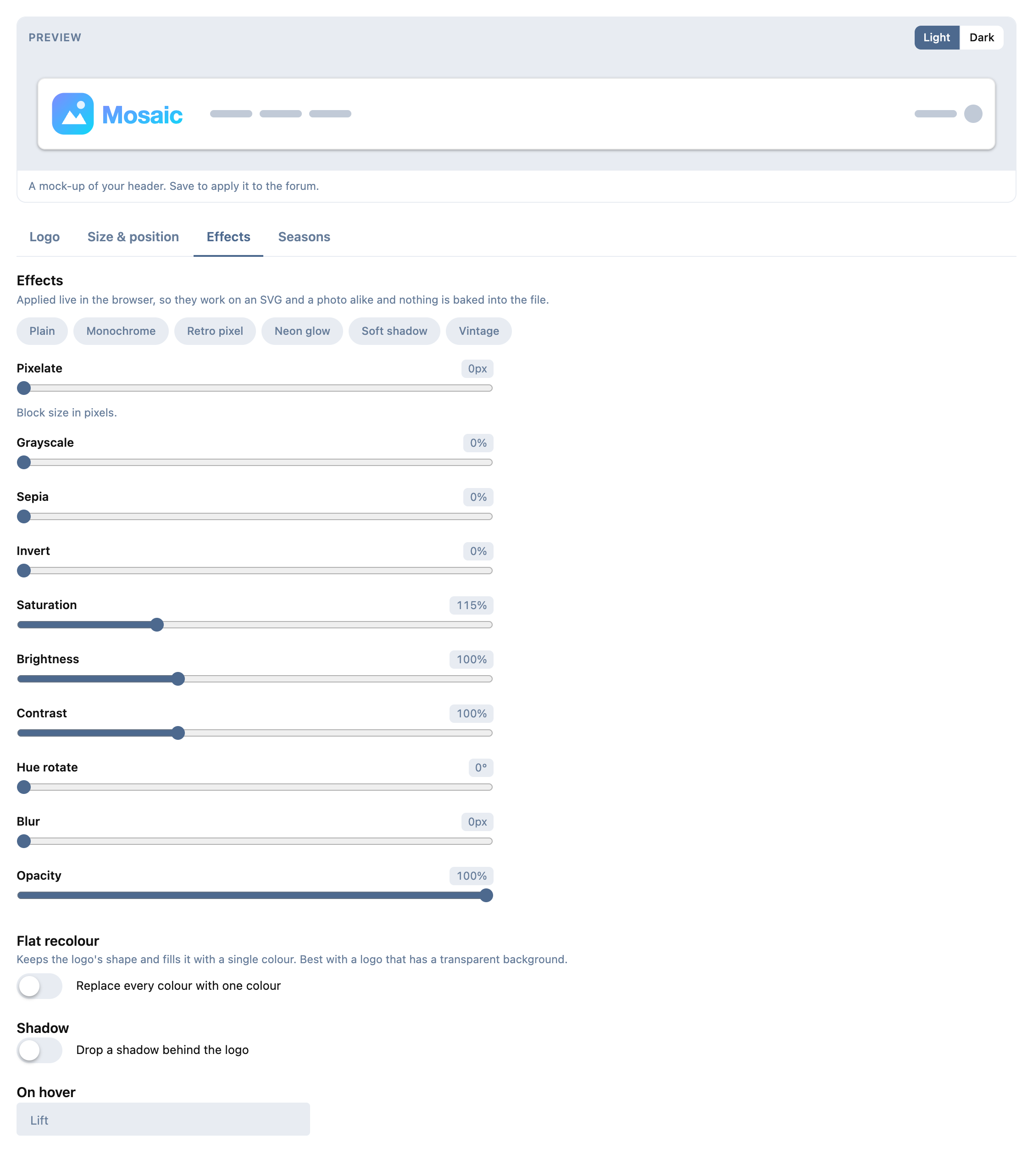
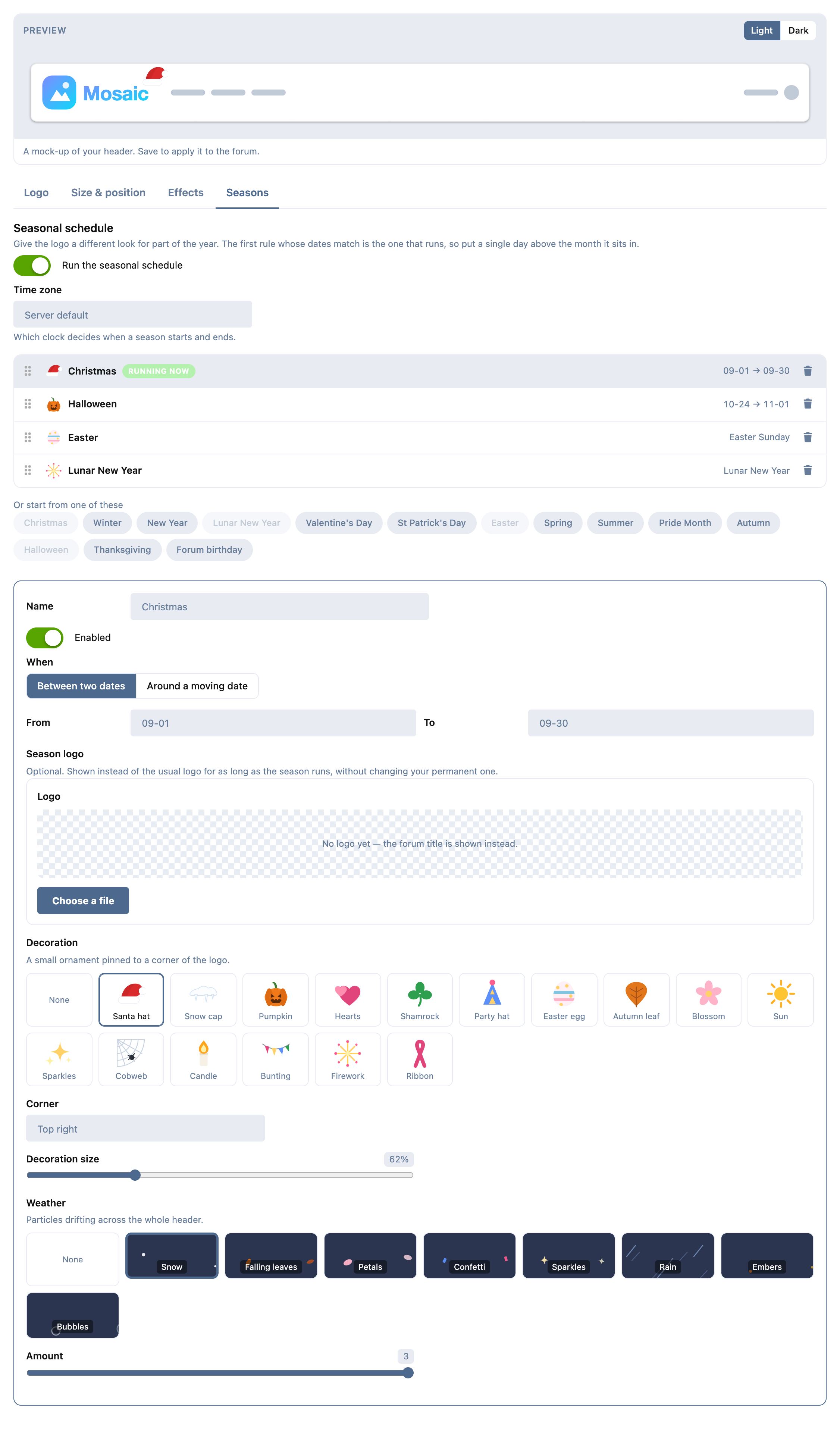
The seasonal schedule, with all sixteen ornaments and all eight weather types shown as themselves rather than as names in a dropdown. Rules are dragged to reorder, and the first match wins:
What it does
Files
- SVG uploads, sanitised (see below), plus PNG, JPEG, WebP and animated GIF.
- Separate light and dark-mode logos.
- Raster logos are kept at up to 600px tall instead of core's 60, so an enlarged logo is still sharp on a 2× screen.
- The permanent logo is written to core's own
logo_path, so your header, the admin layout and your mail templates all pick it up — and the logo survives uninstalling this extension.
Size and position
- Logo height, and a separate height for the phone drawer.
- Header height: grows with the logo automatically, or set it yourself.
- Left or centred alignment.
- An optional background plate, with its own colour, padding and corner radius.
Effects
- Pixelate, grayscale, sepia, invert, saturation, brightness, contrast, hue rotate, blur, opacity.
- Flat recolour to any colour.
- Drop shadow / glow.
- A hover behaviour: lift, grow, glow, spin or wobble.
- Six presets to start from.
Seasons
- Date ranges (
12-01→12-26), including ranges that wrap the new year. - Moving dates — Easter, US and Canadian Thanksgiving, Lunar New Year, Mother's and Father's Day — with a window of days either side.
- 16 ornaments: santa hat, snow cap, pumpkin, hearts, shamrock, party hat, easter egg, autumn leaf, blossom, sun, sparkles, cobweb, candle, bunting, firework, ribbon.
- 8 weather types: snow, falling leaves, petals, confetti, sparkles, rain, embers, bubbles.
- All of it drawn in code — the extension ships no image files, so there is nothing to 404, nothing to publish and nothing a cache clear can take away.
- 14 starting points included, from Christmas to Pride Month to your forum's own birthday.
- Rules are an ordered list you drag to reorder, and the first match wins — so Christmas Day can sit above a broad December rule and take precedence for one day without either rule knowing about the other.
Anything not on that list is a date range away: the schedule does not need to know what a holiday is called.
Emails
- Mail clients show neither SVG nor WebP. An SVG logo is drawn to a PNG in your browser as you upload it, and that PNG becomes the logo in every email.
- A season's logo goes into emails too while the season runs. An email logo uploaded under Email logo on Flarum's Appearance page still takes priority.
Favicon
- Upload an SVG, ICO, PNG, JPEG, WebP or GIF. From one file you get an
.ico(16, 32 and 48px), a 180px home-screen icon for iPhones, and — for an SVG — the SVG itself for browsers that draw one, with the others as fallbacks. - It is written to Flarum's own favicon setting, so link previews and anything else that reads it keep working. Each season can have its own favicon.

Report
- Opens with the studio: files that are missing or no longer readable, emails going out with no logo, seasons with no valid dates or that can never win because a season above them always does, and what changes next — flagged as an error if the next season has a broken file.
- It checks the email logo that is actually sent. If an email copy has gone missing from the server it is made again from the logo; for an SVG logo the Report has a Make the email copy button.
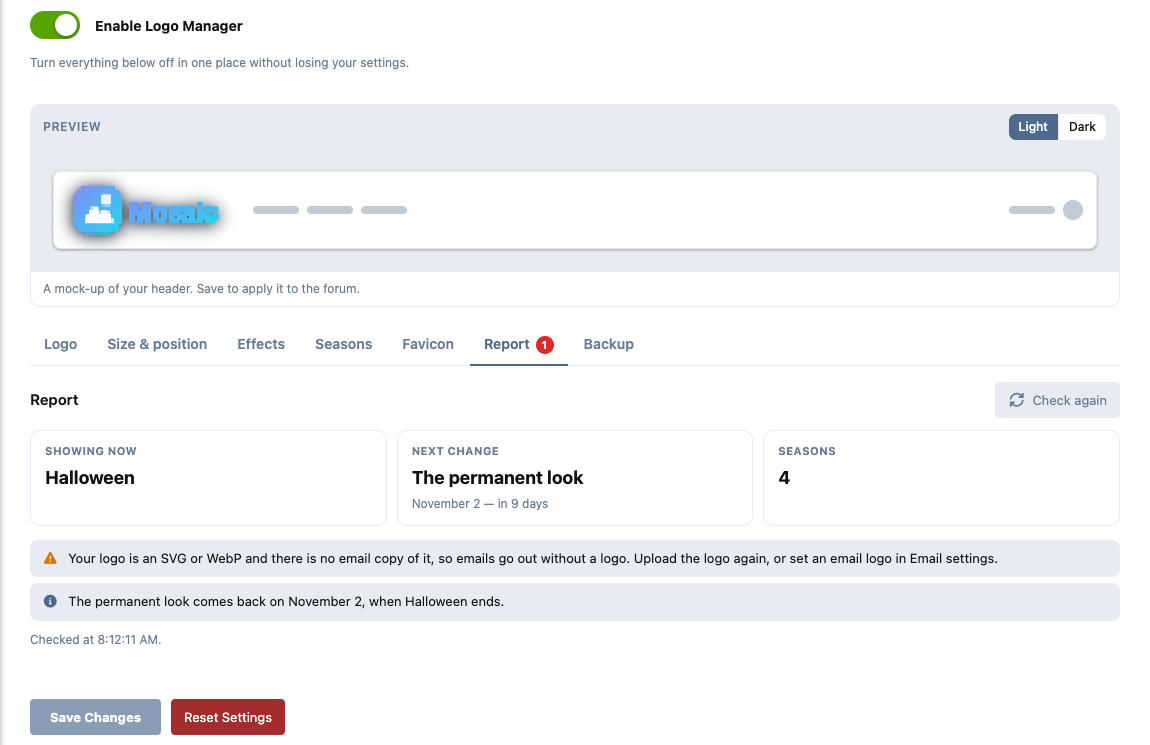
Preview on the forum
- The eye on each season opens the forum as that season, with a banner saying so. Only administrators can do this; for everybody else the link is the ordinary forum. It shows the saved settings.

Backup
- Export the whole setup — settings, seasons and every file they use — as one JSON file, and import it on another forum. Made for building a look on a local copy and moving it to the live forum in one step. Every file in an import is checked and re-encoded exactly as an upload would be, and a bad file means nothing is changed.
What it deliberately does not do: page banners (that is what
Hero Builder is for)
and og:image (an SEO extension such as fof/seo already owns that tag, and two
of them disagree).
Installation
composer require ernestdefoe/logo-manager
php flarum cache:clear
Then Administration → Logo Manager.
About SVG uploads
Core refuses SVG for a real reason, and accepting it means taking that job on.
An SVG served from your own domain is a document on your own origin: it can
carry <script>, an onload= attribute, a javascript: link, or a
<foreignObject> full of HTML. None of that runs inside the <img> that draws
your header — but the file also sits at a plain URL under /assets, and
anything that gets somebody to open that URL directly is running script as your
forum.
So every uploaded SVG is parsed and stripped of everything outside a strict
allow-list before it is written to disk, using
enshrined/svg-sanitize, with
remote references removed as well — a logo has no business fetching anything,
and a logo that phones home on every page view is both a privacy leak and a way
for its contents to change later without you knowing.
Favicons go through the same sanitiser. The PNGs your browser draws from an
SVG — for emails, the .ico and the home-screen icon — are untrusted like any
upload: they must be PNG, are measured before decoding, and are re-encoded on
the server. The server never renders SVG itself: the GD library Flarum uses
cannot, and ImageMagick's SVG delegates are a known attack surface. An .ico
is kept as sent only if its directory is well formed.
Uploads are admin-only and capped at 512 KB for SVG, 256 KB for ICO, 8 MB for raster. Raster dimensions are read from the file header before anything decodes the image, so a small file declaring enormous dimensions cannot exhaust memory.
Notes for theme authors
Logo Manager stays out of the way until it is configured. With the default sizes it emits no header rules at all, so installing it does not change a themed header — the overrides appear only once an administrator has actually set a size.
Once configured, it takes ownership of --header-height and the header's own
height together. Winning one and losing the other is what slides page
content underneath a fixed header, so both are set, including min-height,
which a height alone cannot beat.
Its rules carry one extra unit of specificity so the result does not depend on
which extension's <style> block the server happened to emit last. That is
deliberately only one unit: your own custom CSS can still override any of it
with !important.
Ornaments are anchored to the logo's image box, so a tightly cropped logo gives the neatest result — a logo with a lot of transparent padding will show its ornament out at the edge of that padding.
Weather never changes the header's position: core's own absolute /
fixed is already a containing block for the particles, and restating it was
what made the header stretch for a moment while the page loaded (fixed in
1.0.4). A resized logo also reserves its width from the file's own ratio, so
nothing beside it moves when the image arrives.
Weather animation is disabled under prefers-reduced-motion: reduce. The
particles stay; they just stop moving.
Requirements
- Flarum 2.0+
- PHP 8.3+
Links
Support
- Support forum: Logo Manager on ernestdefoe.online
- Flarum community: Logo Manager on discuss.flarum.org
- Bug reports: GitHub issues
Licence
MIT.