
christophlehmann / imageoptimizer

Optimize uploaded/processed images with binaries of your choice
Package info
github.com/christophlehmann/imageoptimizer
Type:typo3-cms-extension
pkg:composer/christophlehmann/imageoptimizer
Requires
- typo3/cms-core: ^14.1
- typo3/cms-reports: ^14.1
Requires (Dev)
- a9f/fractor-composer-json: ^0.5.9
- a9f/typo3-fractor: ^0.5.9
- ergebnis/composer-normalize: ^2.50
- phpstan/phpstan: ^2.1.31
- ssch/typo3-rector: ^3.7.0
- symplify/easy-coding-standard: ^13.0
- typo3/cms-backend: ^14.1
- typo3/cms-filelist: ^14.1
- typo3/cms-fluid: ^14.1
- typo3/cms-frontend: ^14.1
- typo3/cms-install: ^14.1
Suggests
None
Provides
None
Conflicts
None
Replaces
- typo3-ter/imageoptimizer: 6.0.0
README
Lossless image optimization. Process jpg/png/gif/svg/webp images with binaries and parameters of your choice.
Note: JPG and PNG were yesterday. If you want to serve images in new formats like avif and webp including auto detection and asynchronous generation, then imgproxy may fit your needs. #webvitals
Features
- Optimize images on upload or after processing (files in
fileadmin/_processed_/) - Binaries, paths and their parameters are configurable
Installation
Debian/Ubuntu: apt-get install optipng jpegoptim libjpeg-turbo-progs gifsicle
svgo is installable via NPM npm install -g svgo
Installation for optimizing webp images with cwebp
See https://developers.google.com/speed/webp/download for downloading and installation.
If the binaries are not under /usr/bin/, then add the absolute path in TYPO3's global configuration like so:
system/settings.php:
return [
    'SYS' => [
        'binSetup' => 'cwebp=/absolute/path/to/bin/cwebp',
    ],
];
Configuration options
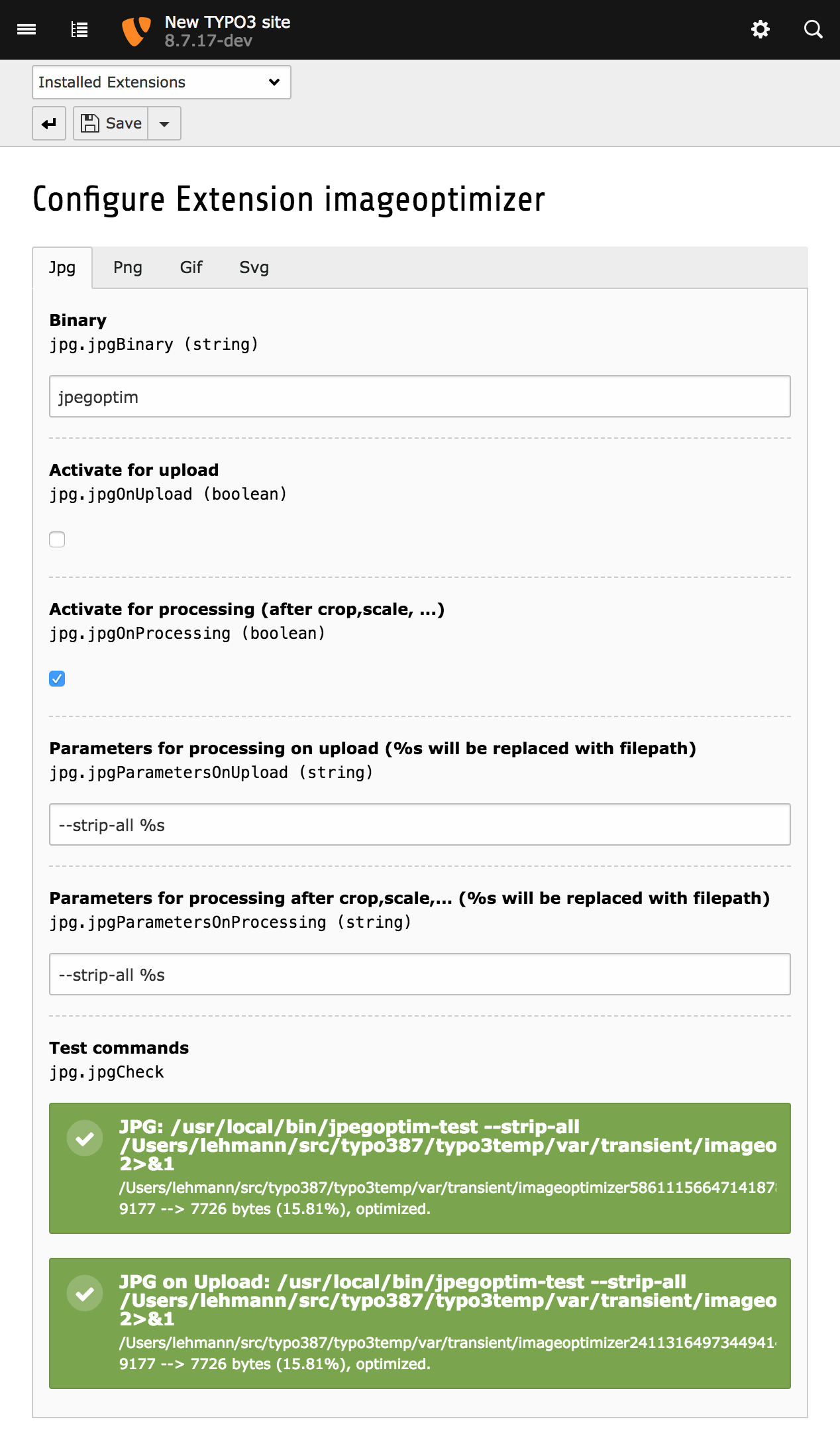
Available Parameters
- Available parameters for gifsicle are found here.
- Available parameters for jpegoptim are found here.
- Available parameters for cwebp are found here.
Debugging
- Commands are tested in the Extension Settings module
- Logging API: See file/database log