
bezhansalleh / filament-panel-switch

Easily Switch between your Filament Panels
Package info
github.com/bezhanSalleh/filament-panel-switch
Language:Blade
pkg:composer/bezhansalleh/filament-panel-switch
Fund package maintenance!
Requires
- php: ^8.2|^8.3
- filament/filament: ^4.0|^5.0
- illuminate/support: ^11.28|^12.0|^13.0
- league/uri: ^7.0
- spatie/laravel-package-tools: ^1.9
Requires (Dev)
- laravel/pint: ^1.0
- rector/jack: ^0.5.1
- spatie/laravel-ray: ^1.26
Suggests
None
Provides
None
Conflicts
None
Replaces
None
README
Panel Switch
The Panel Switch Plugin for Filament offers a robust and customizable component for switching between panels in applications built with FilamentPHP.
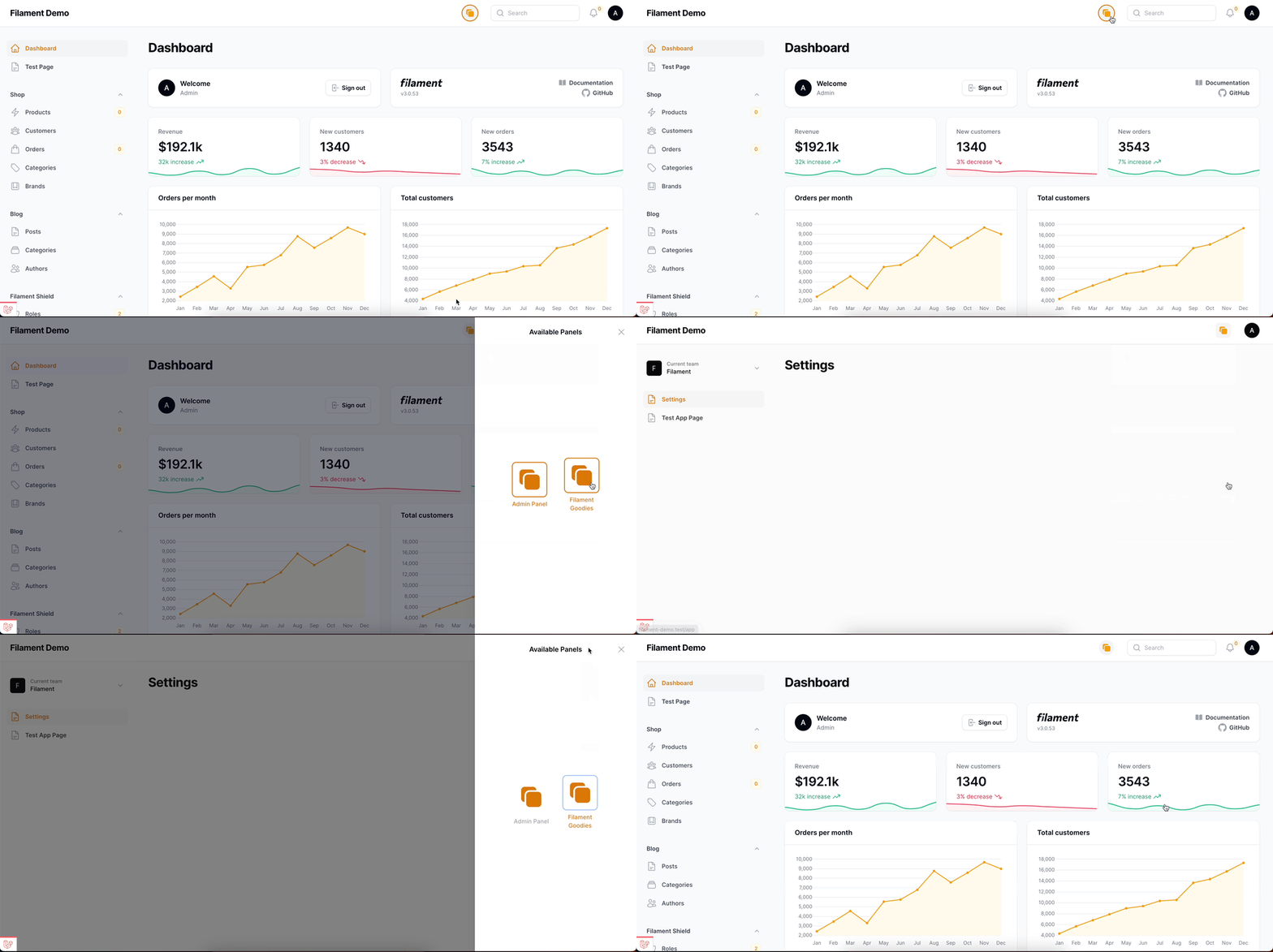
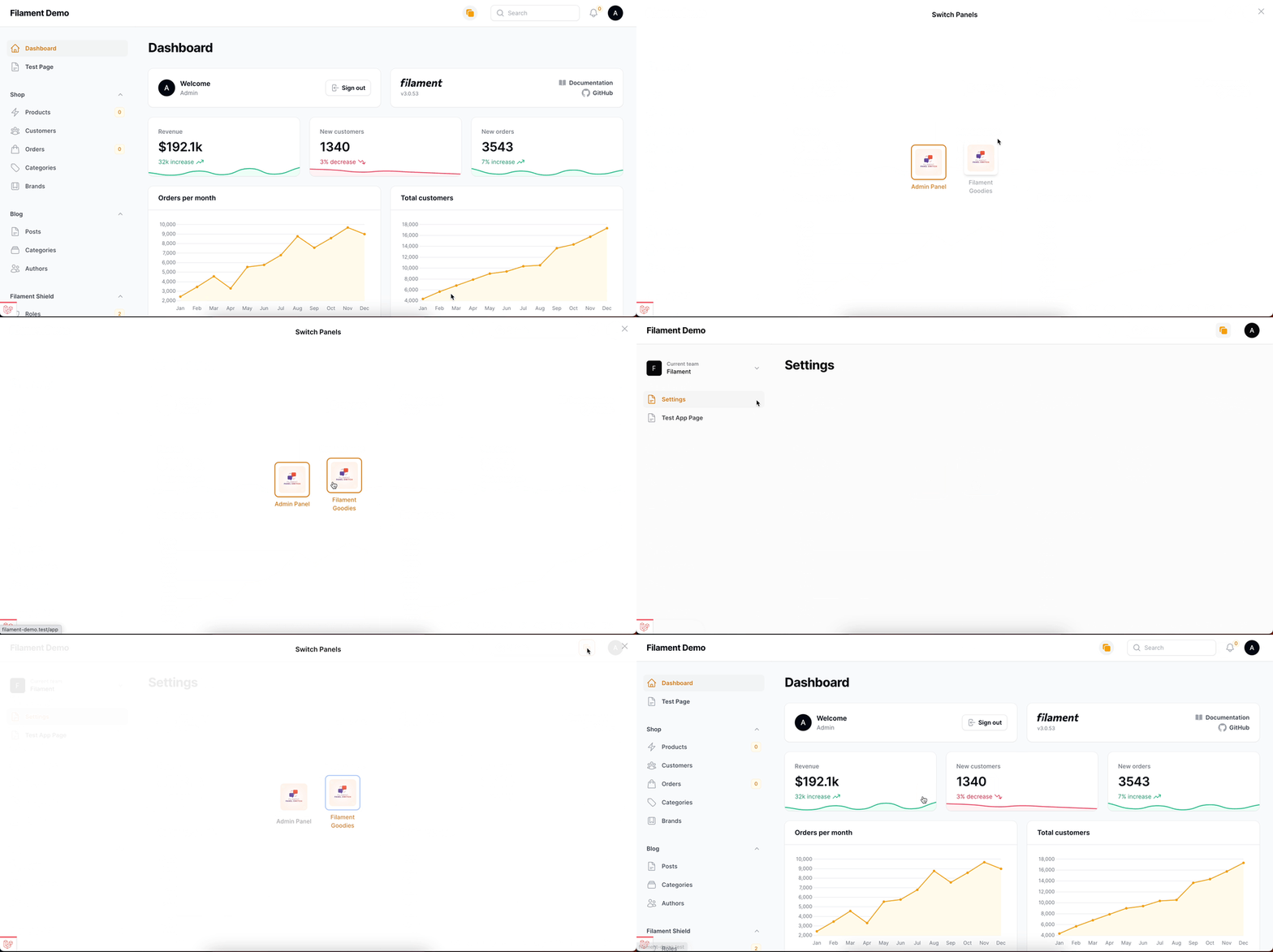
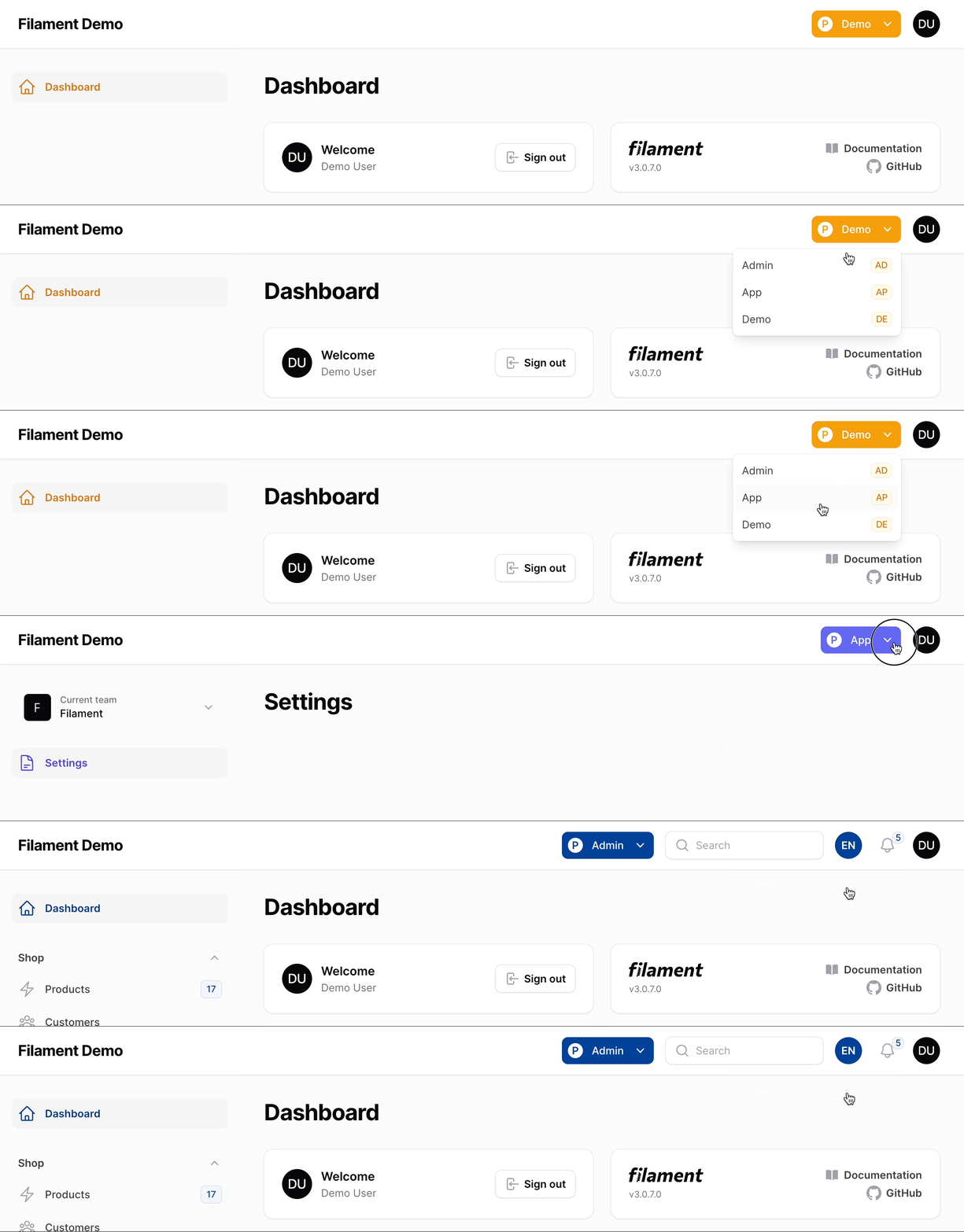
Table Of Contents
Compatibility
| Package Version | Filament Version |
|---|---|
| 1.x | 3.x |
| 2.x | 4.x & 5.x |
| 3.x - current | 4.x & 5.x |
Installation
You can install the package via composer:
composer require bezhansalleh/filament-panel-switch
Important
The plugin follows Filament's theming rules. So, to use the plugin create a custom theme if you haven't already, and add the following line to your theme.css file:
@source '../../../../vendor/bezhansalleh/filament-panel-switch/resources/views/**/*.blade.php';
Now build your theme using:
npm run build
Upon installation, the Plugin seamlessly integrates with Filament without any further setup. Though the plugin works out-of-the-box, it's designed for customization. Delve into the Configuration section below for detailed customization options.
Configuration
Start your custom configuration using the configureUsing method in your service provider's boot method:
use BezhanSalleh\PanelSwitch\PanelSwitch;

PanelSwitch::configureUsing(function (PanelSwitch $panelSwitch) {
    // Custom configurations go here
});
Panel Access & Navigation
The panel switch is automatically visible when the authenticated user has access to two or more panels. Panel access is determined via the canAccessPanel method on your User model — no additional configuration needed. Panels the user cannot access are automatically hidden from the switch.
To further limit which panels appear in the switch, use the panels() method:
PanelSwitch::configureUsing(function (PanelSwitch $panelSwitch) {
    $panelSwitch->panels([
        'admin',
        'dev',
        'app'
    ]);
});
The panels() method also accepts a closure that returns an array of panel ids. This is useful when you want to dynamically determine the panels that will be listed. The plugin will also validate the panels to ensure that they are valid filament panels. If any of the panels provided are invalid, the plugin will throw an InvalidArgumentException.
Design or Style
The plugin supports two design styles:
-
Modern (default) — Uses Filament's Modal Blade component. You can customize the modal heading, width, or use a slide-over:
PanelSwitch::configureUsing(function (PanelSwitch $panelSwitch) {
    $panelSwitch
        ->modalHeading('Available Panels')
        ->modalWidth('sm')
        ->slideOver();
});
-
Simple — A dropdown list for switching panels directly:
PanelSwitch::configureUsing(function (PanelSwitch $panelSwitch) {
    $panelSwitch->simple();
});
For full control over the look and feel, you can publish the views and make your own adjustments:
php artisan vendor:publish --tag="filament-panel-switch-views"
Labels
Provide custom labels for each panel. The keys should be valid panel IDs, and values can be strings or translatable strings:
PanelSwitch::configureUsing(function (PanelSwitch $panelSwitch) {
    $panelSwitch
        ->labels([
            'admin' => 'Custom Admin Label',
            'general_manager' => __('General Manager')
        ]);
});
Icons
Define icons for each panel using the icons() method. The keys should be valid panel IDs:
PanelSwitch::configureUsing(function (PanelSwitch $panelSwitch) {
    $panelSwitch->icons([
        'admin' => 'heroicon-o-square-2-stack',
        'app' => 'heroicon-o-star',
    ]);
});
For images instead of icons, set the asImage parameter to true:
PanelSwitch::configureUsing(function (PanelSwitch $panelSwitch) {
    $panelSwitch->icons([
        'admin' => 'https://example.com/admin.jpg',
        'app' => 'https://example.com/app.jpg',
    ], asImage: true);
});
Use iconSize() to customize the size (default 128px). The value is multiplied by 4:
PanelSwitch::configureUsing(function (PanelSwitch $panelSwitch) {
    $panelSwitch->iconSize(32); // 128px
});
Sort Order
By default panels are listed in registration order, or in the order provided via panels(). Use sort() to sort alphabetically:
PanelSwitch::configureUsing(function (PanelSwitch $panelSwitch) {
    $panelSwitch
        ->panels(['admin', 'dev', 'app'])
        ->sort();         // ascending: ['admin', 'app', 'dev']
        // ->sort('desc') // descending: ['dev', 'app', 'admin']
});
Placement
By default the panel switch is rendered via the panels::global-search.before render hook. You can change this to any available Filament Render Hook:
PanelSwitch::configureUsing(function (PanelSwitch $panelSwitch) {
    $panelSwitch->renderHook('panels::global-search.after');
});
Full Example
use BezhanSalleh\PanelSwitch\PanelSwitch;

PanelSwitch::configureUsing(function (PanelSwitch $panelSwitch) {
    $panelSwitch
        ->panels(['admin', 'app', 'dev'])
        ->heading('Available Panels')
        ->modalWidth('sm')
        ->slideOver()
        ->icons([
            'admin' => 'heroicon-o-square-2-stack',
            'app' => 'heroicon-o-star',
        ])
        ->iconSize(16)
        ->labels([
            'admin' => 'Admin Panel',
            'app' => 'SaaS Application'
        ]);

});
Testing
composer test
Changelog
Please see CHANGELOG for more information on what has changed recently.
Contributing
If you want to contribute to this packages, you may want to test it in a real Filament project:
- Fork this repository to your GitHub account.
- Create a Filament app locally.
- Clone your fork in your Filament app's root directory.
- In the
/filament-panel-switchdirectory, create a branch for your fix, e.g.fix/error-message.
Install the packages in your app's composer.json:
"require": {
    "bezhansalleh/filament-panel-switch": "dev-fix/error-message as main-dev",
},
"repositories": [
    {
        "type": "path",
        "url": "filament-panel-switch"
    }
]
Now, run composer update.
Security Vulnerabilities
Please review our security policy on how to report security vulnerabilities.
Credits
License
The MIT License (MIT). Please see License File for more information.